
 Carmen J. Moore

The iPhone 8 is known for its impressive camera capabilities, but many users may not be familiar with the technical details behind the images it produces. One common question that arises is how many dots per inch (dpi) does an iPhone 8 camera take?
DPI refers to the resolution of an image, specifically the number of dots that can be printed in a linear inch. The iPhone 8 camera has a resolution of 12 megapixels, which translates to a pixel count of 4032 x 3024. However, the DPI of the images taken by the iPhone 8 camera can vary depending on the size at which the image is printed.
Understanding iPhone 8 Camera Resolution
The iPhone 8 is equipped with a powerful camera that captures stunning photos with impressive resolution. The camera of the iPhone 8 has a resolution of 12 megapixels, which translates to about 3264 x 2448 pixels. This high resolution allows for detailed and sharp images, making it ideal for capturing special moments.
In addition to its megapixel count, the iPhone 8 camera also features advanced image processing capabilities that enhance the quality of the photos taken. The camera’s sensor size, pixel size, and aperture all play a role in determining the overall image quality and clarity.

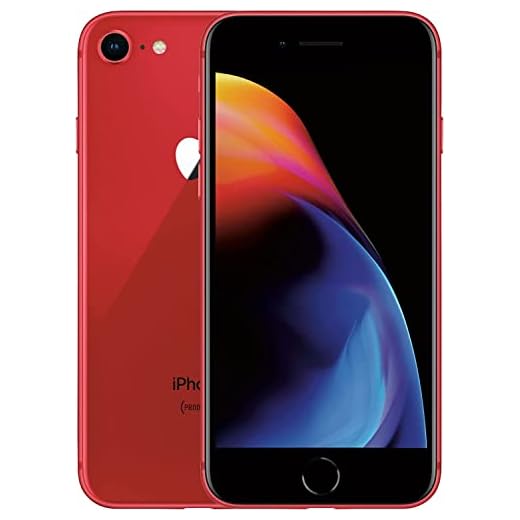

When it comes to printing photos taken with the iPhone 8 camera, the resolution of the images ensures that they can be printed in high-quality and large formats without losing detail. Whether you’re sharing photos on social media or printing them for display, the iPhone 8 camera resolution ensures that your images will look crisp and vibrant.
Overall, the iPhone 8 camera’s resolution of 12 megapixels combined with its advanced image processing capabilities make it a top choice for capturing memorable moments with stunning clarity and detail.
What is DPI and Its Importance?
DPI stands for dots per inch, which is a measure of the resolution of a digital image or print. It refers to the number of dots that can be placed in a linear inch. The higher the DPI, the more detailed the image will be.
DPI is important because it affects the quality of an image or print. A higher DPI results in a sharper and more detailed image, while a lower DPI may result in a blurry or pixelated image. When printing, a higher DPI is essential for achieving crisp and clear prints, especially for images with fine details.
iPhone 8 Camera Features Overview
The iPhone 8 features a 12-megapixel camera with an f/1.8 aperture, optical image stabilization, and a quad-LED True Tone flash. It can record 4K video at 24, 30, or 60 frames per second and 1080p video at 30, 60, 120, or 240 frames per second for slow-motion capture.
The camera also includes features like Live Photos, Auto HDR, and panorama mode. It has a 5x digital zoom and supports optical zoom up to 2x. The front-facing camera is a 7-megapixel sensor with an f/2.2 aperture and Retina Flash for selfies in low light.
DPI Capability of iPhone 8 Camera
When it comes to the iPhone 8 camera, it is important to note that the device captures images at a resolution of 12 megapixels. However, the concept of DPI (dots per inch) is more relevant when printing images rather than capturing them. DPI refers to the number of dots (or pixels) that can be placed in a linear inch of a printed image.
Understanding DPI:
For a printed image to appear crisp and clear, a higher DPI is generally preferred. The DPI of an image can be adjusted during the printing process to achieve different levels of quality and detail. iPhones, including the iPhone 8, do not have a fixed DPI setting for capturing images, as this is a factor that comes into play during the printing stage.
It is worth noting that the resolution of an image captured by the iPhone 8 (12 megapixels) can be a factor in determining the potential DPI of a printed image. Higher resolution images can be printed at larger sizes without losing quality, allowing for higher DPI prints if desired.
| iPhone Model | Camera Resolution | Printed Image DPI (Estimate) |
|---|---|---|
| iPhone 8 | 12 megapixels | Varies based on print size and image resolution |
How to Check DPI of iPhone 8 Camera?
Checking the DPI (dots per inch) of the iPhone 8 camera can help you understand the image quality and resolution it can produce. Here’s how you can check the DPI of the iPhone 8 camera:
- Open Camera App: Launch the Camera app on your iPhone 8.
- Take a Photo: Capture a photo using the iPhone 8 camera.
- View Photo Details: Open the captured photo and tap on the “Info” or “Details” option to view the image details.
- Check Resolution: Look for the resolution information in the photo details. The resolution will indicate the number of pixels captured by the camera.
- Calculate DPI: To calculate the DPI, divide the resolution width by the physical width of the printed photo in inches. For example, if the resolution is 4000 pixels and the printed width is 4 inches, the DPI would be 1000.
By following these steps, you can check the DPI of the iPhone 8 camera and understand the quality of images it can produce.
Comparing DPI of iPhone 8 with Other Models
When it comes to the iPhone 8, the camera has a resolution of 12 megapixels. The DPI (dots per inch) of the iPhone 8 camera can vary depending on the size of the image being captured. Generally, the iPhone 8 camera produces high-quality images with a DPI that ranges from 326 to 401, which is quite impressive for a smartphone.
Comparison with Other iPhone Models:
The iPhone 8’s DPI is comparable to other iPhone models in the same generation, such as the iPhone 8 Plus and iPhone X. These models also offer similar DPI ranges, providing users with sharp and detailed images.
When compared to older models like the iPhone 7 or iPhone 6, the iPhone 8’s camera offers a noticeable improvement in DPI, resulting in clearer and more vibrant photos.
Benefits of Higher DPI in Photography
When it comes to photography, having a higher DPI (dots per inch) can bring several benefits to your images. Here are some of the advantages:
| Sharper Details: | Higher DPI allows for more detail to be captured in an image, resulting in sharper and more defined photos. |
| Print Quality: | Higher DPI images are ideal for printing as they produce clearer and more vibrant prints with smooth gradients. |
| Zooming Capability: | Images with higher DPI retain their quality even when zoomed in, preserving the fine details of the photo. |
| Editing Flexibility: | Higher DPI images provide more room for editing without compromising image quality, allowing for better post-processing. |
| Professional Results: | Using higher DPI can elevate the overall look of your photographs, making them appear more professional and polished. |
Practical Uses of iPhone 8 Camera DPI
The iPhone 8 camera has a DPI (dots per inch) of approximately 326, which is a high resolution that allows for detailed and clear images. This feature makes the iPhone 8 camera suitable for various practical uses:
- Photography: The high DPI of the iPhone 8 camera ensures that photos taken with the device are sharp and vibrant, making it ideal for capturing memorable moments.
- Document Scanning: With the high resolution of the iPhone 8 camera, you can easily scan documents and receipts, creating digital copies that are clear and legible.
- Video Recording: The high DPI of the camera also enhances the quality of videos recorded on the iPhone 8, ensuring that the footage is crisp and detailed.
- Video Calls: When making video calls using the iPhone 8 camera, the high DPI helps improve the overall video quality, making for a clearer and more engaging communication experience.
Overall, the iPhone 8 camera’s DPI plays a crucial role in ensuring that the device is versatile and capable of delivering high-quality images and video footage for a variety of practical purposes.
Factors Affecting DPI Performance
When it comes to the DPI performance of a camera, there are several factors that can influence the quality of the images it produces. Here are some key factors to consider:
1. Sensor Size
The size of the sensor in a camera plays a crucial role in determining the DPI performance. A larger sensor can capture more light, resulting in better image quality with higher DPI.
2. Lens Quality
The quality of the lens used in the camera can also impact the DPI performance. A high-quality lens can produce sharper images with more detail, leading to higher DPI output.
Improving DPI Quality on iPhone 8
When it comes to capturing high-quality images on your iPhone 8, the DPI (dots per inch) plays a crucial role in determining the resolution and clarity of your photos. The DPI of the iPhone 8 camera is set at a standard level, but there are ways to enhance the DPI quality for better results.
1. Adjust Camera Settings
One way to improve DPI quality on your iPhone 8 is by adjusting the camera settings. Make sure to set the camera to its highest resolution setting to capture images with more detail and clarity. You can also enable HDR (High Dynamic Range) mode for better color representation and contrast in your photos.
2. Use Third-Party Apps
Another option to enhance DPI quality is by using third-party camera apps that offer advanced features and settings. These apps may provide more control over the DPI settings, allowing you to customize the resolution and other parameters to achieve sharper images.
By following these tips and techniques, you can improve the DPI quality on your iPhone 8 camera and capture stunning photos with enhanced resolution and clarity.




What is the DPI of images when printed from an iPhone 8? Is there a recommended print size to maintain quality?
I believe it depends on the size you want to print. If you're aiming for a larger print, you might want to stick to a DPI of 300 or more for the best quality.
I've been using the iPhone 8 for a couple of years now, and I find the camera quality really impressive. I've printed a few photos at 8×10 inches, and they turned out sharp and vibrant. I usually set my prints to 300 DPI and they look great!
That's awesome to hear! Did you notice any difference in quality compared to older models like the iPhone 7?
The iPhone 8 does have notable improvements in camera capabilities compared to earlier models, especially in terms of image processing and DPI.