
 Carmen J. Moore

With the rise of remote work and video conferencing, many people are looking for ways to improve the quality of their video calls. One question that often arises is whether it is possible to use a digital camera as a webcam.
Using a digital camera as a webcam can offer higher resolution, better image quality, and more control over settings compared to a built-in webcam. However, it may require additional hardware or software to make the connection.
Fortunately, there are several ways to use a digital camera as a webcam, such as using a capture card, USB connection, or specific software designed for this purpose. By exploring these options, you can elevate your video calls and presentations to a new level of professionalism.

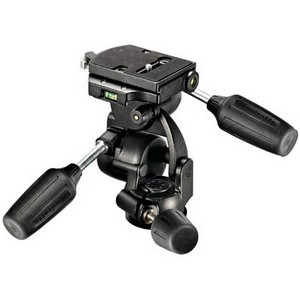


Can You Use Digital Camera as Webcam?
Many people wonder if they can use their digital camera as a webcam. While most digital cameras are not designed to function as webcams out of the box, there are some workarounds that allow you to use your camera for video calls or live streaming.
One option is to connect your digital camera to your computer using a USB cable and use software that enables you to capture the camera’s video feed and use it as a webcam input. Some digital cameras also have the ability to be used as webcams when connected to a computer via USB.
Another option is to use a capture card or HDMI capture device to connect your digital camera to your computer and use it as a webcam. This method may require additional hardware and software, but it can provide higher quality video and more control over settings.
Before trying to use your digital camera as a webcam, make sure to check if your camera model is compatible and if there are any specific instructions or software available from the manufacturer. With the right setup, you can turn your digital camera into a high-quality webcam for your video conferencing and streaming needs.
Benefits of Using Digital Camera as Webcam
There are several advantages to using a digital camera as a webcam:
- Improved Image Quality: Digital cameras typically offer higher resolution and better image quality compared to traditional webcams, resulting in clearer and sharper video.
- Enhanced Features: Digital cameras often come with advanced features such as manual focus, exposure control, and image stabilization, allowing for more customization and control over your video feed.
- Flexibility: With a digital camera, you can easily adjust settings like white balance, color saturation, and ISO to suit your specific needs and preferences, providing a more personalized webcam experience.
- Professional Look: Using a digital camera can give your video calls a more professional appearance, making you stand out in meetings, interviews, or online content creation.
- Dual Purpose: By using your digital camera as a webcam, you can leverage its high-quality imaging capabilities for both video calls and photography/videography, maximizing its utility.
Compatibility of Digital Cameras with Webcam Software
When considering using a digital camera as a webcam, it is important to check the compatibility of the camera with webcam software. Not all digital cameras are designed to function as webcams, and some may require specific software or drivers to enable this functionality.
Some newer digital cameras have built-in features that allow them to be used as webcams without the need for additional software. However, older models may not have this capability and may require third-party software or drivers to be installed.
Before attempting to use a digital camera as a webcam, it is recommended to check the manufacturer’s website or user manual for information on compatibility and any necessary software or drivers. Additionally, some camera manufacturers may offer specific instructions or support for using their cameras as webcams.
Steps to Set Up Digital Camera as Webcam
If you want to use your digital camera as a webcam, follow these steps to set it up:
- Check Compatibility: Make sure your digital camera is compatible with being used as a webcam. Check the manufacturer’s website or user manual for information.
- Install Necessary Software: Install any required software or drivers for your camera to work as a webcam. This may involve downloading specific software from the manufacturer’s website.
- Connect Your Camera to Your Computer: Use a USB cable to connect your camera to your computer. Make sure the camera is set to the appropriate mode for webcam use.
- Configure Camera Settings: Open the software you installed and configure the settings for your camera. This may include adjusting resolution, frame rate, and other settings.
- Set Up Your Video Chat Software: Open your video chat software (such as Zoom, Skype, or Discord) and select your camera as the video input device. Test the camera to ensure it is working properly.
Once you have completed these steps, you should be able to use your digital camera as a webcam for video calls and live streaming.
Tips for Enhancing Video Quality when Using Digital Camera as Webcam
Using a digital camera as a webcam can significantly improve the video quality of your online meetings or live streams. Here are some tips to enhance the video quality:
1. Lighting
Make sure you are well-lit when using your digital camera as a webcam. Natural light is ideal, but if that’s not available, use soft, diffused lighting to avoid harsh shadows on your face.
2. Stable Mounting
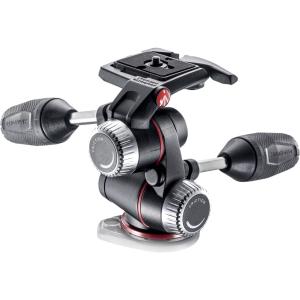
Securely mount your digital camera on a tripod or any stable surface to prevent shaky footage. This will also help maintain a consistent frame throughout your video.
- Ensure the camera is at eye level for a more flattering angle.
- Use a remote trigger or timer to avoid touching the camera during recording.
By following these tips, you can take advantage of your digital camera’s superior video quality and elevate your online video presence.
Alternatives to Using a Digital Camera as Webcam
If you don’t have a digital camera or prefer not to use one as a webcam, there are several alternatives you can consider:
1. USB Webcam:
One of the most common alternatives is to purchase a USB webcam. These devices are specifically designed for use as webcams and offer plug-and-play functionality with most computers. USB webcams come in a variety of price ranges and offer features like built-in microphones and adjustable mounts.
2. Smartphone as Webcam:
Another option is to use your smartphone as a webcam. There are several apps available for both Android and iOS devices that allow you to connect your phone to your computer and use it as a webcam. This can be a convenient option if you already have a smartphone with a quality camera.
FAQ
Can I use my digital camera as a webcam?
Yes, it is possible to use your digital camera as a webcam. However, you may need special software or hardware to make the connection between your camera and computer.
What do I need to use my digital camera as a webcam?
To use your digital camera as a webcam, you will need a USB cable to connect your camera to your computer. You may also need software that allows your computer to recognize the camera as a webcam.
Is it better to use a digital camera as a webcam compared to a regular webcam?
Using a digital camera as a webcam can offer higher video quality and more features compared to a regular webcam. However, it may require more setup and additional equipment.


Can you really tell much of a difference in video quality between a regular webcam and a digital camera used as a webcam? I'm curious if the extra effort is worth it.
I switched from a webcam to my DSLR, and the difference is huge! The clarity and color are way better, especially in low light.
Just a tip: lighting makes a huge difference when using a digital camera. I added some softbox lights, and the improvement was noticeable!
I’ve been using my smartphone as a webcam, and it works surprisingly well! Not as complicated as I thought it would be.
How does using a digital camera compare to a good USB webcam, like the Logitech C920? I'm curious if the extra effort is really worth it.
I recently set up my Nikon D3500 as a webcam using a HDMI capture card. The image quality is amazing compared to my built-in webcam! I did run into some issues with the camera overheating after a long session, though. I’d recommend using a cooling fan if you plan to use it for extended periods.
I disagree that using a digital camera is always better. For many, a good quality USB webcam is more than enough and so much easier to set up. Not everyone needs that level of quality.
I can see your point, but for those who do streaming or professional calls, the quality is a game changer!
I disagree that it's much better to use a digital camera over a regular webcam. For most casual users, a decent USB webcam is good enough and way easier to set up. Not everyone has a DSLR lying around.
Good article! I'm wondering if there's a specific software you recommend for using a Canon DSLR as a webcam? I've heard mixed reviews about different options.
I just set up my Canon DSLR as a webcam using a USB connection with some software. It was quite straightforward, but I had to update the camera's firmware first. The video quality is amazing, but I noticed the battery drains pretty fast. I might need to invest in a power adapter to keep it plugged in during long meetings.
What do you think is better, using a DSLR or a good smartphone as a webcam?