
 Carmen J. Moore
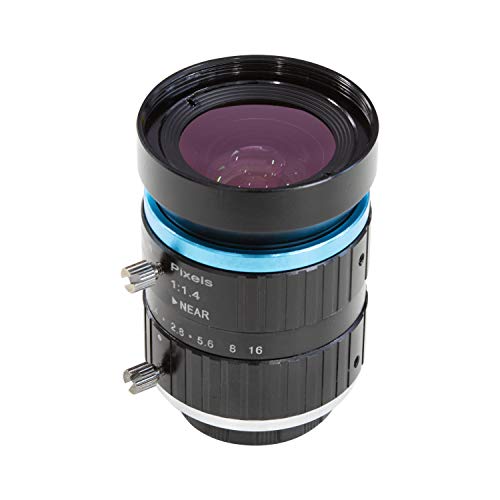
Adjusting the focal length on your Lumix digital camera can greatly impact the quality of your photographs. Understanding how to set the focal length correctly is essential for capturing sharp, clear images with the desired depth of field. In this guide, we will walk you through the steps to adjust the focal length on your Lumix camera effectively.


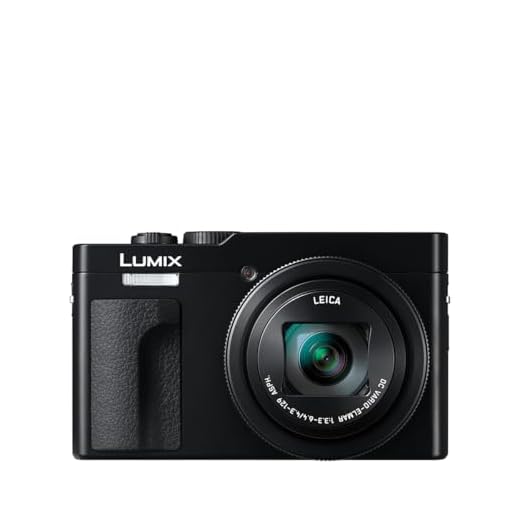
First and foremost, it is important to familiarize yourself with the different focal length options available on your Lumix camera. Depending on the model, you may have a zoom lens or a fixed focal length lens. Zoom lenses allow you to adjust the focal length within a certain range, while fixed focal length lenses have a set focal length that cannot be changed.
Once you have identified the type of lens on your Lumix camera, you can proceed to adjust the focal length. If you have a zoom lens, you can simply rotate the zoom ring on the lens to zoom in or out and change the focal length. Pay attention to the markings on the lens to see the exact focal length you are using.
Understanding Focal Length
Focal length is a key concept in photography that determines the field of view and magnification of the image captured by a camera. It is measured in millimeters and indicates how wide or narrow the camera’s perspective will be. A shorter focal length (e.g. 18mm) will result in a wider field of view, capturing more of the scene in the frame. On the other hand, a longer focal length (e.g. 200mm) will narrow the field of view and magnify distant objects, making them appear closer and larger in the frame.
What is Focal Length?
Focal length is a key parameter in photography that determines the field of view and magnification of a camera lens. It is usually measured in millimeters and represents the distance between the lens and the image sensor when the subject is in focus.
The focal length of a lens affects how much of the scene will be captured in the frame and how large or small the subject will appear. A shorter focal length (e.g., 18mm) will result in a wider field of view, allowing you to capture more of the scene, while a longer focal length (e.g., 200mm) will narrow the field of view and magnify the subject.

Choosing the Right Focal Length
When setting the focal length on your Lumix digital camera, it is important to consider the effect it will have on your photos. The focal length determines the field of view and magnification of your images, so choosing the right focal length can greatly impact the final result. Here are some tips to help you choose the right focal length:
1. Wide-angle lenses (short focal length) are great for capturing landscapes, architecture, and group shots. They provide a wider field of view and can create a sense of space in your photos.
2. Standard lenses (around 50mm focal length) are versatile and can be used for a variety of subjects, including portraits, street photography, and everyday scenes. They offer a natural perspective similar to what the human eye sees.
3. Telephoto lenses (long focal length) are ideal for capturing distant subjects, such as wildlife, sports, and events. They bring faraway objects closer and can create a sense of intimacy in your photos.
Experimenting with different focal lengths can help you discover your personal style and create unique images. Remember to consider the subject, composition, and desired effect when choosing the focal length for your Lumix digital camera.
Factors to Consider
When setting the focal length on your Lumix digital camera, there are several factors to consider to ensure you capture the best possible images:
1. Subject Distance
The distance between your camera and the subject will affect the focal length you choose. For closer subjects, a shorter focal length may be more appropriate, while longer focal lengths are ideal for distant subjects.
2. Desired Composition
Consider the composition of your shot and how you want to frame the subject. A wider focal length will capture more of the scene, while a longer focal length will isolate the subject and create a more compressed effect.
| Subject Distance | Desired Composition |
| Shorter focal length for closer subjects | Wider focal length for capturing more of the scene |
| Longer focal length for distant subjects | Longer focal length for isolating the subject |
Setting Focal Length on a Lumix Camera
Adjusting the focal length on your Lumix camera can greatly impact the composition and quality of your photos. Follow these steps to set the focal length:
Step 1: Access the Menu
Turn on your Lumix camera and navigate to the menu option by pressing the Menu button on the camera.

Step 2: Select Focal Length
Scroll through the menu options until you find the Focal Length setting. Select this option to enter the focal length adjustment menu.
| Zoom In | Use the zoom control on your camera to increase the focal length and zoom in on your subject. |
|---|---|
| Zoom Out | Conversely, use the zoom control to decrease the focal length and zoom out for a wider perspective. |
Once you have set the desired focal length, press the OK or Set button to confirm your selection. Your Lumix camera is now ready to capture images with the adjusted focal length.
Step-by-Step Guide
1. Power on your Lumix digital camera
Make sure your Lumix camera is turned on and ready to use.
2. Navigate to the menu

Press the menu button on your camera to access the settings menu.
3. Select the camera settings
Using the arrow keys or touchscreen, navigate to the camera settings option in the menu.
4. Adjust the focal length
Look for the focal length setting in the camera settings menu. You may need to scroll down to find it.
5. Set the desired focal length
Use the arrow keys or touchscreen to select and adjust the focal length to your desired setting.
6. Save the changes
Once you have set the focal length to your preference, save the changes by pressing the OK or Set button on your camera.
7. Exit the menu

Exit the menu by pressing the menu button again or navigating to the exit option.
8. Start capturing photos
Your Lumix digital camera is now set to the desired focal length. Start capturing stunning photos with your adjusted focal length settings.
Adjusting Focal Length for Different Shots
When shooting with your Lumix digital camera, it’s important to adjust the focal length to suit the type of shot you want to capture. Here are some tips on how to adjust the focal length for different types of shots:
1. Wide-angle shots: For capturing expansive landscapes or group shots, use a shorter focal length (e.g., 18mm) to include more of the scene in the frame.

2. Portrait shots: When taking portraits, opt for a longer focal length (e.g., 50mm) to achieve a more flattering perspective and blur the background.
3. Macro shots: For close-up shots of small subjects, set the focal length to the macro range (e.g., 35mm) to capture fine details and textures.
4. Zoom shots: If you need to zoom in on a distant subject, adjust the focal length accordingly to bring it closer and maintain clarity.
By adjusting the focal length on your Lumix camera, you can enhance the impact and composition of your photos for various shooting scenarios.
Tips and Techniques
Setting the focal length on a Lumix digital camera is a key aspect of capturing high-quality photos. Here are some tips and techniques to help you get the best results:

1. Understand the Basics
Before adjusting the focal length, it’s important to understand what it is and how it affects your photos. Focal length determines the angle of view and magnification of your images. A longer focal length results in a narrower angle of view and higher magnification, while a shorter focal length gives you a wider angle of view.
2. Experiment with Different Focal Lengths
Take the time to experiment with different focal lengths to see how they impact your photos. Try shooting the same scene at various focal lengths to compare the results. This hands-on approach will help you understand how focal length can alter the composition and perspective of your images.
Experimenting with Focal Length
One of the benefits of digital cameras is the ability to experiment with different focal lengths without having to change lenses. With a Lumix digital camera, you can easily adjust the focal length to achieve different perspectives and compositions.
By changing the focal length, you can control the field of view and the magnification of your subject. A shorter focal length will result in a wider field of view, while a longer focal length will bring distant subjects closer and narrow the field of view.
Experiment with different focal lengths to see how they impact your photos. Try a wide-angle focal length for landscapes or group shots, and a longer focal length for portraits or close-up shots. Play around with the zoom to find the perfect focal length for your desired shot.

Remember to consider the impact of focal length on perspective and distortion. A wide-angle lens may create a sense of depth and exaggerate the size of objects near the camera, while a telephoto lens may compress the perspective and make distant objects appear closer together.
Overall, experimenting with focal length can help you discover new ways to capture your subjects and express your creativity through photography.
FAQ
How do I set the focal length on my Lumix digital camera?
To set the focal length on your Lumix digital camera, you can use the zoom ring or switch on the camera to adjust the focal length manually. You can also use the camera’s menu settings to select the desired focal length if available.
Can I change the focal length on my Lumix digital camera while shooting photos?
Yes, you can change the focal length on your Lumix digital camera while shooting photos by using the zoom ring or switch on the camera. Some Lumix models also allow you to change the focal length through the camera’s menu settings while shooting. Experiment with different focal lengths to achieve the desired composition and perspective in your photos.


Can you clarify how the focal length affects depth of field? I often hear it mentioned in photography but I'm still a bit confused.
Great question! In general, a longer focal length can create a shallower depth of field, which helps isolate the subject from the background. In contrast, shorter focal lengths maintain more of the scene in focus.
I've been using my Lumix G7 for a while now, and adjusting the focal length made a huge difference in my landscape shots. Switching to a wider lens really allowed me to capture the vastness of the scenes, while using a longer lens helped me with portraits. Definitely agree with the tips here!
Does anyone know if the steps for adjusting the focal length are the same for all Lumix models? I have the Lumix LX100 and I’m not sure.
The steps can vary slightly by model. However, most Lumix cameras have a similar layout. It’s always a good idea to consult your specific model’s manual for precise instructions.
I disagree a bit with the idea that longer focal lengths are always better for portraits. I find that using a standard lens around 50mm gives a more natural look without too much distortion.
That's a good point! I've noticed that too. It really depends on the look you're going for.
Make sure to check the focal length markings on your lens! They really help you gauge what you’re working with.
Good article! I'm curious, how do I know if my Lumix camera has a zoom or fixed lens? Are there specific models you recommend?
You can usually find that info in the camera specs or manual. If it mentions a range of focal lengths, then it’s definitely a zoom lens.