
 Carmen J. Moore

A digital camera is a complex device that captures and stores images in a digital format. Understanding how a digital camera builds the picture can help us appreciate the technology behind this common tool.




At the heart of a digital camera is the image sensor, which is responsible for converting light into electrical signals. When you press the shutter button, the camera opens the shutter, allowing light to pass through the lens and onto the image sensor.
The image sensor then captures the light and converts it into digital data, which is processed by the camera’s processor. The processor analyzes the data and generates an image file that can be stored on a memory card.
From the lens to the image sensor to the processor, each component of a digital camera plays a crucial role in building the picture that you see on the screen or print out.
Understanding the digital camera
Modern digital cameras use a combination of advanced technology to capture images with exceptional detail and clarity. Understanding how a digital camera works can help you take better photos and make the most of your equipment.
Image Sensor
The heart of a digital camera is its image sensor, which converts light into digital signals. The two most common types of image sensors are CCD (Charge-Coupled Device) and CMOS (Complementary Metal-Oxide-Semiconductor). These sensors capture light and color information to create a digital image.

Image Processing
Once the image sensor captures the light, the camera’s processor processes the digital signals to create a final image. This includes adjusting the exposure, white balance, and sharpness to produce a high-quality photo. Understanding the image processing capabilities of your camera can help you achieve the desired results.
The basics of digital photography
Digital photography is the process of capturing images using a digital camera instead of traditional film. This technology has revolutionized the way we take, store, and share photos. Understanding the basics of digital photography is essential for anyone looking to improve their photography skills.
Understanding pixels
At the core of digital photography is the concept of pixels. A pixel is the smallest unit of a digital image, and each pixel contains information about color and brightness. The more pixels in an image, the higher the resolution and quality of the photo.
Camera settings
When taking a digital photo, there are several settings to consider, such as aperture, shutter speed, and ISO. These settings allow you to control the amount of light entering the camera, the depth of field, and the sensitivity to light. Understanding how to adjust these settings can help you capture the perfect shot.
The Role of the Image Sensor
The image sensor is a crucial component of a digital camera that captures light and converts it into digital data to create an image. It is essentially the “eye” of the camera, responsible for capturing the scene in front of the lens.
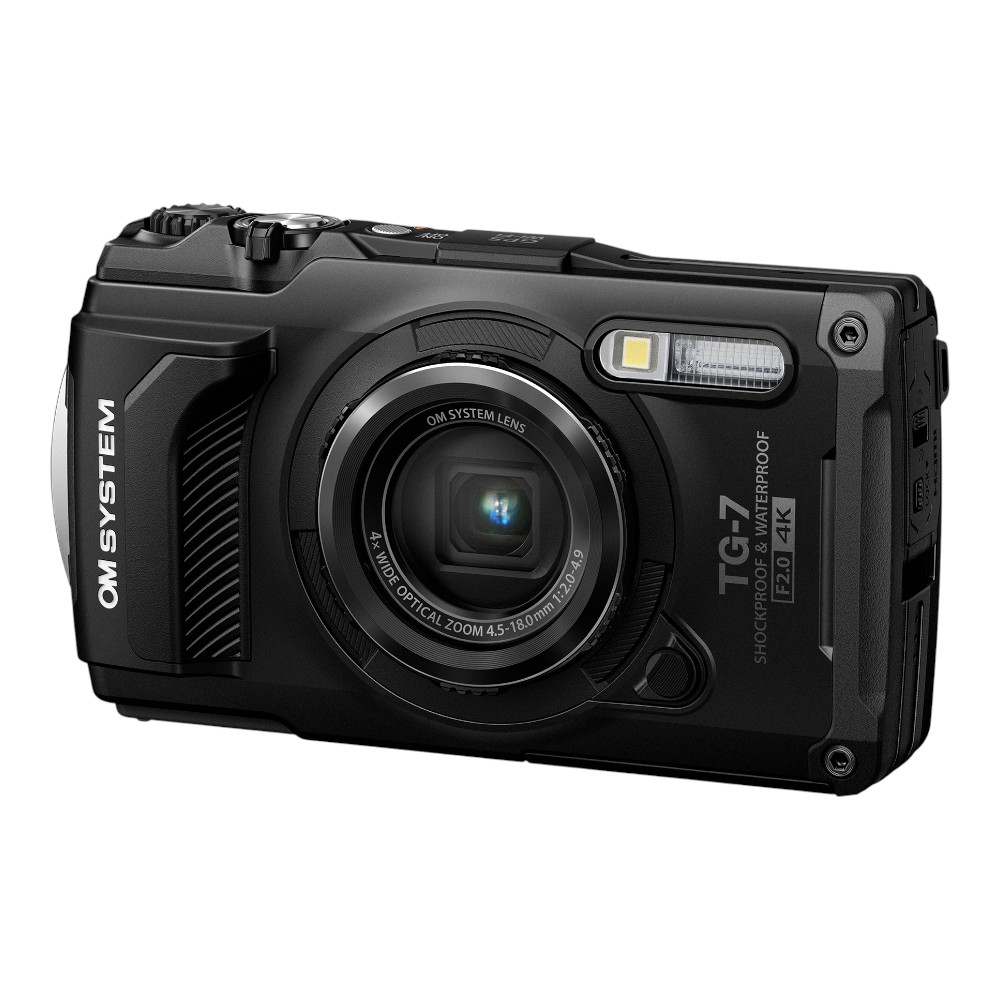
Types of Image Sensors
There are two main types of image sensors used in digital cameras: CCD (Charge-Coupled Device) and CMOS (Complementary Metal-Oxide-Semiconductor). Each type has its own advantages and disadvantages, affecting factors such as image quality, sensitivity, and power consumption.
Image Sensor Process
When light enters the camera through the lens, it hits the image sensor, which then converts the light into electrical signals. These signals are processed by the camera’s image processor to create a digital image file that can be stored and displayed. The quality of the image sensor plays a significant role in determining the overall image quality of the camera.
Capturing light through the lens
When you press the shutter button on a digital camera, you are initiating a process that involves capturing light through the camera’s lens. The lens of the camera focuses the light from the scene onto the camera’s image sensor, which is made up of millions of tiny light-sensitive pixels.
As the light enters the lens, it passes through the aperture, which controls the amount of light that reaches the sensor. The aperture size can be adjusted to regulate the exposure of the image. The light then hits the sensor, where each pixel records the intensity of light it receives.
Image processing in the camera
Once the light enters the camera through the lens, the image sensor captures the light and converts it into an electrical signal. This signal is then processed by the camera’s image processor, which analyzes the data to create a digital image.

The image processor performs various tasks such as noise reduction, color correction, white balance adjustment, and sharpening to enhance the quality of the image. It also applies algorithms to adjust exposure, contrast, and saturation to produce a visually appealing picture.
Importance of pixels in the picture
When it comes to digital photography, pixels play a crucial role in determining the quality and resolution of the image. Pixels are the smallest unit of a digital image, and the more pixels a camera sensor has, the higher the resolution of the image it can produce.
The number of pixels in an image directly affects the clarity, sharpness, and detail of the picture. Higher pixel count results in sharper images with more details, making it easier to crop, zoom in, or print the photo without losing quality.
Adjusting exposure and focus
One of the key components of capturing a great photo is getting the exposure and focus just right. A digital camera achieves this by adjusting the amount of light that enters the camera (exposure) and by ensuring that the subject is in sharp focus.
Exposure
The exposure of a photo refers to how light or dark the image appears. Digital cameras have various settings to control the exposure, such as aperture, shutter speed, and ISO. These settings determine how much light is allowed to hit the camera sensor, resulting in a properly exposed image.

Focus
Focus is crucial for ensuring that the subject of the photo is sharp and clear. Digital cameras use autofocus systems to automatically adjust the focus to keep the subject in sharp detail. Some cameras also offer manual focus options for more precise control over the focus of the image.
| Adjusting exposure: | Use settings like aperture, shutter speed, and ISO to control the amount of light hitting the sensor. |
|---|---|
| Adjusting focus: | Utilize autofocus systems or manual focus options to ensure the subject is sharp and clear. |
Impact of ISO settings on the image
ISO settings on a digital camera determine the sensitivity of the image sensor to light. A higher ISO setting allows you to capture images in low light conditions without using a flash, but it can introduce digital noise and reduce image quality.
Low ISO:
Low ISO settings (e.g., ISO 100) produce images with less noise and higher image quality, but they require more light to achieve a proper exposure.
High ISO:
High ISO settings (e.g., ISO 1600 or higher) are useful in low light situations, but they can result in more noise and reduced image sharpness.
White balance for accurate colors
White balance is a crucial setting in digital cameras that ensures accurate color reproduction in your photos. It adjusts the colors in the image to appear as close to reality as possible by compensating for different lighting conditions.

When you take a photo, the camera measures the color temperature of the light in the scene and adjusts the white balance accordingly. This helps to eliminate any color casts that can make your photos look unnatural or tinted.
Common white balance presets include daylight, cloudy, shade, tungsten, fluorescent, and flash. You can also manually set the white balance to match the specific lighting conditions you are shooting in for the most accurate color representation.
By understanding and using white balance effectively, you can ensure that your photos have true-to-life colors and convey the scene as you saw it in person.
Understanding image formats
Image formats play a crucial role in digital photography and can significantly impact the quality and size of the final image. Different image formats have distinct characteristics and are suitable for various purposes.
Common image formats:
There are several common image formats used in digital photography, including JPEG, PNG, GIF, and TIFF. Each format has its strengths and weaknesses, making it important to choose the right format based on your specific needs.

Factors to consider:
When selecting an image format, consider factors such as image quality, file size, transparency support, and compatibility with different devices and software. Understanding these factors can help you choose the best format for your images.
| Image Format | Characteristics |
|---|---|
| JPEG | Lossy compression, widely supported, smaller file size |
| PNG | Lossless compression, supports transparency, larger file size |
| GIF | Supports animation, limited colors, small file size |
| TIFF | High-quality image, large file size, supports layers and transparency |
Saving and sharing digital photographs
Once you have taken your digital photographs, it is important to save them properly to ensure they are safe and easily accessible. Most digital cameras come with memory cards where the photos are stored. You can transfer the photos from the memory card to your computer for safekeeping. It is recommended to create a folder on your computer to organize your photos by date, event, or any other category that makes sense to you.
Additionally, you can easily share your digital photographs with friends and family by uploading them to social media platforms or sending them via email. Social media platforms like Facebook, Instagram, and Twitter allow you to share your photos with a wide audience instantly. You can also create online albums or galleries to showcase your work or share specific collections with a select group of people.
Remember to always respect the privacy of others when sharing digital photographs and be mindful of the settings you use to ensure your photos are seen by the intended audience only.
FAQ
How does a digital camera capture an image?
A digital camera captures an image by using a sensor to convert light into an electronic signal. When you press the shutter button, light enters the camera through the lens and hits the sensor, which then converts the light into digital data that is stored as a picture file.

What is the role of the lens in a digital camera?
The lens in a digital camera focuses the light onto the sensor, forming a clear and sharp image. The quality of the lens can greatly affect the quality of the final image, as it determines how well the camera can capture details, colors, and contrast.
How does a digital camera process the captured image?
After capturing the image, a digital camera processes it by applying various settings and adjustments, such as white balance, exposure, and color correction. This processing happens either in-camera or on a computer when the image is transferred.
What are the main components of a digital camera that contribute to building a picture?
The main components of a digital camera that contribute to building a picture include the sensor, lens, image processor, and storage media. Each of these components plays a crucial role in capturing, processing, and storing the image data to create a final picture.



I recently upgraded to a camera with a CMOS sensor and noticed a significant difference in the speed of shooting. The autofocus is much quicker and it handles low-light situations better. I used to struggle with noise in my images, but now they look much cleaner even at higher ISO settings. It's interesting to see how sensor type can really impact the overall photography experience.
What are the main differences between CCD and CMOS sensors regarding image quality and performance?
CCD sensors typically provide better image quality and lower noise, especially in low-light conditions, while CMOS sensors are generally faster, consume less power, and are more versatile in digital cameras.
I think relying on automatic settings for exposure and focus can sometimes backfire. Manual controls allow for more creative flexibility, especially in challenging lighting conditions. It’s worth learning those settings for more professional-looking photos!
Could you explain how white balance affects photos in different lighting conditions?