
 Carmen J. Moore

Security cameras play a crucial role in monitoring and protecting our homes and businesses. However, these cameras can be vulnerable to attacks, such as being targeted by a laser pointer.
Laser pointers can disrupt the functioning of security cameras by causing glare or even damaging the camera lens. In this article, we will discuss some effective ways to protect your security camera from laser pointer attacks.
Secure Your Security Camera
Protecting your security camera from laser pointer attacks is essential to ensure its proper functioning and security of your property. Here are some tips to help you secure your security camera:
1. Install a protective cover or shield around your security camera to prevent direct exposure to laser pointers.


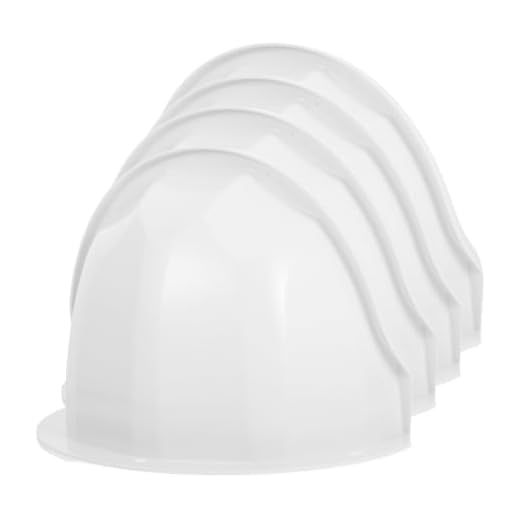
2. Position your security camera in a way that minimizes the risk of laser pointer interference, such as placing it higher up or out of reach.
3. Use anti-glare coatings on your security camera lens to reduce the impact of laser pointers.
4. Regularly check your security camera for signs of damage or tampering, and immediately report any suspicious activity to authorities.
By following these tips, you can help protect your security camera from laser pointer attacks and ensure its continued functionality in keeping your property safe and secure.
Choose a Hidden Location
When installing security cameras, choose a hidden location that is not easily accessible to potential intruders. Mount the camera high up and out of reach, such as on the roof or under the eaves of a building. Avoid placing the camera in a location where it can be easily targeted with a laser pointer, such as at eye level or within reach of someone standing on the ground.
Consider using camouflage or protective covers to further conceal the camera and make it less visible to unauthorized individuals. Additionally, ensure that the camera is securely mounted to prevent tampering or vandalism.
Install a Protective Cover
One effective way to protect your security camera from laser pointer attacks is to install a protective cover. This cover can be made of a durable material such as metal or thick plastic that can withstand the impact of a laser pointer. The cover should be designed in such a way that it does not obstruct the camera’s field of view or impair its functionality.
Ensure that the protective cover is securely attached to the camera housing to prevent it from being easily removed or tampered with. Additionally, regularly inspect the cover for any signs of damage or wear and tear, and replace it if necessary to maintain the camera’s protection against laser pointers.
Use Anti-Laser Films
Another effective way to protect your security camera from laser pointers is by using anti-laser films. These films are designed to block or reduce the intensity of laser beams, making it difficult for the laser pointer to interfere with the camera’s lens.
You can purchase anti-laser films online or at specialty stores that sell security camera accessories. Simply apply the film over the camera lens according to the manufacturer’s instructions. This extra layer of protection can help safeguard your security camera from potential laser pointer attacks.
Adjust Camera Settings
One way to protect your security camera from a laser pointer is to adjust the camera settings to minimize the impact of the laser. Here are some settings you can consider:
- Decrease Sensitivity: Lower the sensitivity of the camera to reduce the chances of the laser interfering with the image quality.
- Adjust Exposure: Adjust the exposure settings to prevent the camera from capturing the laser beam too brightly.
By making these adjustments, you can help mitigate the effects of a laser pointer on your security camera.
Install a Laser Detector
One effective way to protect your security camera from laser pointers is to install a laser detector. These devices can detect the presence of laser beams and trigger an alarm or alert when they are detected. By installing a laser detector near your security camera, you can be notified immediately if someone tries to interfere with the camera using a laser pointer.
How to Install a Laser Detector:
- Choose a suitable location near your security camera to install the laser detector.
- Follow the manufacturer’s instructions to mount the detector securely in place.
- Connect the detector to your security camera system or monitoring equipment.
- Test the detector to ensure it is functioning properly and can detect laser beams effectively.
Upgrade to Laser-Resistant Cameras
One of the most effective ways to protect security cameras from laser pointers is to upgrade to laser-resistant cameras. These cameras are specifically designed to withstand laser attacks and prevent damage to the lens. Laser-resistant cameras typically come with special coatings or materials that can deflect or absorb laser beams without affecting the camera’s performance.
When upgrading to laser-resistant cameras, make sure to choose models that are specifically designed to protect against laser attacks. Look for cameras with high-quality lenses and durable construction that can withstand potential laser exposure. Additionally, consider placing these upgraded cameras in strategic locations to minimize the risk of laser interference.
By investing in laser-resistant cameras, you can significantly improve the security and reliability of your surveillance system, ensuring that your cameras remain functional and effective even in the face of laser attacks.
Add Additional Security Measures
In addition to physical barriers and camera placement, you can enhance the security of your security cameras by implementing additional measures:
1. Encryption:
- Ensure that your security camera system uses encryption to protect the video feed from being intercepted or tampered with.
2. Regular Maintenance:
- Regularly check your security cameras for any signs of tampering or damage. Replace any damaged cameras promptly.
By adding these additional security measures, you can further protect your security cameras from potential threats, including laser pointers.
Regularly Inspect Your Cameras
One of the most important steps in protecting your security cameras from laser pointer attacks is to regularly inspect them. Check the lenses, housings, and cables for any signs of damage or tampering. Make sure that the cameras are securely mounted and positioned to minimize the risk of a laser pointer being able to reach the lens.
Regular inspections can help you identify any vulnerabilities or weaknesses in your camera setup and take appropriate measures to address them before they can be exploited by malicious individuals. By staying vigilant and proactive, you can help ensure that your security cameras remain secure and effective in deterring potential threats.
Report Any Incidents Immediately
If you notice any suspicious activity or someone using a laser pointer to interfere with your security camera, it is crucial to report the incident immediately. Prompt reporting can help authorities take appropriate action and prevent further damage to your surveillance system.
Make sure to document the incident with as much detail as possible, including the time, date, and any relevant information about the perpetrator. This information can be valuable for investigating the incident and identifying the individual responsible.


I’ve been considering both laser-resistant cameras and just installing protective covers. Which option do you think offers better long-term security?
I think upgrading to laser-resistant cameras is a better long-term solution. They’re specifically designed to handle laser interference, while covers might not always be effective.
I installed anti-laser films on my security cameras last year after hearing about laser pointer issues. Honestly, it made a difference! I also adjusted the camera settings to lower sensitivity, and I haven't had any problems since. It’s a small investment for peace of mind.
What specific materials are best for making a protective cover? I want to ensure it doesn't obstruct the camera's view.
Regular inspections for tampering are crucial! I check mine monthly.
Could you clarify how a laser detector works? Is it a separate system that integrates with existing cameras?
Yes, a laser detector is often a standalone device that can trigger alerts when it detects laser beams. It can be connected to your security system for real-time notifications.
I’m not convinced laser pointers are a significant threat to security cameras. Aren't there more pressing security issues to focus on?
While they may not be the most common threat, laser pointers can indeed disrupt camera performance and lead to vulnerabilities. Being aware of such issues can enhance overall security.