
 Carmen J. Moore

Security cameras have become an essential part of home and business security systems, providing a way to monitor and protect your property. One question that often arises is whether security cameras need a hub to function effectively.
A hub is a central device that connects and controls multiple devices in a network. In the case of security cameras, a hub can be used to manage and access the footage from multiple cameras, as well as provide additional features and functionalities.
While some security cameras require a hub to function, not all cameras need one. The need for a hub largely depends on the type and brand of camera you choose, as well as your specific security needs and preferences.

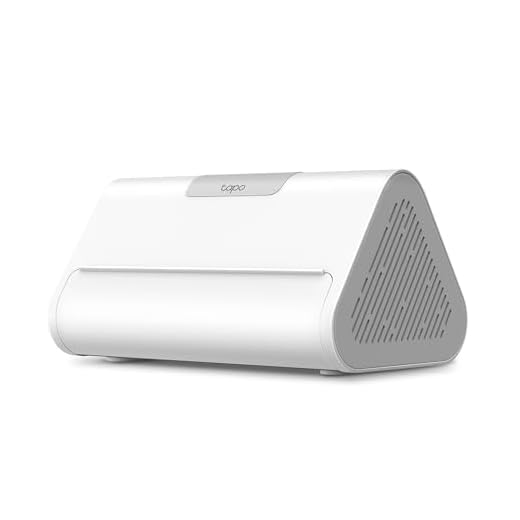
Do Security Cameras Need a Hub
Security cameras do not always require a hub to function. Some security cameras can operate independently, connecting directly to a Wi-Fi network without the need for a hub. These standalone cameras can be set up easily and offer flexibility in terms of placement and installation.
However, certain security camera systems, especially those with multiple cameras or advanced features, may require a hub for centralized control and management. The hub serves as a bridge between the cameras and other devices, providing a secure connection and enabling additional functionalities such as remote monitoring and recording.
Benefits of Using a Hub
- Centralized control and management of multiple cameras
- Enhanced security features and functionalities
- Integration with other smart home devices
Considerations When Choosing a Security Camera System
- Determine if a hub is necessary based on the number of cameras and desired features
- Research compatibility and connectivity options for seamless integration
- Weigh the pros and cons of standalone cameras versus hub-based systems
What Is a Security Camera Hub
A security camera hub is a central device that connects and manages multiple security cameras in a network. It serves as a communication hub between the cameras and the monitoring system, allowing for seamless control and monitoring of the cameras.
Security camera hubs typically provide power and data connections for each camera, as well as storage and processing capabilities for video footage. They also often include features such as remote access, motion detection, and video recording scheduling.
Key Functions of a Security Camera Hub
Some common functions of a security camera hub include:
| 1. Centralized Control | Enables users to view and manage all connected cameras from a single interface. |
| 2. Power Distribution | Supplies power to the cameras over a single cable, simplifying installation and maintenance. |
| 3. Data Management | Stores and organizes video footage captured by the cameras for easy access and retrieval. |
Benefits of Using a Hub
Using a hub with security cameras offers several benefits:
Centralized Control
A hub allows you to centralize the control and management of your security cameras. This means you can easily access and monitor all your cameras from a single interface, making it convenient to check on your property’s security.
Enhanced Connectivity
With a hub, you can connect multiple cameras and other smart devices to create a comprehensive security system. This enhanced connectivity allows for more advanced features such as remote access, notifications, and automation.
| 1 | 2 |
Types of Security Cameras That Require a Hub
Some security cameras require a hub to function properly. These types of cameras include:
1. Wired IP Cameras:
Wired IP cameras need a network video recorder (NVR) as a hub to store video footage and manage camera connections. The NVR acts as a central hub for the cameras to communicate with and is essential for recording and viewing footage.
2. Zigbee or Z-Wave Cameras:
Zigbee or Z-Wave cameras are part of a smart home system and require a hub that supports these protocols to connect to other smart devices in the home. The hub acts as a bridge for communication between the cameras and other smart devices.
Wireless Security Cameras and Hubs
Wireless security cameras are a popular choice for many homeowners and businesses due to their convenience and ease of installation. These cameras can connect to your home network via Wi-Fi, eliminating the need for complex wiring.
While some wireless security cameras can operate independently without a hub, others may require a hub or base station to function properly. The hub acts as a central control unit that connects and manages multiple cameras, providing a more robust security system.
Benefits of Using a Hub:
- Centralized control and monitoring of multiple cameras.
- Improved security features and options, such as motion detection and alerts.
When considering wireless security cameras, check if the specific model requires a hub for optimal performance and features.
Installation and Set-Up of Security Camera Hubs
When setting up a security camera system that requires a hub, it is essential to follow the manufacturer’s instructions carefully to ensure proper installation and functionality. Here are the basic steps to install and set up a security camera hub:
1. Placement of the Hub
First, choose a centralized location for the hub that is within range of your security cameras and Wi-Fi network. Make sure the hub is positioned away from any interference sources that could disrupt the signal.
2. Connecting the Hub
Next, connect the hub to a power source and your home network using an Ethernet cable or Wi-Fi connection. Follow the manufacturer’s instructions to pair the hub with your security cameras and set up any necessary configurations.


Just a tip: make sure to check compatibility if you're considering adding smart devices later on. Not all hubs work with every camera.
Do all wired IP cameras strictly need a hub, or are there some models that can work without one?
I’m trying to decide between a hub-based system and standalone cameras. It seems like a hub provides better control and features, but does that justify the additional cost? What are the main advantages of going for a hub-based system?
Hub-based systems do offer centralized control and improved connectivity for multiple cameras, plus enhanced security features. It really depends on your specific needs and how many cameras you plan to install.
I recently installed a wireless security camera that didn’t need a hub. It was super easy to set up and works great!
That's great to hear! Many wireless cameras are designed to operate independently, making installation more straightforward.