
 Carmen J. Moore
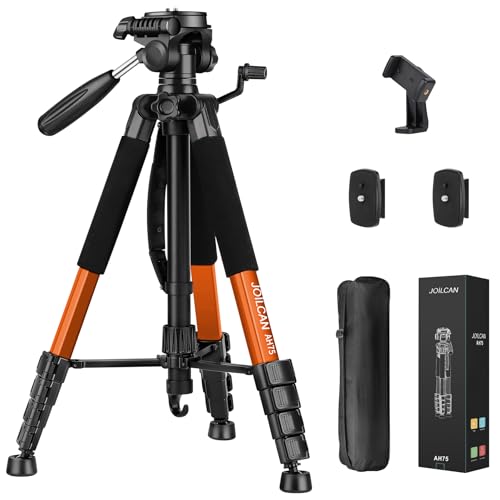
In today’s digital age, capturing stunning photos and videos with your iPhone is easier than ever. However, to take your mobile photography to the next level, you need the right tools and techniques. One essential tool that can significantly improve the quality of your iPhone shots is a camera tripod.


A camera tripod provides stability and allows you to take sharper, more professional-looking photos and videos. Whether you’re shooting landscapes, portraits, or time-lapse videos, a tripod can help you achieve better results by eliminating camera shake and ensuring precise framing. In this guide, we’ll explore how to use a camera tripod with your iPhone to unleash your creativity and capture breathtaking images.
Benefits of Using Camera Tripod for iPhone
Using a camera tripod with your iPhone offers numerous benefits that can improve the quality of your photos and videos. Here are some key advantages:
1. Stability
One of the main benefits of using a camera tripod is the stability it provides. By mounting your iPhone on a tripod, you can eliminate shaky hands and ensure that your shots are crisp and clear.
2. Flexibility
A camera tripod allows you to adjust the height and angle of your iPhone, giving you more flexibility in framing your shots. Whether you’re shooting a landscape, portrait, or macro photo, a tripod can help you achieve the perfect composition.
These are just a few of the benefits of using a camera tripod with your iPhone. Investing in a good quality tripod can greatly enhance your mobile photography and videography skills.
Stability and Sharpness
When using a camera tripod for your iPhone, stability is key to capturing sharp and clear images. Make sure to set up your tripod on a flat and level surface to avoid any wobbling or movement during the shot. Adjust the tripod legs to the desired height and securely lock them in place to prevent any accidental shifts.
Additionally, consider using a remote shutter or the self-timer function on your iPhone to eliminate any camera shake from pressing the shutter button. This will help maintain the sharpness of your photos, especially in low-light conditions where longer exposure times are needed.
Table: Tips for Stability and Sharpness
| 1. | Set up tripod on a flat surface |
| 2. | Adjust tripod legs securely |
| 3. | Use remote shutter or self-timer |
Improved Composition
Using a camera tripod for your iPhone can greatly improve the composition of your photos and videos. By keeping your device stable, you can carefully frame your shots and ensure that they are level and well-balanced. This can make a significant difference in the overall quality of your content.
Additionally, a tripod allows you to experiment with different angles and perspectives, giving you more creative freedom when capturing images. You can easily adjust the height and position of your iPhone to achieve the perfect shot, whether you’re shooting landscapes, portraits, or close-up details.
Hands-Free Operation
One of the key advantages of using a camera tripod for your iPhone is the ability to achieve hands-free operation. By securely mounting your iPhone on the tripod, you can set up the perfect shot and then step back to allow the camera to do its work. This is particularly useful for capturing stable video footage or taking group photos where you want everyone to be in the frame.
Perfect for Time-Lapse and Low-Light Photography
When it comes to capturing stunning time-lapse videos or shooting in low-light conditions, using a camera tripod for your iPhone is essential. The stability provided by the tripod ensures that your shots are steady and blur-free, resulting in professional-looking footage.
For time-lapse photography, a camera tripod allows you to set up your iPhone in a fixed position for an extended period, capturing gradual changes in the scene with precision. This is particularly useful for recording sunsets, cityscapes, or any other time-sensitive events.
In low-light situations, a tripod helps to eliminate camera shake caused by hand-holding the device. By keeping your iPhone steady on a tripod, you can use longer exposure times without compromising image quality, resulting in clear and sharp photos even in dimly lit environments.
Overall, a camera tripod is a must-have accessory for iPhone photography enthusiasts looking to take their time-lapse and low-light photography to the next level.
Enhanced Video Recording
When using a camera tripod with your iPhone for video recording, you can achieve enhanced stability and smoothness in your footage. This is especially useful when capturing action shots or recording long videos where holding the phone steady can be challenging.
Benefits of Using a Tripod for Video Recording:
- Stability: A tripod provides a stable base for your iPhone, reducing shakiness and ensuring smoother footage.
- Angle Control: With a tripod, you can easily adjust the angle of your iPhone to capture the perfect shot without the need to hold it in your hand.
- Hands-Free Operation: Using a tripod allows you to keep your hands free while recording, making it easier to focus on framing and capturing the moment.
Overall, using a camera tripod for iPhone video recording can significantly improve the quality of your videos and make the recording process more efficient and enjoyable.
Easy to Carry and Setup
One of the main advantages of using a camera tripod for your iPhone is that it is easy to carry and set up. Most camera tripods are lightweight and compact, making them ideal for travel and outdoor use. You can easily pack them in your bag or backpack without adding too much bulk.
Setting up a camera tripod for your iPhone is also a breeze. Most tripods come with quick-release plates or smartphone mounts that allow you to securely attach your iPhone in seconds. This makes it convenient to capture stable and professional-looking photos and videos without any hassle.


I've been debating whether to get a tripod or just go with a gimbal for filming videos with my iPhone. Can anyone share their experiences with both? Which is better for stability in action shots?
I have both, and I prefer the tripod for most situations. The gimbal is great for moving shots, but it can be a bit tricky to set up quickly. The tripod stays stable and is easier to manage for longer shoots.
I don't think tripods are necessary for iPhone photography. I’ve gotten great shots just holding my phone. Anyone else feel this way?
I tried using a tripod for the first time last weekend, and it made such a difference in my photos! Totally worth it.
I'm new to using tripods with my iPhone. How do I make sure it's stable enough for low-light photography?
To ensure stability in low-light conditions, set your tripod on a flat surface and securely lock the legs. Using a remote shutter or the self-timer can also help eliminate camera shake.