
 Carmen J. Moore

In today’s digital age, the need to digitize physical books has become increasingly important. Whether you want to preserve a rare book, make it accessible online, or simply create a digital backup of your favorite novel, digitizing books with a camera can be a cost-effective and efficient solution.
Digitizing books with a camera involves taking high-quality photographs of each page and converting them into a digital format. This process requires attention to detail and the right tools to ensure the resulting digital copy is clear, legible, and faithful to the original.
In this article, we will guide you through the steps to digitize books with a camera, from setting up your equipment to editing and organizing your digital files. Whether you’re a book lover, archivist, or researcher, digitizing books with a camera can open up a world of possibilities for accessing and preserving literary treasures.



Step-by-Step Guide to Digitizing Books with a Camera
Digitizing books with a camera can be a cost-effective way to create digital copies of physical books. Follow these steps to digitize your books:
Step 1: Set Up Your Workspace
Choose a well-lit area with minimal glare and shadows. Place the book on a flat surface and adjust the camera angle for the best shot.
Step 2: Capture the Pages
Start by capturing the cover of the book. Then, carefully turn the pages and take photos of each page. Make sure the pages are in focus and the text is readable.
Pro Tip: Use a tripod to stabilize the camera and ensure consistent image quality.
Step 3: Organize and Edit
Transfer the photos to your computer and organize them into a digital folder. Use image editing software to crop, rotate, and enhance the images if needed.

By following these steps, you can easily digitize your books with a camera and create digital copies for easy access and preservation.
Choosing the Right Camera for Book Digitization
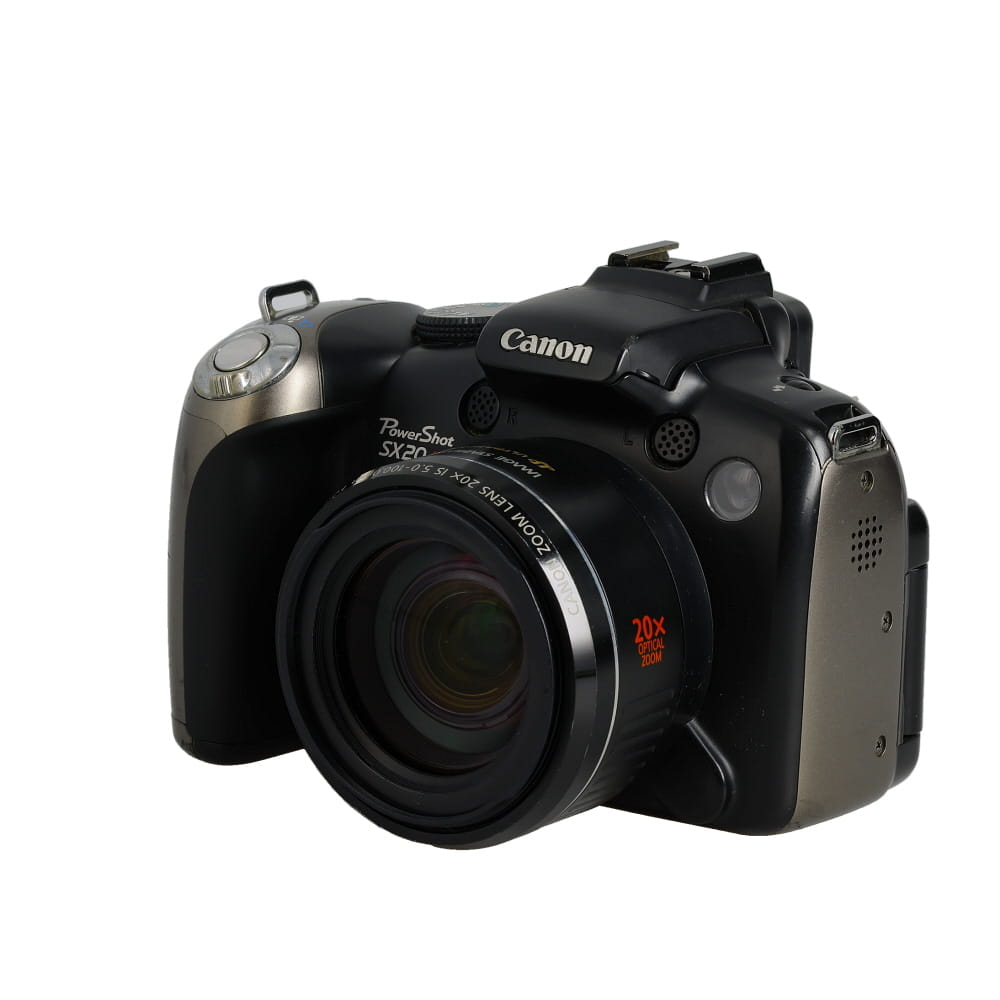
When it comes to digitizing books using a camera, selecting the right camera is crucial for achieving high-quality results. Here are some key factors to consider when choosing a camera for this task:
Resolution
Opt for a camera with a high resolution to capture clear and detailed images of the text and illustrations in the book. A camera with at least 12 megapixels is recommended for optimal results.
Auto-Focus
Ensure that the camera has a reliable auto-focus feature to quickly and accurately focus on the pages of the book. This will help minimize blurriness and improve the overall quality of the digitized images.
“`html
Setting Up Your Camera for Book Scanning
Before you start digitizing your books with a camera, it’s important to set up your camera properly to ensure high-quality scans. Here are some tips to help you get the best results:
1. Camera Placement
Position your camera directly above the book to minimize distortion and ensure even lighting. Use a tripod to keep the camera steady and at the right height. Adjust the distance between the camera and the book to capture clear images.
2. Lighting
Choose a well-lit area to avoid shadows and glare on the book pages. Natural light or diffused artificial light works best for book scanning. Avoid direct light sources that can cause reflections on the pages.
Lighting Techniques for Quality Book Scans
When digitizing books with a camera, proper lighting is crucial to ensure high-quality scans. Here are some lighting techniques to consider:
| Technique | Description |
|---|---|
| Even Lighting | Avoid harsh shadows by using diffused lighting sources such as softboxes or umbrellas. |
| Angle of Light | Position the lights at a 45-degree angle to the book to minimize glare and reflections. |
| Color Temperature | Use lights with a color temperature of around 5000K to achieve neutral white light for accurate color reproduction. |
| Multiple Light Sources | Consider using multiple light sources to evenly illuminate the book and reduce shadows. |
| Adjustable Lighting | Use lighting that can be easily adjusted in intensity to control the brightness and contrast of the scans. |
By implementing these lighting techniques, you can improve the quality of your book scans and ensure that the digitized images are clear and accurate.

Positioning the Camera for Optimal Book Capture
When digitizing books with a camera, it is crucial to position the camera properly to ensure high-quality capture of the text and images. Here are some tips for optimal positioning:
1. Use a tripod
Using a tripod can help stabilize the camera and ensure steady shots. This is especially important when capturing multiple pages or scanning a large book.
2. Angle the camera
Position the camera at a slight angle to reduce glare and shadows on the pages. This can help improve the clarity and readability of the captured text.
Adjusting Camera Settings for Clear Book Images
When digitizing books with a camera, it’s important to adjust the camera settings to ensure clear and high-quality images. Here are some tips to help you achieve the best results:
1. Resolution
Set the camera to a high resolution to capture detailed images of the text and illustrations in the book. A resolution of at least 10 megapixels is recommended for crisp images.

2. Focus
Use manual focus to ensure the text is sharp and clear. Adjust the focus ring on the camera lens until the text appears sharp on the camera’s screen.
Capturing and Organizing Book Pages Efficiently
Digitizing books with a camera can be a time-consuming process, but with the right approach, you can streamline the capturing and organizing of book pages efficiently. Here are some tips to help you digitize books effectively:
1. Prepare Your Workspace
- Choose a well-lit area with minimal glare to set up your camera and book.
- Use a sturdy tripod to keep your camera steady and ensure clear images.
- Arrange the book pages flat on a table to capture them easily.
2. Capture Pages Methodically
- Start capturing pages from the beginning of the book and proceed sequentially.
- Ensure each page is in focus and well-aligned before taking a picture.
- Use a remote shutter or self-timer to minimize camera shake.
By following these steps and staying organized, you can efficiently digitize book pages with a camera and create digital copies of your favorite books.
Editing and Enhancing Scanned Book Images
Once you have scanned the pages of your book using a camera, you may want to edit and enhance the scanned images to improve the readability and quality of the text. Here are some tips for editing and enhancing scanned book images:
1. Cropping: Crop the scanned images to remove any unnecessary borders or background noise, focusing on the main content of the page.
2. Adjusting Brightness and Contrast: Use image editing software to adjust the brightness and contrast of the images to make the text more legible.
3. Sharpening: Apply sharpening filters to enhance the clarity of the text and details in the scanned images.
4. Removing Dust and Scratches: Use the clone stamp or healing brush tool to remove any dust or scratches that may have appeared on the scanned images.
5. Converting to Black and White: Consider converting the scanned images to black and white to improve the readability and reduce file size.
By following these editing and enhancing techniques, you can ensure that your scanned book images are clear, crisp, and easy to read.

FAQ
What equipment do I need to digitize books with a camera?
To digitize books with a camera, you will need a high-quality digital camera with a macro lens to capture detailed images of the text, a sturdy tripod to keep the camera steady, and good lighting to ensure clear and sharp images.
Is it legal to digitize books with a camera for personal use?
Digitizing books for personal use is generally considered legal as long as you own the physical book. However, it is important to check the copyright laws in your country to ensure that you are not infringing on any rights.
How can I improve the quality of the digitized book images taken with a camera?
To improve the quality of digitized book images, you can use a higher resolution camera, adjust the lighting to reduce glare and shadows, and use a tripod to keep the camera steady. You can also experiment with different camera settings to find the best configuration for capturing clear and sharp images.
What file format should I save the digitized book images in?
It is recommended to save digitized book images in a lossless file format such as TIFF or PNG to preserve the quality of the images. These formats allow for higher resolution and better image quality compared to compressed formats like JPEG.
Are there any software programs that can help with digitizing books using a camera?
Yes, there are several software programs available that can assist with digitizing books using a camera. Some popular options include Adobe Photoshop for image editing and processing, Tesseract OCR for text recognition, and ScanTailor for optimizing scanned images.



Is there a specific type of lighting you find works best? I’ve struggled with glare in the past.
Using diffused lighting sources, like softboxes or even natural light from a window, can help minimize glare. Positioning the lights at a 45-degree angle can also reduce reflections.
What kind of camera do you recommend for someone just starting out with digitizing books? Is a smartphone camera sufficient?
I've used my DSLR, and it works great! But if you're starting, a high-quality smartphone camera can definitely do the job. Just make sure it has a decent resolution.
I recently digitized my old collection of poetry using this method. I set up a small area in my living room with good lighting, and I used a tripod. The quality of the images was surprisingly clear! It took a while, but it was worth it. I edited the images afterward to brighten them up a bit, and now I have a digital copy I can read anywhere!