
 Carmen J. Moore

If you have ever wished for the ability to capture clear and detailed images in low-light conditions, especially at night, then equipping your iPhone with night vision capabilities can be a game-changer. While the iPhone’s camera is already impressive, adding night vision functionality can take your photography and videography to the next level.

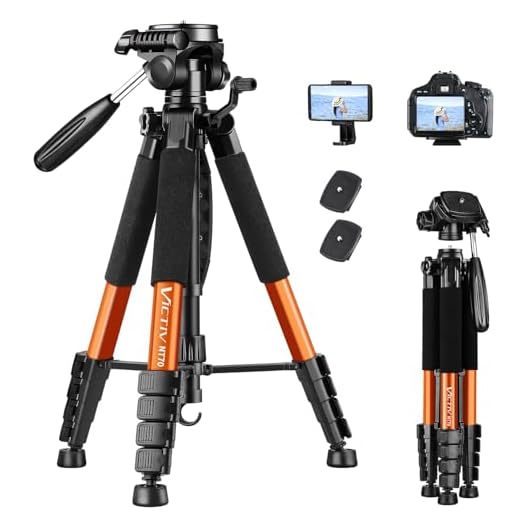

Fortunately, there are ways to enhance your iPhone’s camera with night vision features without the need for expensive external devices. By utilizing specialized apps and accessories, you can transform your iPhone into a powerful tool for capturing stunning shots in the dark. In this guide, we will explore how you can easily get night vision capabilities on your iPhone and unlock a whole new world of photography possibilities.
Enhance Your iPhone Camera with Night Vision
If you want to turn your iPhone into a night vision camera, you can explore various apps available on the App Store that offer night vision capabilities. These apps use the iPhone’s camera sensor and software algorithms to enhance low-light images and provide a clearer view in the dark.
Some popular night vision camera apps for iPhone include Night Vision Camera, Night Eyes, and NightCam. These apps typically offer features like adjustable brightness, contrast, and color filters to improve visibility in low-light conditions.
Additionally, you can also consider purchasing external night vision camera attachments for your iPhone, such as clip-on infrared lenses or thermal imaging devices. These accessories can further enhance your iPhone’s night vision capabilities and provide better image quality in complete darkness.
Whether you choose to use a dedicated night vision app or invest in external accessories, enhancing your iPhone camera with night vision capabilities can open up new possibilities for capturing clear and detailed images in low-light environments.
Understanding Night Vision Technology
Night vision technology allows cameras to capture images in low-light or dark conditions by amplifying existing light or using infrared light. This technology is commonly used in security cameras, wildlife monitoring, and military applications. Night vision cameras use sensors to detect light levels and enhance the image quality for better visibility in the dark. There are different types of night vision technology, such as image intensification, thermal imaging, and infrared illumination, each with its own unique features and applications. Understanding how night vision technology works can help you choose the right camera for your needs.
Benefits of Using Night Vision Camera on iPhone
There are several benefits to using a night vision camera on your iPhone:
- Enhanced Visibility: With night vision technology, you can see in low-light or dark conditions, allowing you to capture clear images and videos even at night.
- Improved Security: Night vision cameras can be used for home security purposes, helping you monitor your property in the dark and detect any potential threats or intruders.
- Wildlife Observation: If you enjoy wildlife photography, a night vision camera on your iPhone can help you capture nocturnal animals and other creatures that are active at night.
- Outdoor Adventures: Whether you’re camping, hiking, or exploring the great outdoors, a night vision camera can enhance your experience by allowing you to capture stunning night-time landscapes and scenes.
- Creative Photography: Night vision cameras offer unique opportunities for creative photography, enabling you to experiment with light, shadows, and textures in a whole new way.
How to Enable Night Vision Mode on iPhone Camera
Do you want to capture clear photos in low light conditions using your iPhone camera? With the right app and settings, you can enable night vision mode on your iPhone camera to enhance your photography experience. Follow these steps to get started:
Step 1: Download a Night Vision Camera App
Start by downloading a night vision camera app from the App Store. There are several apps available that can enhance the low-light performance of your iPhone camera and provide night vision capabilities.
Step 2: Adjust Camera Settings
Once you have installed the app, open it and adjust the camera settings to enable night vision mode. These settings may include adjusting the exposure, ISO, and other parameters to optimize the camera for low light conditions.
By following these simple steps, you can enable night vision mode on your iPhone camera and capture stunning photos even in the dark. Experiment with different settings and apps to find the best combination for your photography needs.
Tips for Capturing Clear Night Vision Photos
When using a night vision camera on your iPhone, there are several tips you can follow to capture clear and high-quality photos even in low light conditions. Here are some useful tips:
| 1. Use a tripod: | Stabilizing your iPhone on a tripod can help reduce camera shake and produce sharper images, especially in low light situations. |
| 2. Adjust exposure: | Experiment with different exposure settings on your iPhone to find the right balance between brightness and clarity in night vision photos. |
| 3. Avoid using flash: | Instead of relying on the built-in flash, try to make use of available ambient light sources or the night vision feature of your camera app for better results. |
| 4. Use manual focus: | Manually adjusting the focus on your iPhone camera can help ensure that your night vision photos are sharp and in focus. |
| 5. Experiment with editing: | After capturing your night vision photos, consider using photo editing apps to enhance the clarity and details of your images. |
Best Apps for Night Vision Camera on iPhone
When it comes to capturing clear images in low-light conditions, having a night vision camera app on your iPhone can make a big difference. Here are some of the best apps available:
- Night Vision Cam: This app enhances the camera’s ability to see in the dark by adjusting the exposure and brightness settings. It also features a night vision filter for better visibility.
- ProCam X: With advanced night vision capabilities, ProCam X allows you to capture high-quality images even in extreme low-light situations. It offers manual controls for fine-tuning your shots.
- NeuralCam NightMode: Using AI technology, NeuralCam NightMode boosts the camera’s sensitivity to light, resulting in brighter and clearer night photos. It also reduces noise for a cleaner image.
- Darkroom: Darkroom is a powerful photo editing app that includes a night vision filter to enhance your low-light images. It allows you to adjust exposure, contrast, and color to improve the overall look of your photos.
These apps can help you take better night vision photos with your iPhone and capture moments that would otherwise be difficult to see in the dark.
Comparison of Different Night Vision Camera Options
When it comes to night vision cameras for your iPhone, there are several options available on the market. Here is a comparison of some popular choices:
1. FLIR ONE Pro
The FLIR ONE Pro is a thermal imaging camera attachment that provides high-quality night vision capabilities. It offers a resolution of 160 x 120 pixels and a thermal sensitivity of 0.07°C. The FLIR ONE Pro is compatible with iPhones and offers a user-friendly app for easy operation.
2. Seek Thermal Compact XR
The Seek Thermal Compact XR is another popular option for night vision on your iPhone. It offers a resolution of 206 x 156 pixels and a detection range of up to 1800 feet. The Seek Thermal Compact XR is compact and easy to use, making it a great choice for outdoor activities.
| Feature | FLIR ONE Pro | Seek Thermal Compact XR |
|---|---|---|
| Resolution | 160 x 120 pixels | 206 x 156 pixels |
| Thermal Sensitivity | 0.07°C | N/A |
| Detection Range | N/A | Up to 1800 feet |
| Compatibility | iPhones | iPhones |
Ultimately, the best night vision camera for your iPhone will depend on your specific needs and budget. Consider the features and capabilities of each option to determine which one is the right choice for you.
Enhance Your Photography Skills with Night Vision Technology
Photography enthusiasts can take their skills to the next level by utilizing night vision technology on their iPhones. With the ability to capture stunning images in low-light conditions, night vision cameras open up a whole new world of creative possibilities.
By incorporating night vision technology into your photography arsenal, you can experiment with unique lighting effects, capture breathtaking starry skies, and even document nocturnal wildlife in their natural habitats.
Whether you’re a seasoned photographer looking to expand your horizons or a beginner eager to explore the art of night photography, adding a night vision camera to your iPhone can help you unlock a whole new realm of visual storytelling.


What are the best apps for night vision on iPhone?
Some great apps include Night Vision Cam, ProCam X, and NeuralCam NightMode. Each offers unique features to enhance low-light photography.
I've been using Night Vision Camera on my iPhone and it really helped me capture some great shots of wildlife at night. The quality was much better than I expected!
Can you explain how manual focus works on these apps? Is it easy to adjust?
Manual focus varies by app, but most have a simple slider or tap-to-focus feature that makes it user-friendly. Experimenting with it can greatly improve your night shots.
I’ve tried the Seek Thermal Compact XR and FLIR ONE Pro. The Seek Thermal was easier to use for outdoor activities, but the FLIR offered higher thermal sensitivity. It really depends on whether you prioritize performance or portability.
Both options have their strengths. If portability is key, Seek is great. For performance, FLIR is often recommended.
I’m not sure if these apps can really match dedicated night vision devices. I've used actual night vision goggles before, and the clarity is unmatched compared to what an app can do.