
 Carmen J. Moore

Combining the power of a GoPro with the versatility of a DSLR camera can result in stunning and unique shots. Whether you want to capture action-packed moments or shoot from different angles, attaching a GoPro to your DSLR camera can open up a world of creative possibilities.


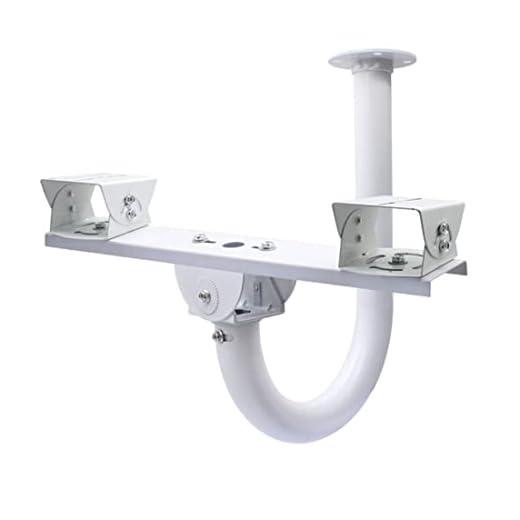
One of the most common ways to connect a GoPro to a DSLR camera is by using a mounting bracket or adapter. These accessories allow you to securely attach your GoPro to the hot shoe mount or the camera body of your DSLR. Make sure to choose a high-quality bracket that can support the weight of both cameras.
Another option is to use a GoPro tripod mount adapter, which can be attached to a standard tripod mount on your DSLR camera. This setup provides stability and flexibility when shooting with both cameras simultaneously. Just ensure that the adapter is compatible with both your GoPro and DSLR camera models.
Step-by-step guide to attach GoPro to DSLR camera
If you want to combine the power of a DSLR camera with the versatility of a GoPro, you can easily attach your GoPro to your DSLR camera for unique shooting perspectives. Follow these steps to securely attach your GoPro to your DSLR:
- Get the right mounting accessories: You’ll need a GoPro tripod mount adapter and a hot shoe mount adapter to attach your GoPro to your DSLR.
- Attach the GoPro tripod mount adapter to your GoPro: Screw the tripod mount adapter onto the GoPro’s mounting point.
- Secure the hot shoe mount adapter to your DSLR: Slide the hot shoe mount adapter into the DSLR’s hot shoe slot and tighten it securely.
- Connect the GoPro to the hot shoe mount adapter: Slide the GoPro with the tripod mount adapter attached onto the hot shoe mount adapter on your DSLR.
- Adjust the angle: Once the GoPro is securely attached, adjust the angle of the GoPro to capture the desired perspective.
- Test and shoot: Make sure the setup is stable and secure before starting to shoot with both your DSLR and GoPro.
By following these steps, you can easily attach your GoPro to your DSLR camera and unlock a whole new world of shooting possibilities. Experiment with different angles and perspectives to create unique and dynamic footage.
Choose the right mounting accessories
When attaching a GoPro to a DSLR camera, it is important to choose the right mounting accessories to ensure stability and safety.
Consider using a dual mounting bracket that can securely hold both the GoPro and the DSLR camera together. This will help prevent any unwanted movement or vibrations during shooting.
Additionally, make sure to use high-quality mounting screws and adapters that are compatible with both the GoPro and DSLR camera mounts. This will ensure a secure attachment without the risk of the cameras coming loose.
Securely attach the GoPro to the DSLR body
To securely attach your GoPro to your DSLR camera body, you can use a variety of mounting options. One popular method is to use a clamp mount that can securely hold the GoPro in place on the DSLR body. Another option is to use a hot shoe mount adapter that allows you to attach the GoPro to the camera’s hot shoe.
When attaching the GoPro to the DSLR body, make sure the mount is tight and secure to prevent any movement or vibrations that could affect your footage. You may also want to use a safety tether or strap as an extra precaution to prevent the GoPro from falling off the camera.
| 1. Choose a secure mounting option such as a clamp mount or hot shoe adapter. |
| 2. Ensure the mount is tight and secure to prevent movement. |
| 3. Use a safety tether or strap for additional security. |
Adjust the angle and position for optimal footage
Once you have securely attached your GoPro to your DSLR camera, it’s important to adjust the angle and position to ensure you capture the best footage possible. Here are some tips to help you get the perfect shot:
1. Use a mounting bracket or adapter
Using a mounting bracket or adapter can help you adjust the angle of your GoPro relative to your DSLR camera. This allows you to position the GoPro in the optimal location to capture the action while ensuring that both cameras are securely attached.
2. Experiment with different angles
Don’t be afraid to experiment with different angles and positions to find the best shot. Try mounting the GoPro above or below your DSLR camera, or off to the side, to see which angle captures the action most effectively. Keep in mind the field of view of the GoPro and adjust accordingly.
| Tip: | Check the footage from both cameras to ensure you are getting the best angle and position for your shot. |
Test the stability of the setup before shooting
Before you start shooting with your GoPro attached to your DSLR camera, it’s important to test the stability of the setup. This will help ensure that your footage is smooth and free from any unwanted vibrations or jitters.
Here are some steps you can take to test the stability of the setup:
- Mount the GoPro securely to the DSLR camera using the appropriate mounting bracket or adapter.
- Check that the connection between the two cameras is tight and secure.
- Power on both cameras and check for any signs of wobbling or instability.
- Move the setup around gently to see if it stays in place or if there are any issues with the connection.
- If everything looks stable, you’re ready to start shooting! If not, make any necessary adjustments before proceeding.
Ensure proper balance and weight distribution
When attaching a GoPro to a DSLR camera, it is important to ensure proper balance and weight distribution. A heavy GoPro mounted on top of a DSLR can cause the camera to become front-heavy, making it difficult to handle and potentially affecting the quality of your shots. To avoid this, consider using a mounting system that evenly distributes the weight between the two cameras. This will help maintain stability and make it easier to operate the combined setup without compromising the quality of your footage.
Start filming with both cameras simultaneously
Once you have successfully attached your GoPro to your DSLR camera, you can start filming with both cameras simultaneously to capture different angles and perspectives. Here are some tips to help you get the best results:
1. Set up both cameras
Make sure both cameras are properly set up and configured for filming. Check the settings on both cameras to ensure they are synchronized and ready to go.
2. Start recording
Press record on both cameras at the same time to start filming. This will allow you to capture the same scene from different angles, giving you more flexibility in post-production.
Review and Edit the Footage for a Professional Result
Once you have successfully attached your GoPro to your DSLR camera and captured your footage, the next step is to review and edit the footage for a professional result. This process involves going through the footage, selecting the best shots, cutting out any unnecessary parts, adding transitions, music, and effects, and adjusting the color and lighting to enhance the overall look.
Review: Start by watching through all the footage you have captured. Look for the best shots, moments that stand out, and any scenes that need to be cut.
Edit: Use video editing software to cut out unnecessary parts, add transitions between clips, and adjust the color and lighting to create a cohesive look. You can also add music, text, and effects to enhance the overall production value.
Finalize: Once you are satisfied with the edits, review the footage again to make sure everything looks seamless. Export the final video in the desired format and resolution for sharing or uploading to your desired platform.
Remember, the key to a professional result is in the editing process, so take your time and experiment with different techniques to create a visually appealing and engaging final product.
FAQ
Can I attach a GoPro to my DSLR camera?
Yes, you can attach a GoPro to your DSLR camera using a variety of mounting options. One common method is to use a hot shoe mount adapter to attach the GoPro to the top of your DSLR camera. Another option is to use a dual-camera bracket that allows you to mount both the GoPro and the DSLR side by side.
What are the benefits of attaching a GoPro to a DSLR camera?
Attaching a GoPro to a DSLR camera can provide you with the versatility of two different cameras in one setup. You can capture different angles and perspectives simultaneously, allowing you to create more dynamic and engaging footage. It also gives you the ability to capture high-quality photos and videos with both cameras at the same time.






What kind of mounting bracket do you recommend for attaching a GoPro to a DSLR? I want something that will keep both cameras stable during action shots.
I tried using a hot shoe mount adapter to attach my GoPro to my DSLR for a recent project, and it worked great! The footage was super steady, but I wish I had a better way to balance the weight. I might try a clamp mount next time to see if it helps with stabilization even more. Anyone else had a similar experience?
That sounds like a solid idea! Balancing the weight is crucial, especially for longer shoots. I've also used a dual mounting bracket, and it really helped with stability.