
 Carmen J. Moore

Mirrorless cameras are fantastic tools for capturing stunning photos and videos, but they are also prone to accumulating dust on their sensors. Dust particles can negatively impact the quality of your images by creating spots and smudges. It’s important to regularly clean your camera’s sensor to ensure that your photos remain clear and crisp.
Removing dust from a mirrorless camera can seem like a daunting task, but with the right tools and techniques, it can be a straightforward process. In this guide, we will walk you through the steps to safely and effectively clean your camera’s sensor and remove any pesky dust particles. By following these steps, you can maintain the optimal performance of your mirrorless camera and continue capturing beautiful memories.
Step-by-step guide on cleaning mirrorless camera
1. Gather your cleaning supplies: Before you start cleaning your mirrorless camera, make sure you have the necessary supplies handy. This may include a blower brush, microfiber cloth, lens cleaning solution, and sensor cleaning swabs.


2. Power off your camera: Before you begin cleaning, turn off your mirrorless camera to prevent any damage or interference while cleaning the lens or sensor.
3. Remove the lens: Carefully remove the lens from your mirrorless camera by pressing the lens release button and twisting it counter-clockwise. Be gentle to avoid any damage to the lens mount.
4. Use a blower brush: Gently use a blower brush to remove any visible dust particles from the lens and camera body. Make sure to hold the camera with the lens mount facing downwards to prevent dust from falling back into the camera.
5. Clean the lens: Use a microfiber cloth and lens cleaning solution to gently wipe the front and rear elements of the lens. Avoid using excessive pressure to prevent scratches on the lens surface.
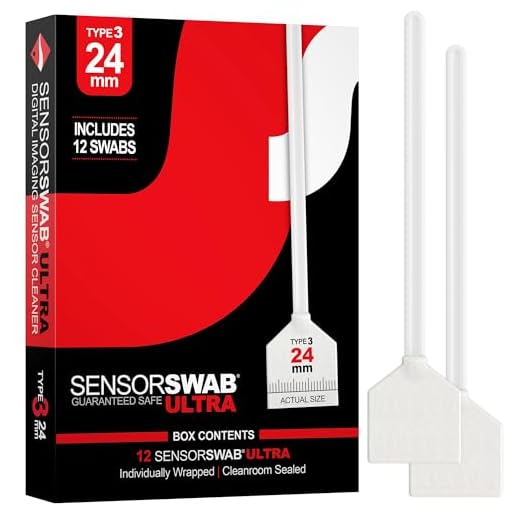
6. Clean the sensor: If you notice dust spots on your images, it’s time to clean the sensor. Use sensor cleaning swabs and follow the manufacturer’s instructions carefully to avoid damaging the sensor.
7. Reattach the lens: After cleaning the lens and sensor, carefully reattach the lens to your mirrorless camera by lining up the lens mount and twisting it clockwise until it clicks into place.
8. Check your camera: Turn on your camera and take a test shot to ensure that the lens and sensor are clean and free of dust particles. If you still notice dust spots, repeat the cleaning process.
Regular cleaning of your mirrorless camera will help maintain its performance and image quality, so make sure to clean it regularly to capture sharp and clear photos.
Prepare the necessary tools
Before you start cleaning your mirrorless camera, make sure you have the following tools handy:
| 1. Blower or air bulb |
| 2. Lens cleaning cloth or microfiber cloth |
| 3. Sensor cleaning swabs (if necessary) |
| 4. Lens cleaning solution |
| 5. Lens cleaning brush |
Having these tools ready will ensure you can effectively and safely remove dust from your mirrorless camera.
Turn off the camera and remove the lens
Before you start cleaning the mirrorless camera, make sure to turn it off to avoid any accidental damage. Once the camera is powered off, carefully remove the lens by pressing the lens release button and twisting the lens counterclockwise.
Blow away loose dust particles
If you notice loose dust particles on the surface of your mirrorless camera, you can gently blow them away using a blower or a can of compressed air. Make sure to hold the camera upside down to prevent the dust from settling back on the lens or sensor. Keep a safe distance while blowing to avoid damaging any delicate components.
Use a microfiber cloth for gentle cleaning
When cleaning your mirrorless camera, it’s important to use a soft and gentle cloth to avoid scratching the lens or the camera body. A microfiber cloth is the best option for this task as it is designed to trap dust and dirt without leaving any lint or scratches.
Before using the microfiber cloth, make sure to gently blow off any loose dust particles from the camera surface to prevent them from scratching the lens when wiped. Then, gently wipe the camera body and lens in a circular motion using the microfiber cloth, focusing on areas where dust is most visible.
Remember to avoid using excessive force when cleaning your camera with a microfiber cloth, as this could potentially damage the delicate components. If there are stubborn dust particles that won’t come off with a gentle wipe, consider using a camera cleaning solution specifically designed for lenses and camera bodies.
Consider using a sensor cleaning kit
If you are comfortable cleaning your mirrorless camera sensor yourself, consider investing in a sensor cleaning kit. These kits typically include tools such as sensor swabs and sensor cleaning solutions that are specifically designed to remove dust and debris from the sensor without causing damage. Be sure to carefully follow the instructions provided with the kit to ensure proper cleaning and maintenance of your camera sensor.
Reassemble the camera and test
Once you have successfully cleaned the mirrorless camera and removed all the dust particles, it’s time to reassemble the camera. Carefully put back all the components in their proper places, making sure everything is securely fastened.
Before closing the camera back up, it’s a good idea to test it to ensure that it is functioning properly. Turn on the camera and check the image quality through the viewfinder or LCD screen. Take a few test shots to see if there are any abnormalities or spots in the images.
If everything looks good and the camera is operating as expected, you have successfully removed the dust from your mirrorless camera. You can now put it back to regular use with a clear viewfinder and clean sensor.
Regular maintenance for a dust-free camera
Keeping your mirrorless camera free from dust is essential for maintaining image quality and performance. Here are some tips for regular maintenance:
1. Clean the exterior
Use a soft brush or a microfiber cloth to gently wipe the exterior of the camera body and lens. Avoid using harsh chemicals or abrasive materials that could damage the camera’s surface.
2. Store in a dust-free environment
When not in use, store your camera in a clean and dust-free environment. Consider using a camera bag or case to protect it from dust and debris.
- 3. Use a blower
Periodically use a blower to remove dust from the camera’s sensor and mirror. Be gentle and avoid blowing directly onto the sensor to prevent damage.
- 4. Clean the lens
Regularly clean the lens with a lens cleaning cloth or solution to remove any dust or smudges that may affect image quality.
By following these simple maintenance tips, you can keep your mirrorless camera dust-free and ensure optimal performance for years to come.


Make sure to store your camera in a protective case when not in use. It helps reduce dust accumulation significantly.
When you mentioned using a microfiber cloth for cleaning the camera body, does it need to be damp or dry? I want to avoid any scratching while cleaning.
It's best to use a dry microfiber cloth for wiping down the camera body. If you have smudges on the lens, you can lightly dampen the cloth with lens cleaning solution, but make sure to avoid excess moisture.
I've been cleaning my mirrorless camera for a while now, and I find that using a blower brush first helps a lot. I always hold the camera upside down when blowing dust away, as mentioned in the article. Just last week, I noticed some dust spots in my photos, and after cleaning the sensor, everything was clear again! It’s definitely worth doing regularly.
I’ve heard that using compressed air can be risky for cameras. Is a blower brush really better for cleaning?
Great question! A blower brush is generally safer because it doesn't use pressure that could potentially damage sensitive components. It’s a good choice for regular cleaning.
I’ve noticed some dust spots in my photos lately. How often should I clean the sensor of my mirrorless camera? Is there a guideline for how frequently this should be done?
I don’t think cleaning the sensor is something everyone should attempt. It seems risky and could damage the camera if not done correctly.
What kind of sensor cleaning swabs do you recommend for cleaning mirrorless cameras? Are there specific brands that work better?
I had a really tough time the first time I cleaned my camera sensor. I followed the steps but ended up leaving a few streaks. I learned that using a blower first was super helpful to get rid of loose dust before touching the sensor. It made the process a lot easier!
I can relate! Cleaning the sensor can be tricky. What type of blower do you use? I have a few options but I'm not sure which is safest for the sensor.