
 Carmen J. Moore
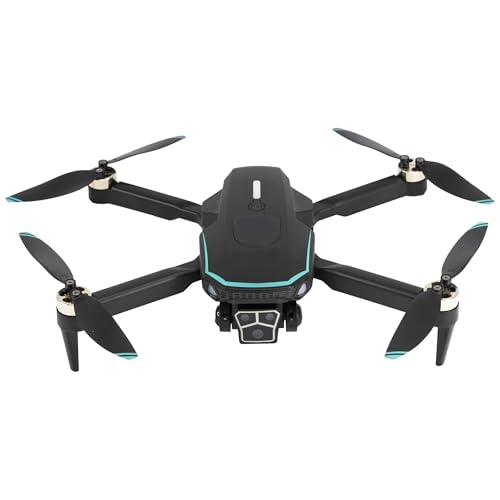
Have you ever dreamed of flying through the skies with your very own drone? With the Sky Rider Drone, that dream can become a reality. Whether you’re a novice pilot looking to learn the basics or an experienced flyer seeking new challenges, this guide will help you navigate the world of drone piloting.
Why Choose the Sky Rider Drone?
If you’re new to drone flying, the Sky Rider Drone is the perfect choice. With its user-friendly controls and stable flight capabilities, it’s the ideal drone for beginners. And if you’re an experienced pilot, the Sky Rider Drone offers advanced features that will take your aerial adventures to the next level.
Choosing the Right Sky Rider Drone
When selecting a sky rider drone, it’s important to consider a few key factors to ensure you get the right one for your needs. Here are some tips to help you make the right choice:
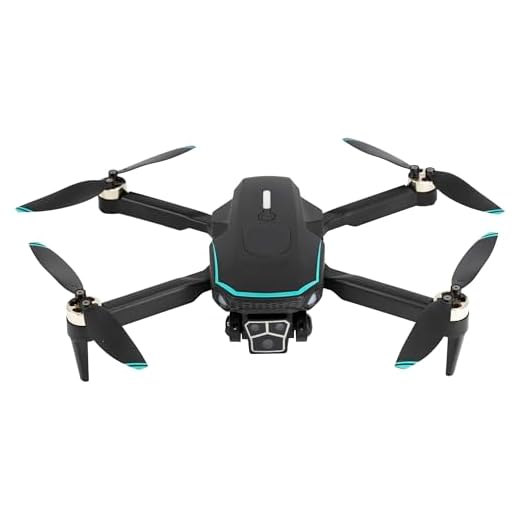


1. Purpose: Determine the main purpose for using the drone. Whether it’s for photography, racing, or just for fun, make sure the drone you choose is suitable for your intended use.
2. Skill Level: Consider your skill level as a drone pilot. If you’re a beginner, opt for a drone with easy-to-use controls and features. Experienced pilots may want a more advanced model with additional capabilities.
3. Camera Quality: If you plan to use the drone for aerial photography or videography, make sure to check the camera quality and features. Look for drones with high-resolution cameras and stabilization technology for better shots.
4. Flight Time and Range: Check the drone’s battery life and flight range to ensure it meets your needs. Longer flight times and greater ranges are ideal for capturing more footage or exploring larger areas.
5. Budget: Set a budget for your drone purchase and stick to it. There are drones available at various price points, so choose one that offers the features you need within your budget.
By considering these factors, you can select the right sky rider drone that suits your needs and preferences.
Understanding the Controls and Features
When working with a sky rider drone, it is essential to understand the various controls and features to operate it effectively. Below is a breakdown of the key controls and features you need to be familiar with:
Remote Control
The remote control is the device you use to pilot the drone. It typically consists of joysticks, buttons, and switches that allow you to control the drone’s movement, camera, and other functions.
Control Modes
Most sky rider drones offer different control modes, such as beginner, intermediate, and expert. These modes adjust the sensitivity of the controls, making it easier or more challenging to fly the drone based on your skill level.
| Control/Feature | Description |
|---|---|
| Joysticks | Used to control the drone’s direction, altitude, and rotation. |
| Auto Takeoff/Landing | Allows the drone to take off and land automatically with the push of a button. |
| Return-to-Home | Returns the drone to its takeoff point automatically in case of signal loss or low battery. |
| Headless Mode | Enables the drone to move in the direction relative to the pilot, regardless of its orientation. |
Preparing for Takeoff and Landing
Before taking off with your sky rider drone, make sure to follow these steps:
- Choose a suitable location for takeoff, free from obstacles and interference.
- Check the battery level and ensure it is fully charged before flying.
- Calibrate the drone according to the manufacturer’s instructions.
- Ensure the propellers are securely attached and in good condition.
- Power on the drone and remote control, making sure they are properly synced.
- Perform a pre-flight check to ensure all systems are functioning correctly.
When it comes time to land your drone, follow these steps:
- Find a clear and open area for landing, away from people and obstacles.
- Slowly descend the drone and maintain control throughout the landing process.
- Use the remote control to guide the drone to a gentle touchdown.
- Power off the drone and remote control once the landing is complete.
- Inspect the drone for any damage and ensure it is ready for the next flight.
Mastering Basic Flight Maneuvers
Once you have familiarized yourself with the controls of your sky rider drone, it’s time to start mastering some basic flight maneuvers. Start by practicing hovering in place, ensuring the drone stays stable and level. Once you feel comfortable with this, you can start experimenting with moving the drone forward, backward, left, and right.
Practice flying in a figure-eight pattern to improve your control and coordination skills. Gradually increase the speed and height of your maneuvers as you become more confident. Remember to always keep an eye on your drone and be aware of your surroundings to avoid any accidents.
Experiment with different flight modes and settings to see what works best for you. Don’t be afraid to push your limits and try new maneuvers – practice makes perfect!
Exploring Advanced Flying Techniques
Once you have mastered the basic controls of your sky rider drone, you can start exploring more advanced flying techniques to enhance your piloting skills and capture stunning aerial footage.
1. Mastering the Art of Hovering
Practice hovering your drone at different altitudes and positions to improve your control over the aircraft. This skill is essential for capturing steady shots and smooth transitions.
2. Experimenting with Flight Modes
Explore the various flight modes offered by your drone, such as Follow Me, Waypoints, and Point of Interest. Each mode offers unique capabilities for different types of shots and maneuvers.
- Follow Me mode allows the drone to track and follow a moving subject autonomously.
- Waypoints mode lets you set a predefined flight path for the drone to follow.
- Point of Interest mode enables the drone to orbit around a specific point of interest while keeping it in focus.
Tips for Capturing Stunning Aerial Footage
Capturing stunning aerial footage with your sky rider drone can be a rewarding experience. To make the most of your drone’s capabilities and ensure you get the best shots, consider the following tips:
1. Plan Your Shots
Before taking off, plan the shots you want to capture. Think about the composition, angles, and movements that will make your footage visually appealing. Consider the time of day and weather conditions for optimal lighting.
2. Use Manual Settings
Experiment with manual camera settings to control exposure, shutter speed, and white balance. This will give you more control over the look of your footage and help you achieve professional-quality results.
| Tip: Use a neutral density filter to reduce glare and create smooth, cinematic footage. |
Maintaining Your Sky Rider Drone
Proper maintenance is essential to ensure the longevity and performance of your Sky Rider drone. Follow these tips to keep your drone in top condition:
- Regularly clean the exterior of the drone using a soft, dry cloth to remove any dirt or debris.
- Check the propellers for any damage or wear and replace them if necessary.
- Inspect the battery for signs of swelling or damage, and replace it if needed.
- Keep the drone stored in a cool, dry place away from direct sunlight and moisture.
- Calibrate the drone’s sensors and GPS regularly to ensure accurate flight performance.
- Update the firmware of your drone and controller to access the latest features and improvements.
Ensuring Safety and Legal Compliance
Operating a sky rider drone comes with certain responsibilities to ensure safety and legal compliance. Here are some key points to keep in mind:
| 1. Fly in Approved Areas: | Make sure to fly your drone in approved areas designated for drone use. Avoid flying near airports, military bases, and other restricted zones. |
| 2. Respect Privacy: | Always respect the privacy of others when flying your drone. Avoid flying over private property without permission and refrain from capturing images or videos of individuals without their consent. |
| 3. Register Your Drone: | Check the local regulations regarding drone registration and make sure your drone is properly registered with the relevant authorities. |
| 4. Follow Flight Rules: | Adhere to the flight rules and regulations set by the aviation authorities in your country. This includes maintaining line of sight with the drone, flying below a certain altitude, and avoiding crowded areas. |
| 5. Carry Insurance: | Consider getting insurance coverage for your drone to protect yourself in case of any accidents or damage caused by the drone. |
By following these guidelines, you can enjoy flying your sky rider drone safely and responsibly while staying compliant with the relevant laws and regulations.
Joining a Sky Rider Drone Community
If you are new to flying a Sky Rider drone or want to connect with other drone enthusiasts, joining a Sky Rider drone community can be a great way to learn, share experiences, and get tips and advice. Here are some steps to help you get started:
Finding a Community
Look for online forums, social media groups, or local clubs dedicated to Sky Rider drones. Websites like Reddit, Facebook, or specialized drone forums can be good places to start. You can also check if there are any drone clubs or meetups in your area.
Engaging with the Community
Once you join a community, introduce yourself and participate in discussions. Share your experiences, ask questions, and learn from others. Engaging with fellow drone enthusiasts can help you improve your skills and stay updated on the latest trends in drone technology.
Remember to follow the community guidelines, respect other members, and contribute positively to the discussions. By being an active member of a Sky Rider drone community, you can enhance your flying experience and connect with like-minded individuals who share your passion for drones.
FAQ
What are the basic steps to work a sky rider drone?
To work a sky rider drone, you first need to charge the battery fully. Then, turn on the drone and the controller. Pair the drone with the controller by following the instructions in the manual. Once paired, you can start flying the drone using the controller’s joysticks to control its movements.
Can I perform flips and tricks with a sky rider drone?
Yes, sky rider drones are equipped with features that allow you to perform flips and tricks. To do this, make sure you are in an open space with no obstacles around. Use the controller to make the drone gain altitude and then quickly push the flip button while moving the joystick in the direction you want the flip to happen. Practice in a safe area before attempting complex tricks.


How does the Sky Rider Drone stack up against other beginner drones like the DJI Tello? I’m trying to decide which one to go for.
Can you clarify what you mean by 'Return-to-Home'? How does it work?
Return-to-Home is a safety feature that automatically brings your drone back to its takeoff point if it loses signal or the battery is low.
How do the different control modes actually work? I’m curious about how switching between beginner and expert modes affects flying.
Great question! The different control modes adjust the sensitivity of the joysticks. Beginner mode typically has less sensitive controls, making it easier to fly, while expert mode increases sensitivity for faster and more responsive control. It's a good way to gradually improve your skills.
What’s the best way to determine which Sky Rider Drone model is right for my skill level? I’m a total beginner and a bit overwhelmed by the options!
I was in the same boat! I recommend starting with the basic model that emphasizes stability and ease of use. Look for features like auto takeoff and landing to help you out.
How does the Sky Rider compare to other beginner drones like the DJI Tello? Are there any significant differences?
The Sky Rider Drone is more affordable and user-friendly for beginners, while the DJI Tello offers better camera quality and more advanced features. It depends on your priorities!
What are the best beginner-friendly features of the Sky Rider Drone? I'm looking for something easy to control and learn on.
Great point! The beginner mode on the remote also helps by reducing sensitivity, making it easier to control.
The auto takeoff and landing feature is super helpful for beginners! It takes away some of the stress when starting out.
I’ve looked at other beginner drones, like the DJI Tello, and while it’s fun, it doesn't have the same range or features as the Sky Rider. The Sky Rider seems to offer better value overall for both beginners and intermediate pilots, especially with its auto takeoff and landing feature.
I disagree that the Sky Rider is the best for beginners. I found it a bit challenging to handle compared to other drones I've tried. The controls felt less intuitive to me.
I've recently started using the Sky Rider Drone, and I must say, the camera quality is impressive for the price! I took some aerial shots during sunset, and the colors turned out stunning. Just a tip for beginners: make sure to practice hovering before trying to capture footage; it helps a lot!
I'm new to drones and thinking about getting a Sky Rider Drone. Can someone explain how easy it is to learn the controls? Are the features really user-friendly for beginners?
I found it pretty straightforward! The controls are simple, and the auto takeoff/landing feature makes it less intimidating for beginners.
Yes, the Sky Rider Drone is designed with beginners in mind. The user-friendly controls and features like auto takeoff and headless mode help make learning much easier.
How does the Sky Rider compare to other beginner drones in terms of ease of use?
I found it easier to control than a few others I've tried. The headless mode really helps when you're just starting out!
Don't forget to check local regulations before you fly! Some areas have strict rules for drone usage.
I've been using the Sky Rider Drone for a few weeks now, and I really appreciate the stability it offers. It’s great for beginners! I managed to capture some decent footage without too much hassle.
I’ve heard mixed reviews about the Sky Rider Drone. Some say it’s too basic for experienced pilots. Anyone else feel that way?
While it’s true that the Sky Rider Drone is tailored for beginners, many experienced pilots find its advanced features enjoyable for casual flying. It really depends on what you’re looking for in a drone.
Just a heads up, always check for local regulations before flying! Some areas have strict rules for drone use.
What’s the maximum flight time for the Sky Rider Drone?
I recently got the Sky Rider Drone, and it's been great for my beginner skills! The controls are intuitive once you get the hang of it. I started with basic maneuvers, and after a few sessions, I was able to capture some nice footage. Just remember to plan your shots beforehand; it really helps!
Thanks for sharing your experience! It's great to hear that you are enjoying your Sky Rider Drone. Planning shots can definitely elevate your footage quality.
How does the Sky Rider Drone compare to other entry-level drones in terms of battery life and range? I want to fly further without worrying about the battery running out.
I've seen some other drones have longer flight times, but the Sky Rider's balance of features makes it a solid choice for beginners.
The Sky Rider typically offers around 10-15 minutes of flight time, which is standard for entry-level drones. It's always good to check specifications while considering your needs.
Can you explain what ‘Return-to-Home’ means? How does it work?
‘Return-to-Home’ is a safety feature that allows the drone to automatically return to its takeoff point, which is handy in case of signal loss or low battery.
Can anyone explain what the different control modes actually do? I see beginner, intermediate, and expert modes mentioned but I'm not clear on the differences.
Good question! The beginner mode typically has less sensitivity, making it easier to control the drone. Intermediate adds more sensitivity for better maneuvering, while expert mode gives full control for advanced flying.
What are the best settings for capturing video with the Sky Rider Drone?
I've been using the Sky Rider Drone for about a month now, and I love its stability! The auto takeoff feature is great for beginners, but I wish the battery life was a bit longer. I've found myself recharging it frequently, especially when filming outdoors.
Thanks for sharing your experience! Battery life can vary based on usage, but many users find around 10-15 minutes per charge. Consider getting extra batteries for longer shooting sessions.
What is the typical flight time for the Sky Rider Drone? I want to make sure it's enough for my photography needs.
I’m not sure if the Sky Rider is really worth it for experienced pilots. I think there are better options out there with superior camera quality and more advanced features.
That’s a fair point. Experienced pilots might indeed seek more advanced capabilities, but the Sky Rider can still be a solid choice for those who enjoy simplicity and ease of use.
I just got the Sky Rider Drone and the auto takeoff feature is a game changer for beginners! It really helps me feel more confident as I learn to fly.
That’s great to hear! Did you find it easy to transition from auto to manual controls? I’m a bit worried about that part.
Yes, transitioning takes practice. Start with basic maneuvers in beginner mode, then gradually try manual controls as you get more comfortable.
What’s the battery life like on the Sky Rider Drone? I want to make sure it can handle longer flights for some outdoor adventures.
I disagree about the battery life being good. I've found it runs out faster than expected, especially if you’re using the camera a lot.
I had the same issue. It’s definitely shorter when using high-res video. Planning backup batteries is a smart move.
I’m considering buying a Sky Rider Drone but I’m confused about the different models. How do I know which one is right for my skill level and needs?
It helps to look at the features you need most. If you’re just starting, go for one with beginner mode and good camera quality.
Exactly! Consider your main purpose for flying (like photography or racing) and check for features that match your needs. Don’t forget to set a budget!
Can someone explain the difference between the beginner and expert control modes? I want to ensure I’m choosing the right setting for my skill level.
I recently bought the Sky Rider Drone and had an amazing time flying it! The auto takeoff feature is super helpful for beginners like me, and after a few practice flights, I was able to capture some great aerial shots. I even tried the Follow Me mode during my run, and it worked perfectly. Just make sure to keep an eye on the battery life!
I'm new to drone flying and considering the Sky Rider Drone. Is it really as user-friendly as it claims? Are there any major issues I should be aware of?
One tip I’d add: make sure to always check your surroundings before flying. I’ve had close calls with trees!
I've been using the Sky Rider Drone for a few months now, and I really enjoy it. The auto takeoff/landing feature is a lifesaver when I'm nervous about landing. I initially struggled with hovering, but after a bit of practice, it became second nature. Just remember to check for wind conditions before flying, as it can get tricky!
Don't forget to check local regulations before flying! It's important to know the rules in your area.
Don't forget to check local regulations before flying! It's important to know the rules in your area.
I don't think the Sky Rider Drone is as good as it's made out to be. After trying it out, I found the controls to be a bit unresponsive compared to other models. It might be okay for total beginners, but more experienced flyers may want to look elsewhere.
Thanks for sharing your perspective! Different users have varying experiences based on their skill levels and expectations. It's always good to try before buying if possible.
After using the Sky Rider Drone for a few months now, I can say that it's been a great experience. The camera quality is decent, and the flight time is pretty good too. I initially had trouble with hovering, but after some practice, I managed to get the hang of it. I recommend keeping the battery fully charged before each flight to avoid any issues. Anyone else have similar experiences?
That's good to hear! I've only used it a few times, and hovering is a challenge for me too. Any tips on stabilizing it?
Practicing in calm weather can help with stabilizing your drone while hovering. Also, keep adjusting the joysticks gently to maintain balance.
Don’t forget to check local regulations before flying! It’s essential to stay compliant.
What are some beginner tips for controlling the Sky Rider Drone? I'm worried about crashing it on my first flight.
I’ve been using the Sky Rider Drone for a few months now, and it’s been great for capturing footage during hikes. The camera quality exceeded my expectations, especially in good lighting. Just a heads up, make sure to practice hovering – it took me a few tries to get the hang of it, but it’s worth it for those smooth shots!
That sounds great! Did you find it easy to learn the controls, or was there a steep learning curve?
Can someone clarify what 'Return-to-Home' means? Is it reliable?
Great question! 'Return-to-Home' automatically brings the drone back to its takeoff point if it loses signal or the battery gets low. It's generally reliable, but always monitor your drone while in flight.