
 Carmen J. Moore

A digital camera is a device that captures and stores digital images. When connected to a computer, a digital camera serves several important functions. One of the primary roles of a digital camera in a computer is to transfer images from the camera’s memory card to the computer’s hard drive.

This process allows users to easily access, organize, and edit their photos on a larger screen and with more advanced software than what is typically available on the camera itself. Additionally, digital cameras often come with specialized software that can be installed on a computer to enhance the editing and organizing capabilities of the images.
What Digital Cameras Do in a Computer
When you connect a digital camera to a computer, it serves several important functions:
- Transfer Photos: One of the main functions of a digital camera connected to a computer is to transfer photos from the camera’s memory to the computer’s storage. This allows you to view, edit, and share your photos on the computer.
- Backup Files: By transferring photos to a computer, you create a backup copy of your images, reducing the risk of losing them if something happens to the camera or its memory card.
- Editing and Organizing: Digital cameras often come with software that allows you to edit and organize your photos on the computer. This software may offer features like cropping, color correction, and adding filters to enhance your images.
- Printing Photos: Once your photos are on the computer, you can easily print them out using a printer connected to the computer. This allows you to create physical copies of your digital images.
- Sharing Online: With your photos on the computer, you can easily share them online through social media, email, or photo-sharing websites. This enables you to showcase your images with a wider audience.
Capturing Images and Videos
A digital camera connected to a computer allows users to capture high-quality images and videos. By using specialized software, users can control various settings such as exposure, shutter speed, and focus to achieve the desired results.
With a digital camera, users can take still photos or record videos, which can then be saved directly to the computer’s storage or transferred to external devices. This enables users to easily edit, share, and print their captured media.
Storing Media Files
Digital cameras store the photos and videos they capture as media files on a memory card or internal storage. These media files are saved in formats like JPEG for photos and MP4 for videos. When you connect a digital camera to a computer, you can transfer these media files to the computer’s hard drive for safekeeping or editing.

The process of transferring media files from a digital camera to a computer involves using a USB cable or a memory card reader. Once the files are on the computer, you can organize them into folders, edit them using photo or video editing software, and share them with others online or through other digital devices.
Transferring Data to Computer
Once you have taken photos with your digital camera, you will need to transfer the data to your computer in order to view, edit, and share your images. Here is how you can transfer data from your digital camera to your computer:
- Connect the USB cable that came with your camera to the camera itself.
- Plug the other end of the USB cable into a USB port on your computer.
- Turn on your camera.
- Your computer should recognize the camera as a new device and prompt you to open or import the files.
- Follow the on-screen instructions to transfer the photos to your computer.
Alternatively, you can remove the memory card from your camera and insert it into a card reader connected to your computer. Your computer will recognize the memory card as a storage device and allow you to access the files stored on it.
Editing and Enhancing Photos
One of the key functions of a digital camera in a computer is the ability to edit and enhance photos. Using photo editing software, users can adjust the color balance, crop the image, remove red-eye, apply filters and effects, and much more. This allows photographers to fine-tune their images and create stunning visual compositions.
Editing and enhancing photos can help improve the overall quality of the image, making it more vibrant and captivating. It also allows photographers to correct any imperfections or mistakes in the original shot, ensuring that the final result meets their artistic vision.

Sharing Photos on Social Media
One of the most common uses of digital cameras in computers is sharing photos on social media platforms. Once you have taken photos with your digital camera and transferred them to your computer, you can easily upload them to social media sites such as Facebook, Instagram, Twitter, and Pinterest.
By sharing your photos on social media, you can connect with friends, family, and followers, and share your memories and experiences with a wider audience. You can also receive likes, comments, and feedback on your photos, creating a sense of community and engagement around your photography.
Most social media platforms have built-in tools for uploading and editing photos, allowing you to crop, filter, and enhance your images before sharing them with the world. You can also tag friends, add captions, and geotag your photos to provide more context and information.
Sharing photos on social media is a fun and creative way to showcase your photography skills, express yourself, and stay connected with others in the digital age.
Printing Images
One of the main functions of a digital camera in a computer is to allow users to print images. Once the images are transferred to the computer, users can use various software programs to edit and enhance the images before sending them to a printer. The printer then produces a physical copy of the digital image on paper or other media.
Editing and Enhancing
Before printing an image, users can edit and enhance it using software programs such as Adobe Photoshop or GIMP. They can adjust the colors, brightness, contrast, and other settings to improve the overall quality of the image.
Choosing Print Settings
When printing an image, users can choose various print settings such as paper size, print quality, and color options. These settings help ensure that the printed image looks as close to the digital version as possible.
Organizing Media Library
Once the digital camera transfers photos to the computer, the next step is to organize them in a media library. This involves creating folders and subfolders to categorize photos based on events, dates, or themes. By organizing the media library, it becomes easier to locate specific photos when needed.
| Benefits of organizing media library: |
|---|
| 1. Easy access to photos |
| 2. Efficient storage management |
| 3. Quick retrieval of specific photos |
Organizing the media library also helps in maintaining a structured and clutter-free photo collection, making it more enjoyable to browse through and share with others.
Backing Up Photos
One of the most important aspects of using a digital camera with a computer is the ability to back up your photos. It is crucial to have a reliable backup system in place to prevent the loss of precious memories.
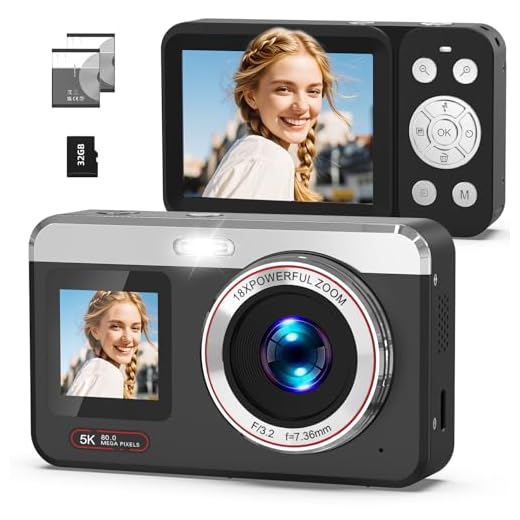
External Hard Drive
An external hard drive is a popular choice for backing up photos from a digital camera. You can easily transfer your photos from the camera to the hard drive using a USB cable or memory card reader. This provides a secure and easily accessible storage solution for your image files.
Cloud Storage
Another option for backing up photos is to use cloud storage services. Platforms like Google Drive, Dropbox, or iCloud offer secure online storage for your photos. This ensures that your images are safely stored in the cloud and can be accessed from any device with an internet connection.
Connecting to Webcams and Microphones
Modern digital cameras are equipped with built-in webcams and microphones, allowing users to easily capture videos and audio recordings. When connected to a computer, these devices can be used for video conferencing, online meetings, live streaming, and content creation.
Webcams and microphones can be connected to a computer via USB ports or wirelessly through Bluetooth or Wi-Fi connections. Once connected, users can access and control these devices through camera and audio settings on their computer.
Streaming Live Video
Streaming live video refers to the process of transmitting video in real-time over the internet. With the advancements in digital camera technology, it is now possible to stream live video directly from a digital camera to a computer or online platform.

By connecting a digital camera to a computer via USB or Wi-Fi, users can stream live video feeds for various purposes, such as video conferencing, live events, online classes, and more. The camera captures the video feed, which is then transmitted to the computer for processing and encoding before being streamed online.
FAQ
What is the function of a digital camera in a computer?
A digital camera in a computer captures images and converts them into digital data that can be stored and manipulated on the computer.
How does a digital camera interact with a computer?
A digital camera connects to a computer usually via a USB cable or wirelessly, allowing users to transfer photos and videos directly to their computer for editing and sharing.
Can a digital camera be used as a webcam on a computer?
Yes, many digital cameras can be used as webcams when connected to a computer. This allows for higher quality video conferencing or livestreaming compared to built-in webcams.
What software is needed to work with a digital camera on a computer?
Most digital cameras come with software that allows users to transfer, organize, and edit their photos on a computer. Additionally, there are many third-party programs available for more advanced editing and manipulation.

What are the advantages of using a digital camera with a computer?
Using a digital camera with a computer provides a convenient way to store, edit, and share photos and videos. It also allows for easy backup and organization of digital media files.



Can you clarify if transferring photos from a digital camera to a computer is the same as using a memory card reader? I want to understand the differences, if any, and which method is better for quality.
Great question! Both methods transfer files, but using a memory card reader can sometimes be faster and doesn't require the camera to be powered on. Quality remains the same as long as the files are intact.
Backing up photos on an external hard drive is a must! I almost lost all my pictures once because I didn't do that.
What software do you recommend for editing photos from a digital camera?
I noticed that some digital cameras come with their own editing software. Is it worth using that versus something like Photoshop or GIMP? I feel like the built-in options might be limited.
It often depends on your needs. Built-in software can be convenient for basic edits, but programs like Photoshop or GIMP offer more advanced features for serious editing.
I've been using my digital camera to capture images for a while now. Transferring them to my computer makes editing so much easier! I use Lightroom, and it really helps with organizing my photos too.
I don’t completely agree that all digital cameras are easy to use with computers. Some can be really confusing, especially if you're not tech-savvy.