
 Carmen J. Moore

When buying a used digital camera, one of the most important factors to consider is the shutter count. The shutter count indicates how many photos the camera has taken since it was first manufactured. This information can give you a good idea of the camera’s overall condition and how much life it has left. In this article, we will discuss different methods to check the shutter count on a digital camera.
Most camera manufacturers do not provide a built-in feature to display the shutter count, but there are third-party tools and websites that can help you determine this information. Some camera models may have a hidden menu option that shows the shutter count, while others require you to upload a sample photo to a website that can extract the data. Knowing the shutter count can be crucial in assessing the value of a camera and negotiating a fair price.




By following the steps outlined in this article, you can easily check the shutter count on your digital camera and make an informed decision when purchasing a used camera. Understanding the importance of the shutter count can help you avoid buying a camera that is close to reaching the end of its lifespan and ensure that you get the best value for your money.
Why check shutter count
Checking the shutter count of a digital camera is important for several reasons:
- Assessing camera usage: Knowing the shutter count can help you determine how extensively the camera has been used. A high shutter count may indicate that the camera has been heavily utilized and potentially nearing the end of its lifespan.
- Resale value: When selling or buying a used camera, the shutter count can be a crucial factor in determining the value of the camera. A lower shutter count usually translates to a higher resale value.
- Maintenance and servicing: Understanding the shutter count can also help in planning maintenance or servicing for the camera. Regularly checking the shutter count can provide insights into when the camera might require servicing or replacement of the shutter mechanism.
What is shutter count
The shutter count on a digital camera refers to the number of times the camera’s shutter has been actuated or triggered to take a photo. Each time you press the shutter button to take a picture, the shutter opens and closes, allowing light to hit the camera’s sensor and capture an image. The shutter count is an important metric for determining how much the camera has been used and can give you an idea of its overall condition and remaining lifespan.
Knowing the shutter count can help you assess the value of a used camera, as cameras with lower shutter counts are typically more desirable and may have a longer lifespan. Additionally, a high shutter count could indicate that the camera has been heavily used and may require maintenance or repairs in the near future.
Importance of Shutter Count
The shutter count of a digital camera is a crucial factor to consider when purchasing or evaluating a used camera. It indicates the number of times the camera’s shutter has been activated, which gives an idea of how much the camera has been used and its overall condition.

A high shutter count typically means that the camera has been heavily used, which could lead to potential issues such as mechanical wear and tear. This information is important for buyers looking to assess the camera’s lifespan and potential repairs or maintenance it may require in the future.
Key Points:
- Shutter count reflects camera usage
- High shutter count may indicate potential issues
- Helps buyers assess camera condition and longevity
How to Check Shutter Count
To check the shutter count on your digital camera, you can use various online tools or software programs specifically designed for this purpose. One popular method is to upload a recent photo taken with your camera to websites like “CameraShutterCount.com” or “MyShutterCount.com.” These websites will analyze the photo’s metadata and provide you with the shutter count information.
Alternatively, you can use software programs like “ExifTool” or “EOSInfo” to directly access your camera’s metadata and check the shutter count. Simply connect your camera to your computer, run the software, and retrieve the shutter count information from the camera’s internal data.
Keep in mind that not all camera models support shutter count retrieval, so it’s essential to check if your camera is compatible with the method you choose. Checking the shutter count can be helpful in determining the overall usage and condition of your camera, especially when buying or selling a used camera.
Using camera settings
To check the shutter count on your digital camera, you can use the camera settings menu. Here’s how:
1. Access the menu
Turn on your camera and navigate to the settings menu. Look for an option related to the camera information or settings.
2. Find the shutter count
Once you are in the camera settings menu, locate the option that displays the shutter count. The exact location may vary depending on the camera model.
Note: Some cameras may not have a built-in feature to show the shutter count in the settings menu. In such cases, you may need to use a third-party software or contact the manufacturer for assistance.
Using software tools
If you prefer a more technical approach, you can use software tools to check the shutter count on your digital camera. There are various third-party applications available online that can read the EXIF data embedded in your photos and provide you with the shutter count information.
One popular software tool for this purpose is CameraShutterCount, which is compatible with both Windows and Mac operating systems. Simply download and install the software on your computer, then open the program and select the folder containing the photos you want to analyze. The software will then display the shutter count for each photo in the folder.

Benefits of knowing shutter count
Knowing the shutter count of your digital camera can provide valuable insights into the usage and condition of the camera. Here are some benefits of knowing the shutter count:
1. Determine camera lifespan
By knowing the shutter count, you can estimate how much life the camera has left based on the manufacturer’s expected shutter durability. This information can help you decide when it might be time to consider replacing or servicing your camera.
2. Evaluate resale value
When selling or buying a used camera, knowing the shutter count can be crucial in determining the camera’s value. A low shutter count typically indicates that the camera has been lightly used and is in good condition, which can increase its resale value.
Assessing camera condition
When buying a used digital camera, it’s important to assess its overall condition to ensure you’re getting a camera that meets your expectations. Here are some key factors to consider:
| 1. Physical condition | Check for any visible signs of wear and tear, scratches, dents, or damage on the camera body and lens. |
| 2. Functionality | Test all the camera functions such as autofocus, shutter speed, image stabilization, and other features to ensure they are working properly. |
| 3. Sensor and lens condition | Inspect the sensor for any dust or scratches, and check the lens for any fungus, haze, or scratches that could affect image quality. |
| 4. Shutter count | Check the shutter count to determine how many times the camera’s shutter has been activated, as this can give you an indication of its usage and potential lifespan. |
| 5. Accessories | Make sure all the necessary accessories such as battery, charger, memory card, and cables are included and in good working condition. |
Estimating camera value
Knowing the shutter count of a digital camera can help in estimating its value. A low shutter count typically indicates that the camera has been lightly used and is in good condition, which can increase its resale value. On the other hand, a high shutter count may suggest that the camera has been heavily used and may have more wear and tear, potentially decreasing its value.
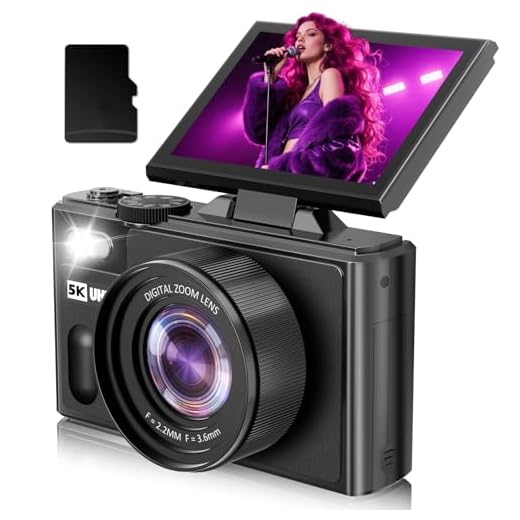
When determining the value of a camera, consider factors such as the brand, model, age, condition, and any additional accessories included. Researching recent sales of similar cameras can also provide insight into the market value of a particular model. Additionally, factors like sensor size, resolution, and unique features can impact the value of a camera.
FAQ
How can I check the shutter count on my digital camera?
You can check the shutter count on your digital camera by using software such as EOSInfo for Canon cameras or ShutterCount for Nikon cameras. These programs connect to your camera via USB and provide you with the shutter count information.
Is it important to know the shutter count of a digital camera?
Knowing the shutter count of a digital camera can be important when buying a used camera, as it gives you an idea of how much the camera has been used and how much life the shutter mechanism has left. It can also be helpful for maintenance purposes.
Can I check the shutter count on my camera without using any software?
Some cameras have a built-in feature that allows you to check the shutter count directly on the camera’s menu. However, not all cameras have this feature, so in most cases, you will need to use external software to check the shutter count.
What is a safe shutter count for a digital camera?
There is no specific “safe” shutter count for a digital camera, as it largely depends on the manufacturer and the model of the camera. However, as a general guideline, most entry-level DSLRs are rated for around 100,000 shutter actuations, while professional-grade cameras can often reach 200,000 or more.



Can you explain what 'EXIF data' is and how it relates to checking shutter count?
Remember to check for physical signs of wear, too. A camera may have a low shutter count but still have significant damage that can affect its performance.
I recently bought a used camera with a shutter count of around 30,000. It works great, but I noticed it could be nearing its lifespan. I wish I had known more about shutter counts before buying; it would have helped me negotiate the price better!
Thanks for sharing your experience! A shutter count of around 30,000 can indeed be significant depending on the camera model. Always good to check that before making a purchase.
I think focusing too much on shutter count is overrated. I've had cameras with high counts that still perform perfectly. It's more about how well the camera has been maintained.
I've been hearing a lot about shutter count when buying used cameras. Is there a certain number that indicates it's too high and I should avoid the camera?