
 Carmen J. Moore

A digital camera is a sophisticated device that allows us to capture moments and memories in the form of images. But have you ever wondered how exactly a digital camera works to capture and store these images?
At the core of a digital camera is the image sensor, a vital component that converts light into digital signals. When you press the shutter button, light enters the camera through the lens and hits the image sensor, which then converts the light into electrical signals. These signals are processed by the camera’s processor and turned into a digital image that is stored on a memory card.
The memory card plays a crucial role in storing the digital images captured by the camera. It acts as the camera’s storage medium, holding all the photos and videos you take. Different types of memory cards, such as SD cards or CF cards, have varying capacities and speeds, allowing you to store a large number of images and videos on your camera.
Understanding the process
When you press the shutter button on a digital camera, the camera’s sensor captures the light that comes through the lens. The sensor is made up of millions of tiny light-sensitive cells called pixels, which convert the light into electrical signals.



These electrical signals are then processed by the camera’s image processor, which converts them into a digital image. The image is then stored on a memory card in the camera, where it can be accessed and viewed later.
The role of the lens
The lens is a crucial component of a digital camera as it determines the quality and clarity of the images captured. It works by focusing light onto the image sensor, which then converts the light into digital signals to create an image.
There are different types of lenses such as prime lenses, zoom lenses, and macro lenses, each with its own unique features and capabilities. The quality of the lens can significantly impact the sharpness, depth of field, and overall image quality.
Focusing:
The lens also plays a key role in focusing on the subject. By adjusting the focal length and aperture of the lens, photographers can control the amount of light entering the camera and the depth of field, allowing them to capture sharp and detailed images.
Converting light to digital data
When you press the shutter button on a digital camera, light enters the camera through the lens and hits the image sensor. The image sensor is made up of millions of tiny light-sensitive diodes called photosites, which convert light into electrical signals. Each photosite corresponds to a pixel in the final image.
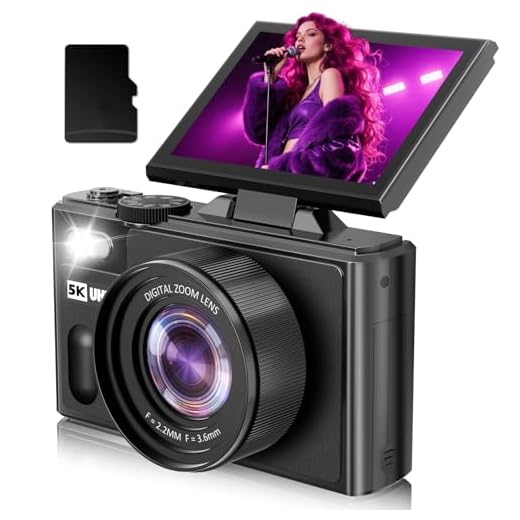
As light hits the photosites, they generate electrical charges based on the intensity of the light. These charges are then converted into digital data by an analog-to-digital converter (ADC) in the camera. The ADC measures the charge at each photosite and assigns a digital value to represent the brightness of that pixel.
Once the image sensor has converted all the light into digital data, the camera processor processes this data to create the final image file. The camera may apply color filters, white balance adjustments, and other image processing techniques to enhance the image quality before storing it on a memory card.
Image Sensor Technology
One of the key components of a digital camera is the image sensor, which is responsible for capturing the light and converting it into digital information. There are two main types of image sensors used in digital cameras: CCD (Charge-Coupled Device) and CMOS (Complementary Metal-Oxide-Semiconductor).
| CCD | CMOS |
|---|---|
| More expensive to manufacture | Less expensive to manufacture |
| Better image quality in low light conditions | Good image quality with lower power consumption |
| Slower readout speed | Higher readout speed |
Both CCD and CMOS sensors have their own advantages and disadvantages, but they both play a crucial role in capturing the images in a digital camera.
Image processing algorithms
Once the digital camera captures an image, it goes through a series of image processing algorithms to enhance and optimize the image quality. These algorithms play a crucial role in producing clear, sharp, and vibrant images.
Noise reduction
One of the key algorithms is noise reduction, which helps eliminate unwanted visual artifacts in the image caused by electronic interference or poor lighting conditions. By analyzing the pixel data, the algorithm can identify and remove noise while preserving image details.
Sharpening
Another important algorithm is sharpening, which enhances the clarity and definition of edges in the image. This algorithm works by adjusting the contrast and brightness of adjacent pixels to create a sharper image with more distinct edges.
| Algorithm | Description |
|---|---|
| Noise reduction | Eliminates unwanted visual artifacts caused by electronic interference or poor lighting conditions. |
| Sharpening | Enhances the clarity and definition of edges in the image by adjusting pixel contrast and brightness. |
Storage options for images
Once a digital camera captures an image, it needs to be stored for future use. There are several storage options available for storing images:
1. Memory cards
Memory cards are commonly used in digital cameras to store images. They come in various formats such as SD, microSD, CompactFlash, and more. Memory cards have different storage capacities ranging from a few gigabytes to terabytes, allowing users to store a large number of images.
2. Internal storage
Some digital cameras have built-in internal storage to save images. The storage capacity of internal memory varies from camera to camera, and it may not be as large as memory cards. However, internal storage provides a convenient option for capturing and storing images without the need for an external memory card.

Final thoughts on digital photography
As we’ve explored the process of how a digital camera captures and stores images, it’s clear that digital photography has revolutionized the way we capture and share moments. The convenience, flexibility, and quality of digital cameras have made photography more accessible to everyone, allowing us to unleash our creativity without the constraints of film.
With the advancements in technology, digital cameras continue to evolve, offering higher resolutions, faster processing speeds, and innovative features that enhance the photography experience. It’s exciting to see how digital photography will continue to shape the future of visual storytelling and creativity.
FAQ
How does a digital camera capture an image?
A digital camera captures an image by using a sensor made up of millions of tiny light-sensitive diodes called photosites. When you press the shutter button, light enters the camera through the lens and hits the sensor. Each photosite measures the amount of light that hits it, converting it into an electrical signal. The camera then processes these signals to create a digital image.
How does a digital camera store images?
After capturing an image, a digital camera stores it on a memory card. The image data is converted into a digital format and saved as a file on the memory card. The file can be in formats like JPEG, RAW, or TIFF. The memory card acts as a storage medium, holding all the digital images until you transfer them to a computer or other storage device.


I noticed that the type of memory card can really affect how quickly I can take consecutive shots. Using a faster card made a big difference for me.
I’ve heard a lot about CCD vs. CMOS sensors. Can anyone explain which one would be better for low-light photography?
From what I've read, CCD sensors tend to perform better in low light, while CMOS sensors are more power-efficient. It really depends on your needs.
I recently switched from a point-and-shoot to a DSLR. The difference in image quality is incredible! I've also started using a better lens, which has improved my photos drastically. Focusing is so much more precise now, and I love playing with depth of field.
Thanks for sharing your experience! Upgrading to a DSLR can definitely enhance your photography skills. What lens are you currently using?