
 Carmen J. Moore

Keeping your digital camera’s sensor clean is essential for maintaining high-quality images. Over time, dust, dirt, and other particles can accumulate on the sensor, leading to visible spots in your photos. Cleaning the sensor may sound daunting, but with the right tools and techniques, it can be a straightforward process.
Before you start, it’s crucial to familiarize yourself with your camera’s manual and sensor cleaning recommendations. Different cameras may require specific cleaning methods, so be sure to follow the manufacturer’s guidelines to avoid damaging the sensor. Additionally, make sure to charge your camera’s battery fully before beginning the cleaning process to prevent any potential issues.
How to Properly Clean the Sensor on a Digital Camera
Cleaning the sensor on your digital camera is an important maintenance task that can help ensure your photos turn out crisp and clear. Here are some steps to properly clean the sensor:


1. Prepare Your Workspace
Find a clean and well-lit area to work on your camera. Make sure you have all the necessary tools, such as a sensor cleaning kit and a blower bulb, within reach.
2. Turn on the Camera’s Sensor Cleaning Mode
Before you start cleaning the sensor, activate the camera’s sensor cleaning mode. This will raise the mirror and open the shutter, making it easier to access the sensor.
Tip: Consult your camera’s manual to find out how to activate the sensor cleaning mode for your specific model.
Follow these steps carefully to ensure that you clean your camera’s sensor effectively and safely.
Understanding the Importance of Sensor Cleaning
Keeping the sensor of your digital camera clean is crucial for maintaining the quality of your images. The sensor is a sensitive component that can easily accumulate dust, dirt, and other particles, leading to visible spots and blemishes on your photos.

Regular sensor cleaning not only helps to prevent these imperfections but also ensures that your camera continues to perform at its best. A clean sensor results in sharper images, better color reproduction, and overall improved image quality.
Benefits of Sensor Cleaning:
1. Improved Image Quality: A clean sensor helps to produce clearer, sharper images with accurate colors.
2. Prevents Spots and Blemishes: Regular cleaning reduces the chances of dust and dirt particles appearing in your photos.
3. Extends Camera Lifespan: By maintaining your sensor, you can prolong the lifespan of your camera and ensure consistent performance over time.
Tools and Materials Needed for Sensor Cleaning
Proper sensor cleaning requires the right tools and materials to ensure a safe and effective process. Here are the essential items you will need:
| Sensor Cleaning Swabs | Specifically designed swabs for sensor cleaning to safely remove dust and smudges. |
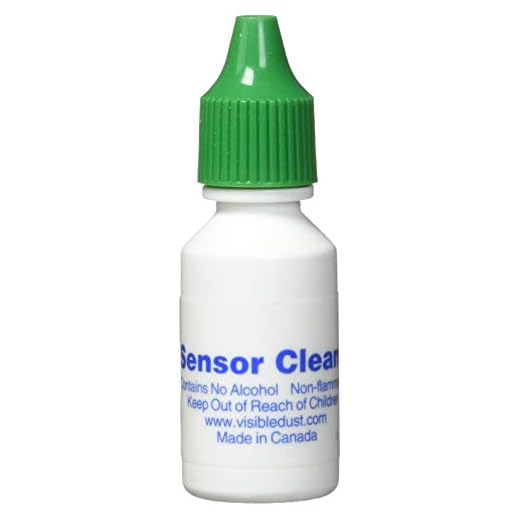
| Sensor Cleaning Solution | A specialized cleaning solution formulated for sensor cleaning to effectively remove stubborn dirt. |
| Blower | A blower to gently remove loose dust particles before using swabs or solution. |
| Sensor Loupe | A sensor loupe to inspect the sensor after cleaning for any remaining spots or marks. |
| Cleaning Brush | A soft brush to gently sweep away any debris on the camera body before cleaning the sensor. |
| Gloves | Optional but recommended to prevent transferring oils from your hands to the sensor. |
Having these tools and materials ready will make the sensor cleaning process smoother and ensure your camera’s sensor is properly maintained.
Preparing the Camera for Sensor Cleaning
Before you start cleaning the sensor of your digital camera, it’s essential to prepare the camera properly to avoid any damage. Follow these steps to ensure a safe and effective sensor cleaning process:
1. Fully charge the camera: Make sure your camera has enough battery power to prevent it from turning off during the cleaning process.
2. Remove the lens: Take off the lens from the camera body to expose the sensor for cleaning.
3. Clean the exterior: Wipe down the exterior of the camera with a clean, dry cloth to remove any dust or dirt that could transfer to the sensor.

4. Set the camera to sensor cleaning mode: Many digital cameras have a sensor cleaning mode that flips up the mirror and opens the shutter, making it easier to access the sensor for cleaning.
5. Use a blower: Before using any cleaning tools on the sensor, gently use a blower to remove any loose dust particles that may be present on the sensor surface.
6. Choose the right tools: Select the appropriate sensor cleaning tools such as a sensor swab or sensor brush to effectively clean the sensor without causing damage.
Using the Right Techniques to Clean the Sensor
When cleaning the sensor of your digital camera, it is crucial to use the right techniques to avoid damaging the delicate sensor. Here are some tips to help you clean your camera sensor effectively:
- Turn off the camera and remove the lens before starting the cleaning process.
- Use a blower to remove any loose dust particles from the sensor. Hold the camera with the lens opening facing downwards to prevent dust from falling back into the camera.
- If the blower is not enough, consider using a sensor cleaning swab or sensor cleaning kit specifically designed for camera sensors.
- Avoid using compressed air or canned air as they may contain harmful propellants that can damage the sensor.
- Gently swipe the sensor with the cleaning swab in one direction to remove any stubborn dirt or oil spots. Do not apply excessive pressure.
- Check the sensor for any remaining dust or smudges after cleaning. If needed, repeat the cleaning process until the sensor is free from debris.
- Once you are satisfied with the cleanliness of the sensor, carefully reattach the lens and power on the camera to ensure everything is functioning properly.
By following these techniques and being cautious during the cleaning process, you can effectively clean the sensor of your digital camera without causing any damage.

Avoiding Common Mistakes When Cleaning the Sensor
When cleaning the sensor of your digital camera, it is important to avoid common mistakes to prevent damage and ensure a successful cleaning process.
1. Using the Wrong Tools: Make sure to use tools specifically designed for sensor cleaning to avoid scratching or damaging the sensor.
2. Cleaning Too Aggressively: Avoid applying excessive pressure or using harsh cleaning solutions that can damage the sensor. Gently clean the sensor using a light touch.
3. Not Checking for Dust: Before cleaning the sensor, always check for dust particles to avoid spreading them around or missing spots during cleaning.
4. Not Following Proper Procedure: Follow the manufacturer’s guidelines and recommended cleaning procedures to ensure effective and safe sensor cleaning.
5. Ignoring Professional Help: If you are unsure or uncomfortable cleaning the sensor yourself, it is best to seek professional help to avoid any potential damage to the sensor.
Testing the Sensor After Cleaning
Once you have cleaned the sensor of your digital camera, it is important to test it to ensure that the cleaning process was successful. Here are some steps you can take to test the sensor:
| 1. Take a Test Shot: | After cleaning the sensor, take a test shot of a blank white wall or a clear blue sky at a small aperture (e.g., f/16 or higher). Examine the image for any visible spots, smudges, or dust particles that may indicate the sensor still needs cleaning. |
| 2. Check for Dust: | Zoom in on the test shot on your camera’s display or transfer the image to a computer for a closer inspection. Look for any dust spots that appear as dark spots on the image. If you see any, you may need to repeat the cleaning process. |
| 3. Shoot a Series of Photos: | Take a series of test shots at different apertures and focal lengths to see if any dust spots become more or less noticeable. This can help you determine if the sensor is clean across a range of shooting conditions. |
| 4. Use a Sensor Cleaning Mode: | Some digital cameras have a sensor cleaning mode that vibrates the sensor to dislodge dust particles. Use this feature after cleaning the sensor to further ensure its cleanliness. |
By following these steps and thoroughly testing the sensor after cleaning, you can ensure that your digital camera produces clean and high-quality images free from sensor dust.
Maintenance Tips to Keep Your Camera Sensor Clean
Keeping your camera sensor clean is essential for maintaining the quality of your photos. Here are some tips to help you keep your camera sensor in top condition:
1. Use a Blower
One of the easiest ways to remove dust and debris from your camera sensor is by using a blower. Make sure to use a rocket blower or a similar tool specifically designed for camera sensors. Gently blow air onto the sensor to dislodge any particles.

2. Avoid Changing Lenses in Dusty Environments
Dust and dirt can easily enter your camera when you change lenses in dusty environments. Try to avoid changing lenses in such conditions and always do it in a clean and controlled environment.
By following these maintenance tips, you can ensure that your camera sensor remains clean and free of dust, resulting in sharper and clearer photos.
FAQ
How often should I clean the sensor on my digital camera?
It is recommended to clean the sensor on your digital camera regularly, ideally every few months or whenever you notice dust spots appearing in your photographs. Cleaning the sensor frequently helps maintain the quality of your images.
What is the best method to clean the sensor on a digital camera?
The best method to clean the sensor on a digital camera is to use a dedicated sensor cleaning kit, which usually includes a sensor swab and cleaning solution. It is important to follow the manufacturer’s instructions carefully and avoid touching the sensor with your fingers. If you are unsure, it is advisable to have the sensor cleaned by a professional camera service technician.




I don't think cleaning the sensor is that important if you're careful while changing lenses. I rarely clean mine and have never had issues.
I get where you're coming from, but I think regular cleaning helps avoid those hidden dust spots that can ruin a shot.
How often should I clean my camera sensor? I shoot in dusty environments, and I'm worried it might need more frequent cleaning.
From my experience, if you're in a dusty area, cleaning every month or so is a good idea. Otherwise, every few months should suffice.
I recently cleaned my sensor using the method outlined in the article. I was a bit nervous, but it turned out great! I made sure to use a blower first and followed up with a cleaning swab. My images are so much clearer now. Highly recommend doing it yourself if you're comfortable.