
 Carmen J. Moore

Digital cameras with wifi have revolutionized the way we capture and share photos. These innovative devices allow users to wirelessly connect their cameras to smartphones, tablets, or computers, enabling instant photo transfer and online sharing. But how exactly do digital cameras with wifi work?


At the core of digital cameras with wifi is the integration of wireless technology, typically in the form of a built-in wifi module. This module allows the camera to establish a connection to a wifi network, enabling seamless communication with other devices. Users can transfer photos from the camera to their smartphones or computers without the need for cables or memory cards, making the process quick and convenient.
Additionally, digital cameras with wifi often come with companion apps that enhance the user experience. These apps allow for remote control of the camera, live previewing of images, and even editing and sharing options. The combination of wifi connectivity and dedicated apps makes digital cameras with wifi powerful tools for photography enthusiasts looking to streamline their workflow.
Understanding the Basics
Digital cameras with wifi capability work by allowing the camera to connect to a wireless network. This enables the camera to transfer photos and videos wirelessly to a computer, smartphone, or other devices. The wifi feature on the camera typically functions similarly to how a smartphone or laptop connects to wifi networks.
Once connected to a wifi network, the camera can send files directly to a designated device or upload them to cloud storage services. This eliminates the need for physical connections or memory cards, making it convenient for users to share and store their photos and videos.
Additionally, some digital cameras with wifi may offer remote shooting capabilities, allowing users to control the camera settings and capture images from a distance using a smartphone or tablet. This feature is particularly useful for group photos or self-portraits.

Benefits of Wifi-Enabled Cameras
Wifi-enabled cameras offer numerous advantages to photographers, making them a popular choice in the digital photography world. Here are some key benefits:
1. Instant Sharing: With wifi connectivity, photographers can easily share their photos and videos directly from the camera to social media platforms, email, or cloud storage services without the need for a computer.
2. Remote Control: Wifi-enabled cameras allow users to remotely control the camera settings, such as focus, exposure, and shutter speed, using a smartphone or tablet. This feature is particularly useful for capturing self-portraits or group shots.
3. Easy Backup: By connecting to a wifi network, photographers can automatically back up their photos and videos to a designated storage location, ensuring that their precious memories are safe and secure.
4. Real-Time Preview: Wifi-enabled cameras enable photographers to preview photos and videos on a larger screen in real-time, making it easier to review and adjust settings for the perfect shot.
5. Seamless Integration: Wifi-enabled cameras can easily connect to other smart devices, such as printers or smart TVs, for convenient printing and viewing of photos and videos.
Overall, the convenience and versatility offered by wifi-enabled cameras make them a valuable tool for photographers looking to enhance their digital photography experience.
Connection Process
When setting up a digital camera with wifi, the connection process typically involves the following steps:
1. Enable Wifi: Turn on the camera’s wifi function in the settings menu.
2. Select Network: Choose the wifi network you want to connect to from the available options.
3. Enter Password: If the network is secured, enter the password to authenticate the connection.
4. Confirm Connection: Once the password is entered, confirm the connection to establish a link between the camera and the network.
5. Access Features: Once connected, you can now access features like remote shooting, image transfer, and sharing directly from your camera using the wifi connection.
Remote Control and Sharing
One of the key features of digital cameras with wifi is the ability to remotely control the camera using a smartphone or tablet. This functionality allows you to adjust settings, focus, and capture photos or videos without physically touching the camera. The camera and the mobile device are connected through a wifi network, enabling seamless communication between the two devices.
Additionally, digital cameras with wifi make it easy to share your photos and videos instantly. You can transfer files wirelessly to your smartphone, tablet, or computer, and then upload them to social media platforms or cloud storage. This quick and convenient sharing process eliminates the need for cables or memory card readers, streamlining the workflow for photographers on the go.

Security Features
When it comes to digital cameras with wifi, security is a top priority. These cameras come equipped with various security features to protect your data and ensure safe transmission of images.
One key security feature is encryption, which encodes the data being transmitted so that only authorized devices can access it. This helps prevent unauthorized access and ensures the privacy of your photos.
Another important security measure is password protection. Most wifi-enabled cameras require a password to connect to the camera’s network, adding an extra layer of security to prevent unauthorized users from accessing your camera.
Some cameras also offer secure connections through protocols like WPA2-PSK, which provide enhanced security compared to standard wifi connections. This helps protect your camera from potential cyber threats and ensures that your data remains safe.
In addition, many digital cameras with wifi feature built-in firewalls and security settings that can be customized to meet your specific security needs. By taking advantage of these features, you can enjoy the convenience of wifi connectivity without compromising on security.
Compatibility with Devices
Most digital cameras with wifi capabilities are designed to be compatible with a wide range of devices, including smartphones, tablets, laptops, and desktop computers. This allows users to easily transfer photos and videos from their camera to their preferred device without the need for cables or additional accessories.
By connecting your digital camera to a wifi network, you can quickly and conveniently share your images and videos with friends and family, or upload them to social media platforms. Some cameras even offer the ability to control the camera remotely from a connected device, allowing for unique shooting perspectives and creative possibilities.
Future Developments
As technology continues to advance, we can expect to see even more exciting developments in digital cameras with wifi capabilities. Some potential future developments include:
| Enhanced Connectivity: | Improved wifi connectivity with faster speeds and greater range, allowing photographers to transfer photos more quickly and efficiently. |
| Cloud Integration: | Seamless integration with cloud storage services, enabling users to automatically back up their photos and access them from anywhere. |
| Smartphone Integration: | Further integration with smartphones, allowing users to control their cameras remotely, adjust settings, and view live previews on their mobile devices. |
Potential Impact
These advancements have the potential to revolutionize the way we capture and share photos, making it easier and more convenient than ever before.
FAQ
How does wifi work in digital cameras?
Digital cameras with wifi have a built-in wireless network adapter that allows them to connect to a wifi network. Once connected, the camera can transfer photos and videos wirelessly to a computer, smartphone, or cloud storage service.
Can I transfer photos directly from my digital camera to social media using wifi?
Yes, many digital cameras with wifi capability allow you to connect to social media platforms directly from the camera. This enables you to share photos and videos instantly without the need for a computer.
Do digital cameras with wifi consume more battery power?
Using wifi on a digital camera can consume more battery power compared to when wifi is turned off. This is because the wireless network adapter requires additional energy to transmit data wirelessly. It’s recommended to turn off wifi when not in use to conserve battery life.
Are there any security concerns with using wifi on digital cameras?
While using wifi on digital cameras can be convenient, there are potential security risks. It’s important to secure your wireless network connection with a strong password to prevent unauthorized access to your camera or the data being transferred. Additionally, be cautious when connecting to public wifi networks to avoid potential hacking or data theft.
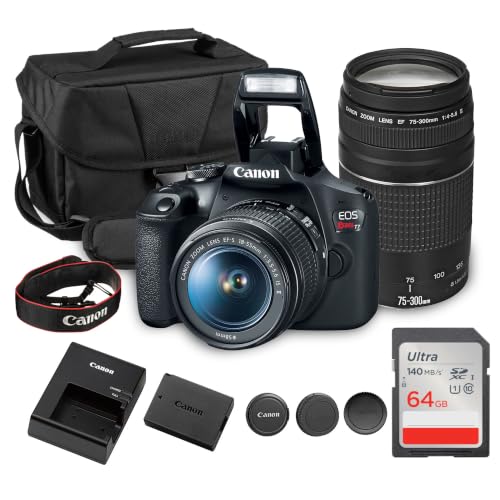




I recently bought a wifi-enabled camera and it's been a game changer! I love how I can instantly share my photos on social media without having to transfer them to my computer first. The remote shooting feature also helped me capture great family portraits during our last vacation.
That's awesome to hear! Which model did you get? I've been considering upgrading my old camera.
How exactly does the wifi connection affect battery life on these cameras? I'm curious if using wifi often drains it faster.