
 Carmen J. Moore

Digital cameras have revolutionized the way we capture and store images, allowing us to easily capture moments and memories with just a click. But have you ever wondered how these devices actually work?
One key component of digital cameras is the use of photoelectrons, which are particles generated when light hits a photosensitive surface. These photoelectrons are then converted into electrical signals that can be processed and stored as digital images.
Understanding how digital cameras utilize photoelectrons can provide insight into the complex technology behind these devices and how they are able to capture and reproduce images with such precision and clarity.


Understanding the Basics of Digital Cameras
Digital cameras rely on photoelectrons to capture images. When light hits the camera’s sensor, it excites electrons in the pixels, creating photoelectrons. These photoelectrons carry the information about the light intensity and color, which is then processed by the camera’s image processor to create a digital image.
How Photoelectrons are Captured
The sensor in a digital camera is made up of millions of tiny light-sensitive pixels. Each pixel contains a photodiode that generates photoelectrons when exposed to light. The number of photoelectrons generated is proportional to the intensity of the light hitting the pixel.
Signal Processing
Once the photoelectrons are captured, they are converted into digital signals by the image processor. The processor then combines these signals to create a digital image with accurate color and detail. This process allows digital cameras to produce high-quality photos with precise color reproduction.
| Component | Function |
|---|---|
| Sensor | Converts light into photoelectrons |
| Image Processor | Converts photoelectrons into digital signals |
Exploring the Role of Photoelectrons in Digital Cameras
Photoelectrons play a crucial role in the functioning of digital cameras. When light enters the camera through the lens, it hits the image sensor, which is made up of millions of light-sensitive pixels. Each pixel contains a photodiode that converts light into electrical signals.
When light photons strike the photodiode, they create photoelectrons by liberating electrons from the atoms within the diode. These photoelectrons accumulate in the pixel and form an electrical charge proportional to the intensity of light. This charge is then converted into a digital signal, which is processed by the camera’s image processor to create a digital image.
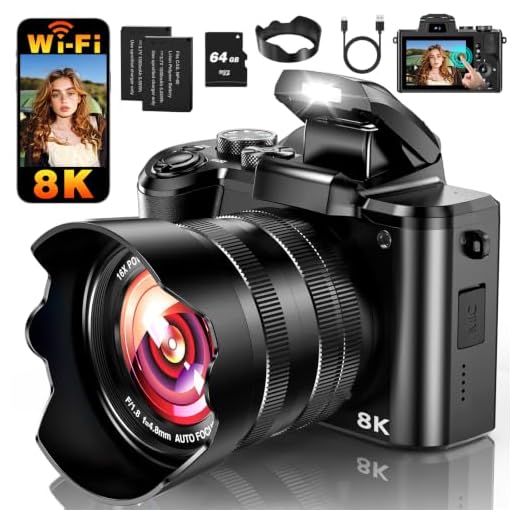
By capturing and converting photoelectrons into digital data, digital cameras are able to produce high-quality images with accurate color reproduction and detail. Understanding the role of photoelectrons in this process is essential for photographers and camera enthusiasts alike.
Capturing Light through Digital Camera Sensors
Modern digital cameras use sensor technology to capture light and convert it into digital images. The sensors in digital cameras are typically made up of millions of light-sensitive elements called photoelectrons. When light enters the camera lens, it hits these photoelectrons, causing them to release electrons. These electrons are then captured and converted into digital signals by the camera’s image processor.
Types of Digital Camera Sensors
There are two main types of sensors used in digital cameras: CCD (Charge-Coupled Device) and CMOS (Complementary Metal-Oxide-Semiconductor). Both types work by converting light into electronic signals, but they have some differences in terms of performance and cost.
Pixel Array in Digital Camera Sensors
The photoelectrons in digital camera sensors are arranged in a pixel array, with each pixel corresponding to a specific area of the image. The more pixels a sensor has, the higher the resolution of the resulting image. This is why higher megapixel cameras can capture more detailed images compared to lower megapixel cameras.
| Feature | CCD Sensor | CMOS Sensor |
|---|---|---|
| Image Quality | Higher image quality | Good image quality |
| Power Consumption | Higher power consumption | Lower power consumption |
| Cost | More expensive | Less expensive |
Conversion of Light into Electrical Signals
When light enters the digital camera through the lens, it hits the image sensor, which is made up of millions of tiny light-sensitive pixels. Each pixel contains a photodiode, which is a semiconductor device that converts light into electrical signals.
When photons of light strike the photodiode, they generate photoelectrons by exciting electrons within the semiconductor material. These photoelectrons create an electric charge, which is then converted into a voltage signal proportional to the intensity of the light that hit the pixel.
The voltage signals from all the pixels are then processed by the camera’s image processor to create a digital image. By capturing the varying intensity of light across the sensor, the camera is able to reproduce the colors and details of the scene being photographed.
Processing of Digital Signals in a Camera
Once photoelectrons are generated by the image sensor in response to light, they are converted into digital signals through a series of complex processes inside the camera. The analog signals from the sensor are first amplified and then converted into digital data using an analog-to-digital converter (ADC). This conversion process assigns numerical values to the intensity of light captured by each pixel, creating a digital representation of the image.
The digital signals are then processed by the camera’s image processor, which applies various algorithms to enhance the image quality, adjust colors, sharpness, and contrast, and reduce noise. The processor may also perform tasks like face detection, image stabilization, and scene recognition to optimize the final image output.
After processing, the digital image data can be stored on a memory card or transferred to a computer for further editing or sharing. The combination of advanced sensor technology and sophisticated image processing algorithms allows digital cameras to capture high-quality images with remarkable detail and clarity.
Displaying Images on Digital Camera Screens
Once the photoelectrons are converted into digital data, the digital camera uses this information to display images on its screen. The screen on a digital camera is typically an LCD (Liquid Crystal Display) or OLED (Organic Light-Emitting Diode) display. These screens are designed to show the digital image captured by the camera’s image sensor.
When you take a photo with a digital camera, the data from the image sensor is processed and converted into pixels that are then displayed on the camera’s screen. The quality of the image displayed on the screen depends on various factors, including the resolution of the screen, the color accuracy, and the brightness levels.
Resolution and Color Accuracy
The resolution of the camera’s screen determines the level of detail that can be displayed. A higher resolution screen will show sharper images with more detail. Color accuracy is also important for displaying images accurately. A screen with good color accuracy will reproduce colors as they were captured by the camera, providing a true representation of the image.
Brightness and Contrast
The brightness and contrast levels of the screen affect how the image appears in different lighting conditions. A screen with high brightness levels will be visible even in bright sunlight, while good contrast levels ensure that dark and light areas in the image are displayed accurately.
Storage of Digital Images in Camera Memory
After the photoelectrons are captured by the image sensor in a digital camera, the camera processes this information and converts it into digital data. This data is then stored in the camera’s memory for later retrieval and viewing. Depending on the camera model and settings, the digital images can be stored in various formats such as JPEG, RAW, or TIFF.

Camera memory comes in different types, including built-in memory, SD cards, or other removable storage media. The size of the memory determines the number of images that can be stored, and it is essential to manage the memory space efficiently to avoid running out of storage while capturing photos.
When the memory is full, users can transfer the images to a computer or external storage device to free up space for more photos. Some cameras also offer the option to delete unwanted images directly from the camera to make room for new captures.
Sharing and Editing Digital Photos from Cameras
Once you have captured stunning photos with your digital camera, the next step is sharing and editing them to make them even more impressive. You can easily transfer your photos from the camera to your computer using a USB cable or memory card reader. From there, you can share them on social media platforms, email them to friends and family, or print them out to create physical copies.
Editing digital photos allows you to enhance their quality, adjust colors and lighting, remove imperfections, and add creative effects. There are various software programs available, such as Adobe Photoshop, Lightroom, and GIMP, that offer powerful tools for editing digital photos. You can crop, resize, apply filters, and even combine multiple photos to create stunning compositions.
Sharing and editing digital photos from cameras not only allows you to showcase your creativity and photography skills but also enables you to preserve memories and create lasting visual stories.
FAQ
How do digital cameras convert light into digital images?
Digital cameras use photoelectrons to convert light into digital images. When light hits the camera’s sensor, it causes photoelectrons to be released. These photoelectrons are then converted into electric signals, which are processed by the camera’s electronics to create a digital image.
What is the role of photoelectrons in digital cameras?
Photoelectrons play a crucial role in digital cameras by converting light into electric signals. When light enters the camera’s sensor, it generates photoelectrons, which are then used to capture the image and create a digital representation of it.
How do photoelectrons contribute to the quality of digital images?
The photoelectrons generated by light hitting the camera’s sensor are essential for capturing the details and colors of an image. The more photoelectrons are produced, the higher the quality of the digital image, as they provide the necessary information for creating a sharp and clear picture.
Can you explain the process of photoelectron generation in digital cameras?
Photoelectron generation in digital cameras occurs when light enters the camera’s sensor and interacts with the pixels. This interaction leads to the release of photoelectrons, which are then collected and converted into electric signals. These signals are processed by the camera’s processor to create a digital image.





I recently switched from an older CCD camera to a CMOS model, and I’ve noticed a significant difference in battery life. The CMOS camera lasts much longer on a single charge, which is great for outdoor shoots! However, I do miss the sharpness of images from my old camera, especially in challenging lighting.
What are the main differences between CCD and CMOS sensors in terms of image quality? I'm trying to decide which type of camera to buy and would like to know more about this.
Can someone explain how photoelectrons affect color reproduction in images? I’m a bit confused about the connection.