
 Carmen J. Moore
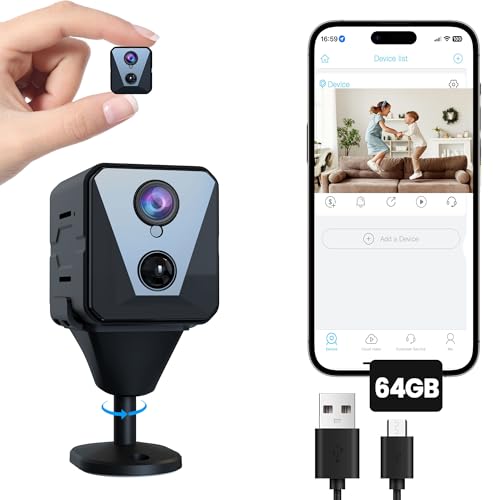
When setting up a security system for your home or business, it’s important to consider the power consumption of the cameras you plan to install. One common question that arises is how many watts a 4 camera security system will use.
The power consumption of a 4 camera security system can vary depending on the type of cameras, their resolution, whether they are wired or wireless, and if they have additional features such as night vision or motion detection.
Typically, each camera in a security system can consume anywhere from 5 to 20 watts of power. So, for a 4 camera system, you can expect the total power consumption to be in the range of 20 to 80 watts.


Understanding Power Consumption in Security Cameras
Security cameras are essential for monitoring and protecting your property. One important factor to consider when setting up a security camera system is power consumption. Understanding how much power your security cameras use can help you choose the right power source and ensure optimal performance.
Factors Affecting Power Consumption
The power consumption of a security camera system can vary depending on several factors:
- Resolution: Higher resolution cameras typically consume more power.
- Number of cameras: The more cameras you have in your system, the higher the overall power consumption.
- Features: Cameras with additional features such as night vision, motion detection, or PTZ (pan-tilt-zoom) capabilities may consume more power.
Calculating Power Consumption
To estimate the power consumption of your security camera system, you can use the following formula:
Total Power Consumption = (Power Consumption per Camera) x (Number of Cameras)
Most security cameras typically consume between 3 to 20 watts of power. Be sure to check the specifications of your specific camera model for accurate power consumption information.
Factors that Affect Power Usage
When considering the power usage of a 4 camera security system, several factors come into play:
- Resolution: Higher resolution cameras typically consume more power than lower resolution cameras. 4K cameras, for example, will use more watts compared to 1080p cameras.
- Number of Cameras: The more cameras you have in your system, the more power will be required to operate them all simultaneously.
- Recording and Streaming: Constant recording and streaming of footage will increase power usage compared to systems that only record when motion is detected.
- Additional Features: Cameras with built-in infrared night vision or pan-tilt-zoom capabilities may consume more power than basic fixed cameras.
Calculating Power Consumption for a 4-camera System
When setting up a 4-camera security system, it’s important to consider the power consumption of the cameras to ensure they are adequately powered and to prevent any electrical issues. To calculate the total power consumption of a 4-camera system, you will need to know the power consumption of each individual camera.
Determine the Power Consumption of Each Camera:
- Check the specifications provided by the manufacturer for each camera to find the power consumption in watts (W).
- Add up the power consumption of all four cameras to get the total power consumption for the system.
For example, if each camera consumes 5 watts, the total power consumption for the 4-camera system would be 20 watts (5W x 4 cameras = 20W).
It’s also important to consider any additional power requirements for devices such as a DVR or NVR that may be part of the system. Make sure the power supply you use can handle the total power consumption of all components to ensure proper functioning and avoid overloading the system.
Choosing the Right Power Supply
When setting up a 4 camera security system, it is crucial to choose the right power supply to ensure optimal performance and longevity of the system. Here are some key factors to consider when selecting the power supply for your security cameras:
- Power Requirements: Determine the total power consumption of all 4 cameras to select a power supply with sufficient wattage. Each camera will have a specified power rating, typically measured in watts.
- Voltage Compatibility: Make sure the power supply voltage matches the voltage requirements of the cameras. Using an incorrect voltage can damage the cameras and void warranties.
- Power Supply Type: Choose between centralized power supply units or individual power adapters for each camera. Centralized power supplies can simplify wiring but may require additional precautions for surge protection.
- Backup Power: Consider adding a backup power source, such as a UPS (Uninterruptible Power Supply), to ensure continuous operation during power outages or fluctuations.
- Quality and Reliability: Invest in a high-quality power supply from a reputable manufacturer to ensure reliability and reduce the risk of equipment failure.
By carefully considering these factors and selecting the right power supply for your 4 camera security system, you can ensure optimal performance and peace of mind knowing your cameras are powered effectively.
Efficient Power Management Tips
When setting up a 4 camera security system, it’s essential to consider efficient power management to ensure optimal performance and longevity. Here are some tips to help you manage power effectively:
1. Use Power-Saving Settings
Configure your cameras to utilize power-saving settings such as motion detection, scheduled recording, and sleep mode when not in use. This will help reduce energy consumption and extend the life of your system.
2. Invest in High-Quality Power Supplies
Choose high-quality power supplies that are specifically designed for security cameras. These supplies will provide stable power output, reduce the risk of power surges, and ensure the longevity of your cameras.
By following these power management tips, you can optimize the performance of your 4 camera security system while minimizing energy consumption and ensuring long-term reliability.
Benefits of Low-Power Security Cameras
Low-power security cameras offer several advantages that make them a popular choice for surveillance systems:
1. Energy Efficiency
Low-power cameras consume less electricity, resulting in lower energy bills and reduced environmental impact. They are ideal for long-term use without significantly increasing energy costs.
2. Extended Battery Life
With their low power consumption, these cameras can operate on battery power for extended periods, making them suitable for remote locations or areas without easy access to electrical outlets. This feature enhances flexibility in camera placement and installation.
Overall, low-power security cameras provide an effective and eco-friendly surveillance solution without compromising on performance or reliability.
Impact of Power Outages on Security Systems
Power outages can have a significant impact on the performance of security systems, including 4 camera security systems. When the power goes out, your security cameras may stop functioning, leaving your property vulnerable to intruders.
Effects of Power Outages on Security Cameras:
1. Loss of Surveillance: Without power, security cameras cannot capture footage, leading to gaps in surveillance coverage.
2. Limited Functionality: Some security cameras may have backup batteries, but these can only last for a limited time, reducing the overall effectiveness of the system.
| Impact | Consequences |
|---|---|
| Loss of Surveillance | Increased vulnerability to break-ins and theft. |
| Limited Functionality | Decreased ability to monitor and record activities. |
Future Trends in Energy-Efficient Security Technology
As the demand for security systems continues to rise, so does the need for energy-efficient solutions. Here are some future trends in energy-efficient security technology:
1. Integration of Solar Power
Solar power technology is becoming more affordable and efficient, making it a viable option for powering security cameras and systems. Integrating solar panels into security devices can help reduce energy consumption and lower electricity costs.
2. Advancements in Low-Power Consumption Devices
Manufacturers are developing security cameras and sensors with lower power consumption rates. These devices use advanced technologies to operate efficiently while still providing high-quality surveillance capabilities.
- Smart Power Management Systems
- Energy-Efficient LED Lighting
- Wireless Connectivity
By incorporating these features into security systems, energy consumption can be minimized without compromising on performance.



How can I determine the exact power consumption for my specific camera models? Are there specific specs I should look for?
You can find the power consumption information in the technical specifications or user manual of your camera models. Look for the wattage rating, typically listed in watts (W). If unavailable, visiting the manufacturer's website or contacting customer support can also provide accurate details.
I recently set up a 4-camera system in my business, and I noticed that the total power usage was on the higher end of the scale. My cameras are all 1080p with night vision, and they consume around 15 watts each. It adds up quickly! I went with a centralized power supply, which has simplified installation, but I'm still concerned about energy costs. Has anyone else experienced similar issues with energy bills?
I disagree with the idea that higher resolution cameras always consume more power. I have a couple of 4K cameras that surprisingly use less power than some of my older 1080p ones. It really depends on the camera technology. Has anyone else experienced this?
That's interesting! I thought 4K cameras would definitely use more power. It shows how diverse the technology can be among different brands.