
 Carmen J. Moore

Your iPhone camera lens is a vital component of capturing those special moments in life. However, it is also one of the most vulnerable parts of your device. Dust, dirt, scratches, and smudges can all affect the quality of your photos. To ensure that your iPhone camera lens remains in top condition, it’s important to take proactive steps to protect it.

In this article, we will discuss some essential tips on how to protect your iPhone camera lens and keep it in pristine condition. By following these simple guidelines, you can preserve the quality of your photos and prolong the life of your device.
From using a protective case to cleaning your lens regularly, we will cover all the necessary steps to safeguard your iPhone camera lens from damage. Read on to learn how to protect your iPhone camera lens and capture stunning photos for years to come.
Protect your iPhone camera lens: 6 essential tips
When it comes to taking high-quality photos with your iPhone, protecting the camera lens is crucial. Here are six essential tips to help you keep your iPhone camera lens in top condition:
| 1. | Use a protective case: | Invest in a quality case that offers a raised lip around the camera lens to prevent scratches and damage. |
| 2. | Avoid placing your phone on rough surfaces: | Be mindful of where you place your iPhone to prevent scratches on the camera lens. |
| 3. | Clean the lens regularly: | Use a microfiber cloth to gently clean the camera lens and remove any dust or smudges. |
| 4. | Avoid direct contact with liquids: | Avoid using your iPhone camera in wet conditions to prevent water damage to the lens. |
| 5. | Keep your phone in a separate pocket: | Avoid carrying your iPhone in the same pocket as keys or other sharp objects that could scratch the lens. |
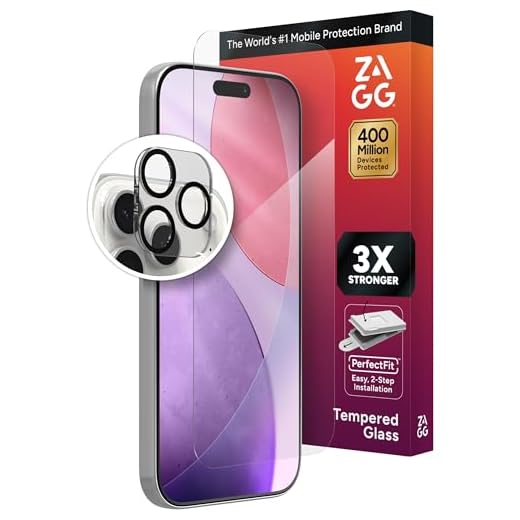
| 6. | Use a lens protector: | Consider investing in a lens protector or a tempered glass screen protector with a cutout for the camera lens. |
Keep it clean and dust-free
One of the most important things you can do to protect your iPhone camera lens is to keep it clean and free from dust. Dust particles can easily scratch the lens, affecting the quality of your photos. To clean the lens, use a soft, lint-free cloth or a lens cleaning wipe. Gently wipe the lens in a circular motion to remove any dirt or smudges. Avoid using harsh chemicals or abrasive materials, as they can damage the lens coating.
Use a protective case
One of the most effective ways to protect your iPhone camera lens is to use a protective case. A good quality case will provide a layer of protection for your phone, including the camera lens, against scratches, bumps, and drops. Look for a case that has a raised lip around the camera module to prevent it from touching flat surfaces directly.
Benefits of using a protective case:
- Prevents scratches and smudges on the camera lens
- Offers impact protection in case of accidental drops
- Keeps the camera lens clean and free from dust and debris
Avoid placing your phone face down
One common mistake many people make is placing their phone face down on surfaces. This can lead to scratches or damage to the camera lens, as well as the screen. Even if your phone has a protective case, it’s best to avoid putting it face down to prevent any potential damage.
Instead, try to place your phone on its back or use a soft surface like a cloth or a phone stand to protect the camera lens. By being mindful of how you place your phone, you can help keep your camera lens in good condition for longer.
Be careful with the lens when cleaning
When cleaning the lens of your iPhone camera, it’s important to handle it with care. Use a soft, lint-free cloth to gently wipe away any smudges or dirt. Avoid using abrasive materials or harsh chemicals that could scratch or damage the lens.
Tip: If you need to remove stubborn dirt or fingerprints, consider using a lens cleaning solution specifically designed for camera lenses. Apply a small amount to the cloth and gently wipe the lens in a circular motion.
Preventative measures
To prevent the lens from getting dirty in the first place, consider using a protective case with a raised edge around the camera module. This can help shield the lens from direct contact with surfaces when you place your phone down.
Avoid extreme temperatures
Extreme temperatures can have a negative impact on your iPhone camera lens. Avoid exposing your device to very hot or very cold temperatures for prolonged periods of time. High temperatures can cause the lens to warp or distort, while low temperatures can lead to condensation forming inside the lens, affecting image quality. To protect your iPhone camera lens, keep your device in a moderate temperature environment whenever possible.
Consider a lens protector
One of the most effective ways to protect your iPhone camera lens is to use a lens protector. These small, transparent accessories adhere directly to the lens of your camera and provide an additional layer of protection against scratches, dust, and other damage. Lens protectors are affordable and easy to apply, making them a simple yet effective solution for keeping your camera lens safe.


I don't think using a lens protector is necessary if you have a good quality case. My case has been enough for me without any scratches on the lens.
Great tips! I always place my phone face down on tables. I’ll definitely stop that to protect my lens.
What type of protective case do you recommend? I've seen so many options but not sure which one actually provides good lens protection.
When you say to avoid cleaning solutions, does that include all types like window cleaners or just harsh chemicals?
It's best to avoid all types of window cleaners, as they often contain chemicals that can harm the lens coating. Stick to products specifically designed for camera lenses.
I've been using a lens protector on my iPhone for a year now, and it's made a noticeable difference! I used to get scratches easily, but since applying it, I haven’t had any issues. Highly recommend it if you're worried about damage.