
 Carmen J. Moore

Indoor security cameras have become an essential part of modern home security systems, providing homeowners with peace of mind and a way to monitor their property remotely. However, one common issue that users may encounter is the compatibility of these cameras with their WiFi networks.


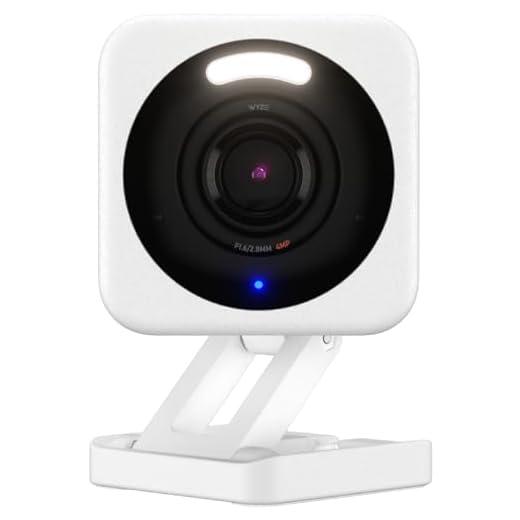
Many indoor security cameras operate on the 2.4GHz frequency band, while newer WiFi routers offer the option to connect to the faster 5GHz band. This can lead to confusion and frustration when users try to set up their cameras and find that they won’t work on the 5GHz WiFi network.
So, why won’t indoor security cameras work on 5GHz WiFi? The answer lies in the technology used by these cameras, which may not be compatible with the 5GHz band. While the 5GHz band offers higher speeds and less interference, some older or budget-friendly security cameras may only support the 2.4GHz band.
Why Indoor Security Cameras Don’t Support 5GHz WiFi
Indoor security cameras are designed to operate on the 2.4GHz frequency band rather than the 5GHz band commonly found in modern routers. The main reason for this is that the 2.4GHz frequency has better wall penetration and can cover a larger area compared to the faster but shorter-range 5GHz band.
Another factor is that most older devices only support the 2.4GHz band, so using this frequency ensures compatibility with a wider range of devices. Additionally, the 2.4GHz band is less congested than the 5GHz band, reducing interference and improving the overall stability of the connection for security cameras.
While 5GHz WiFi offers faster speeds, it is not always necessary for indoor security cameras, which prioritize reliability and coverage over speed. As technology continues to evolve, we may see more security cameras supporting 5GHz WiFi in the future, but for now, the 2.4GHz band remains the preferred choice for most indoor security camera systems.
Frequency Band Differences
One of the main reasons why indoor security cameras may not work on 5GHz WiFi is due to the frequency band differences between the camera and the WiFi network. Most indoor security cameras operate on the 2.4GHz frequency band, while 5GHz WiFi networks operate on, well, the 5GHz frequency band. This difference in frequency bands can cause compatibility issues, as the camera and the WiFi network may not be able to communicate effectively.
Additionally, 5GHz WiFi networks tend to have shorter range compared to 2.4GHz networks, which can also affect the performance of indoor security cameras. The higher frequency of 5GHz signals means that they are more easily absorbed by walls and other obstacles, leading to reduced signal strength and potential connectivity issues for devices operating on this frequency band.
Overall, while 5GHz WiFi networks offer faster speeds and less interference compared to 2.4GHz networks, the frequency band differences can be a limiting factor when it comes to using indoor security cameras that are designed to work on the 2.4GHz frequency band.
Compatibility Issues
Indoor security cameras that operate on 2.4GHz Wi-Fi networks may not be compatible with 5GHz Wi-Fi networks due to differences in frequency bands. The 2.4GHz frequency band has a longer range but is more susceptible to interference from other devices, while the 5GHz band offers faster speeds but has a shorter range.
When setting up an indoor security camera, it is important to ensure that it is compatible with your existing Wi-Fi network. If your camera only supports 2.4GHz Wi-Fi, it will not be able to connect to a 5GHz network. Conversely, if your camera only supports 5GHz Wi-Fi, it will not work with a 2.4GHz network.
Before purchasing an indoor security camera, check the specifications to see which Wi-Fi bands it supports. If you have a 5GHz network and want to use a camera that only supports 2.4GHz, you may need to set up a separate 2.4GHz network or consider purchasing a different camera that is compatible with your network.
Signal Strength Limitations
One of the main reasons why indoor security cameras may not work on 5GHz WiFi is due to signal strength limitations. While 5GHz WiFi offers faster speeds and less interference compared to 2.4GHz WiFi, it has a shorter range and may struggle to penetrate through walls and other obstacles.
Indoor security cameras placed far away from the router or in areas with poor signal strength may not be able to connect reliably to a 5GHz WiFi network. In such cases, switching to a 2.4GHz WiFi network, which has better range but slower speeds, may be necessary to ensure a stable connection for the camera.
Interference Concerns
One of the main reasons why indoor security cameras may not work with 5GHz WiFi is due to interference concerns. The 5GHz frequency band is known to have a shorter range compared to the 2.4GHz band, and it can be more easily blocked by walls and other obstacles. This can result in weaker signal strength and potential disruptions in the connection between the camera and the WiFi router.
Additionally, the 5GHz band is also more susceptible to interference from other electronic devices operating on the same frequency, such as cordless phones, microwaves, and Bluetooth devices. This interference can cause signal interference and affect the performance of the security camera, leading to lag or dropped connections.
Therefore, if you are experiencing issues with your indoor security camera on a 5GHz WiFi network, it may be due to interference problems that can be resolved by switching to a 2.4GHz network or optimizing the placement of your WiFi router and camera to reduce interference.
Data Transfer Speeds
One of the main reasons indoor security cameras may not work on 5GHz Wi-Fi is due to data transfer speeds. While 5GHz Wi-Fi offers faster speeds compared to 2.4GHz, it may not be compatible with some older devices, including certain indoor security cameras. These cameras may only support 2.4GHz Wi-Fi networks, which have slower but more reliable data transfer speeds.
Additionally, 5GHz Wi-Fi signals have more difficulty penetrating walls and obstacles, which can result in weaker signal strength for devices located further away from the router. This can lead to connectivity issues for indoor security cameras that rely on a stable connection to transmit video footage.
Future Technology Advancements
As technology continues to advance at a rapid pace, the future holds exciting possibilities for a wide range of industries. From artificial intelligence and machine learning to quantum computing and nanotechnology, the next generation of technology promises to revolutionize the way we live, work, and interact with the world around us.
One of the key areas of focus for future technology advancements is the Internet of Things (IoT). By connecting everyday objects to the internet and enabling them to communicate with each other, IoT has the potential to transform our homes, workplaces, and cities into smart, interconnected ecosystems.
Artificial Intelligence
Artificial intelligence (AI) is another area that is poised for significant growth in the coming years. AI technologies such as machine learning, natural language processing, and computer vision are already being used in a variety of applications, from virtual assistants and chatbots to self-driving cars and personalized recommendations.
- Advancements in AI are expected to lead to more intelligent and autonomous systems that can perform complex tasks with greater efficiency and accuracy.
- As AI becomes more sophisticated, it has the potential to transform industries such as healthcare, finance, and manufacturing, enabling new levels of innovation and productivity.
Overall, the future of technology is bright, with endless possibilities for innovation and discovery. By staying ahead of the curve and embracing new technologies, we can unlock new opportunities and create a better future for all.


Why do some cameras only work on 2.4GHz? Is it just older models?
Yes, many budget-friendly or older models are designed for 2.4GHz due to better range and wall penetration.
I had a lot of trouble with my 5GHz network and my indoor camera. After switching to 2.4GHz, it connected instantly! Definitely recommend checking compatibility before buying.
Thanks for sharing your experience! It's critical to ensure compatibility with your Wi-Fi network to avoid connection issues.