
 Carmen J. Moore

Security cameras are essential tools for monitoring and protecting your home or business. However, sometimes you may encounter issues with your security camera, such as a scrambled or distorted video feed. This can be frustrating and concerning, as it may compromise the security of your property. Understanding the reasons behind a scrambled security camera feed can help you troubleshoot and resolve the issue effectively.
There are several potential causes for a scrambled security camera feed. It could be due to a physical issue with the camera or its connections, such as a loose cable or a damaged camera lens. Alternatively, the problem may be related to the camera’s settings or software, such as incorrect configuration or outdated firmware. Environmental factors, such as interference from other electronic devices or extreme weather conditions, can also contribute to a scrambled video feed.

Understanding the Reasons
There could be several reasons why your security camera is scrambled:
1. Signal Interference
Signal interference from other electronic devices or nearby wireless networks can disrupt the transmission from your camera to the monitoring device.
2. Physical Obstructions
Physical obstructions such as walls, metal objects, or other obstacles between the camera and the receiver can weaken the signal and cause scrambling.
Interference from Other Devices
Another common reason for your security camera to appear scrambled is interference from other electronic devices. This interference can come from devices such as wireless routers, cordless phones, microwaves, or even other security cameras in close proximity.
To reduce interference, try moving your security camera to a different location or adjusting the frequency settings on the device. You can also try changing the channel on your wireless router or relocating other electronic devices to minimize interference.
Network Connectivity Issues
If your security camera feed is scrambled, it could be due to network connectivity issues. Poor Wi-Fi signal strength or network congestion can cause interruptions in the video stream, leading to a scrambled or pixelated image.
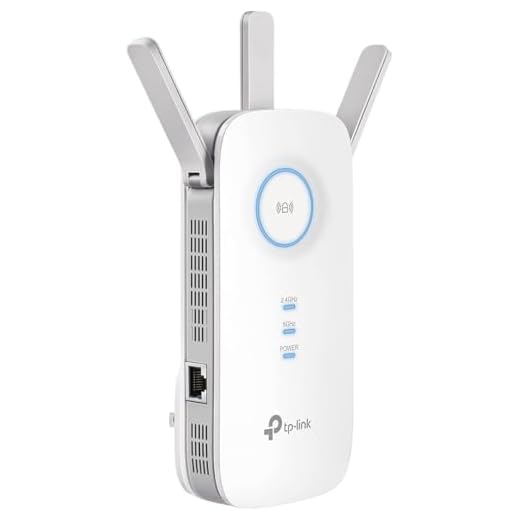
Make sure your camera is within range of your Wi-Fi router and that there are no physical obstructions blocking the signal. You may also want to consider upgrading your internet connection or investing in a Wi-Fi extender to improve connectivity.
Additionally, check for any software updates for your camera or router that could help improve performance and stability. Resetting your camera or router and reconfiguring the settings may also help resolve network connectivity issues.
Camera Hardware Problems
There are several hardware-related issues that can cause your security camera to display a scrambled image. These issues include:
1. Faulty Camera Lens
If the lens of your camera is dirty, scratched, or faulty, it can distort the image quality and cause it to appear scrambled. Cleaning the lens or replacing it may solve this issue.
2. Loose Connections
If the camera’s cables or connections are loose or damaged, it can lead to signal interference and result in a scrambled image. Make sure all connections are secure and in good condition.
Software Glitches
Software glitches can also cause your security camera to appear scrambled. These glitches can occur due to a variety of reasons, such as outdated firmware, incompatible software updates, or bugs in the camera’s software itself. When the software malfunctions, it can lead to distorted or scrambled images on your camera feed.
If you suspect that a software glitch is causing the issue, try restarting the camera, updating its firmware, or reinstalling the camera’s software to see if that resolves the problem. If the problem persists, you may need to contact the manufacturer for further assistance or consider seeking professional help to diagnose and fix the software glitch.
Power Supply Concerns
One common reason why your security camera may be scrambled is due to power supply issues. If the camera is not receiving a stable power supply, it can lead to distorted or scrambled video feed. Make sure that the power source is providing the correct voltage and current required by the camera.
Potential Solutions:
1. Check the power adapter and cable for any damages or loose connections.
2. Use a dedicated power supply for the camera to ensure a stable power source.
Environmental Factors
Environmental factors can also contribute to a security camera producing a scrambled image. For example, extreme weather conditions such as heavy rain, snow, or strong winds can cause interference with the camera’s signal, leading to a distorted or scrambled image. Additionally, sunlight or bright reflections can create glare or overexposure, affecting the camera’s ability to capture clear footage.
Other environmental factors to consider include nearby electronic devices emitting radio frequency interference, power surges or fluctuations in the electrical supply, and physical obstructions blocking the camera’s view. Ensuring that the camera is properly shielded from environmental elements and positioned to minimize interference can help improve the quality of the video feed and reduce the likelihood of a scrambled image.
Seeking Professional Assistance
If you have tried troubleshooting your security camera and still see scrambled footage, it may be time to seek professional assistance. Contact the manufacturer of your camera or a professional security camera technician for further diagnosis and repair. They will have the expertise and tools necessary to identify and fix the issue with your security camera.
Professional assistance can save you time and frustration, ensuring that your security camera is working properly and providing the necessary surveillance for your property. Don’t hesitate to reach out to experts who can help resolve the problem with your security camera.


I had a problem with my camera scrambling and found out it was just a loose cable. I tightened everything up and it worked fine again. It’s easy to overlook simple fixes like this. Always check your connections before assuming there’s a bigger issue!
Absolutely, checking the connections is a crucial first step in troubleshooting a scrambled feed. It's amazing how often that solves the problem!
Has anyone experienced a scrambled feed due to network issues? I’m wondering if upgrading my Wi-Fi would actually help. Thanks!