
 Carmen J. Moore

Ring security cameras are a popular choice for home surveillance, providing peace of mind and security to homeowners. However, it can be frustrating when your Ring camera is not working as expected. There are several reasons why your Ring security camera may not be functioning properly, ranging from connectivity issues to hardware malfunctions.
If your Ring security camera is not working, the first thing you should check is its power source. Make sure that the camera is properly plugged in or that the battery is fully charged. If the camera is powered on but still not working, you may need to troubleshoot the Wi-Fi connection. Ensure that your camera is within range of your Wi-Fi router and that the signal is strong enough for the camera to connect.
Another common reason for Ring security camera issues is outdated firmware or software. Check for any available updates for your camera and make sure that it is running the latest version of the Ring app. If all else fails, you may need to contact Ring customer support for further assistance in diagnosing and resolving the problem.

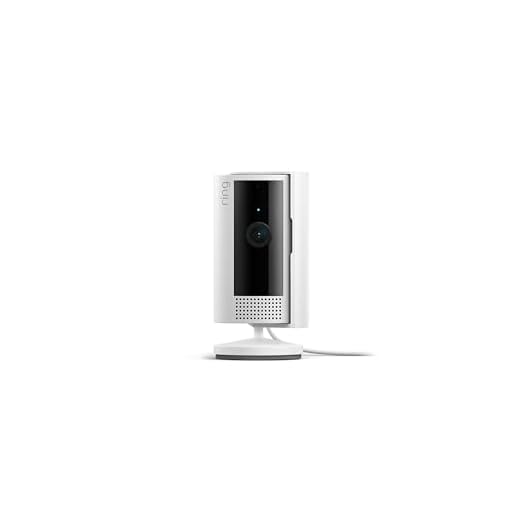

Common reasons for ring security camera malfunction
Ring security cameras can experience malfunctions due to various reasons. Here are some common issues that may cause your ring security camera to not work properly:
1. Connectivity problems:
If your camera is not connecting to the internet or the Ring app, it may not function correctly. Check your Wi-Fi connection and make sure it’s stable.
2. Power issues:
If your camera is not receiving power or the battery is low, it may stop working. Ensure that the camera is properly plugged in or charged.
Other potential reasons for malfunction include software glitches, hardware defects, or environmental factors. If you’ve ruled out the common issues, consider contacting Ring customer support for further assistance.
Power Supply Issues
If your Ring security camera is not working, it could be due to power supply issues. Make sure that the camera is properly connected to a power source and that the power cable is securely plugged in. Check if the power outlet is working by plugging in another device. If the outlet is working, try using a different power cable to see if that resolves the issue. Additionally, ensure that the camera’s battery is charged if it is a battery-powered model. If the camera still does not work, there may be a problem with the power adapter or the camera itself, and you may need to contact Ring’s customer support for further assistance.
Network connectivity problems
If your Ring security camera is not working, one common issue could be network connectivity problems. Make sure that your camera is connected to a stable Wi-Fi network with a strong signal. Check your router and modem to ensure they are working properly and that there are no connectivity issues.
You can also try restarting your router and camera to see if that resolves the problem. Additionally, check for any firmware updates for your camera that may address network connectivity issues. If the problem persists, you may need to reach out to Ring customer support for further assistance.
Camera firmware needs updating
If your Ring security camera is not working, one possible reason could be that the camera firmware needs to be updated. Firmware is the software that is embedded into the camera’s hardware and controls its operation. Manufacturers regularly release firmware updates to fix bugs, improve performance, and add new features.
To check if your camera’s firmware is up to date, you can log into your Ring app and navigate to the camera settings. Look for an option to check for firmware updates and follow the on-screen instructions to update the firmware if needed.
Updating the firmware can often resolve issues with the camera not working properly, so it’s important to keep it up to date. If you continue to experience problems after updating the firmware, you may need to contact Ring customer support for further assistance.
App compatibility issues
If your Ring security camera is not working, it could be due to app compatibility issues. Make sure that you have the latest version of the Ring app installed on your smartphone or tablet. Older versions of the app may not be compatible with the camera’s firmware, leading to connectivity issues.
Additionally, check if your device meets the minimum system requirements for the Ring app. Some older devices may not be able to run the latest version of the app smoothly, causing it to crash or malfunction when trying to access your camera feed.
Physical damage to the camera
If your Ring security camera is not working, it could be due to physical damage. Check the camera for any signs of physical harm, such as cracks, dents, or exposed wires. Physical damage can prevent the camera from functioning properly and may require repair or replacement.
Common causes of physical damage include extreme weather conditions, accidental drops, or tampering. If you suspect physical damage is the issue, contact Ring customer support for assistance in troubleshooting or repairing the camera.
Interference from other devices
Another common reason why your Ring security camera may not be working is interference from other electronic devices. Nearby devices such as Wi-Fi routers, cordless phones, or even microwave ovens can disrupt the signal and cause your camera to malfunction.
To troubleshoot this issue, try moving your camera closer to your Wi-Fi router or away from other electronic devices. You can also change the channel on your Wi-Fi router to reduce interference. Additionally, make sure that your camera is not placed near metal objects or walls that can block the signal.
Incorrect camera settings
If your Ring security camera is not working, it could be due to incorrect camera settings. Here are a few things to check:
- Ensure that the camera is connected to the Wi-Fi network and has a strong signal.
- Check the camera’s power source to make sure it is properly connected and functioning.
- Verify that the camera’s motion detection settings are configured correctly.
- Make sure that the camera’s firmware is up to date by checking for any available updates.
- If you have recently made changes to your Wi-Fi network, double-check that the camera’s settings are updated to reflect the new network information.
Software glitches and bugs
Another common reason why your Ring security camera may not be working is due to software glitches and bugs. Sometimes, the camera’s software may encounter issues that prevent it from functioning properly. This could be caused by a recent software update, compatibility issues with other devices, or internal errors within the camera’s software.
To address this issue, you can try restarting the camera, checking for software updates, and ensuring that the camera is compatible with your other devices. If the problem persists, you may need to contact Ring’s customer support for further assistance.



Don't forget to check for physical damage on the camera! I had to replace mine after a storm.
Are there specific Wi-Fi requirements for the Ring camera? Like speed or frequency bands?
I had a similar issue where my Ring camera stopped working after a firmware update. I found that restarting the camera and the app solved the problem. Sometimes, it just needs a little reset to reconnect properly.
How does the Ring camera compare to other brands like Arlo or Nest? Are there specific benefits that make Ring a better choice?
Ring cameras are often praised for their affordability and ease of use, but brands like Arlo may offer better image quality and features. It really depends on your specific needs.
I found the Ring app quite buggy. It crashes often on my phone, which makes accessing the camera a hassle. I think they really need to work on the app stability.
What should I do if my Ring camera isn't detecting motion? I've checked the settings but it still doesn't work.
If your Ring camera isn't detecting motion, ensure that motion detection is enabled in the app settings. You might also want to check the motion sensitivity levels and adjust them if necessary.