
 Carmen J. Moore

Choosing the right location to install your security camera DVR is crucial for ensuring optimal surveillance coverage and protection of your property. A DVR (Digital Video Recorder) is the central hub of your security camera system, where all the video footage is stored for later viewing and analysis. It is important to place the DVR in a secure and easily accessible location to ensure its proper functioning and to prevent tampering or theft.
Indoor Installation: One option is to install the DVR indoors, preferably in a locked cabinet or closet to prevent unauthorized access. Make sure the location is well-ventilated and free from dust or moisture, as these can damage the DVR and compromise its performance. Consider placing the DVR near a power outlet and internet connection for easy setup and maintenance.
Outdoor Installation: If you prefer to install the DVR outdoors, choose a weatherproof enclosure or housing to protect it from the elements. Mount the enclosure on a sturdy wall or pole at a height that is out of reach to potential intruders. Ensure that the location provides a clear view of the surrounding area and is not obstructed by trees or other objects that could interfere with the camera’s view.


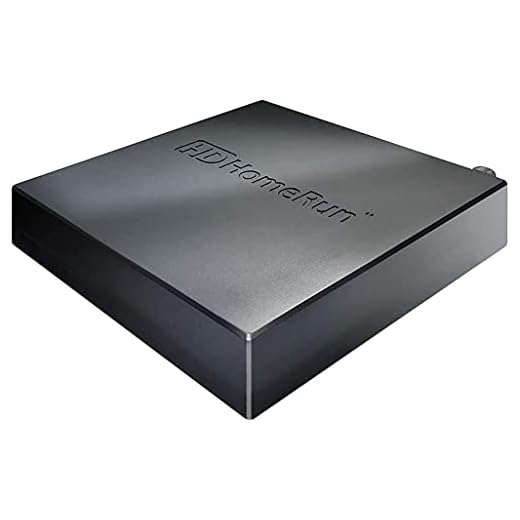
Best Locations for Security Camera DVR Installation
When installing a security camera DVR, it is crucial to choose the right location to ensure optimal performance and coverage. Here are some of the best locations to consider:
1. Centralized Location:
Placing the DVR in a centralized location within your property can help ensure that all cameras have a strong connection and receive clear signals. This can also make it easier to access the DVR for maintenance or troubleshooting.
2. Secure Room:
Consider installing the DVR in a secure room or area that is not easily accessible to unauthorized individuals. This can help prevent tampering or theft of the DVR, ensuring that your security system remains intact.
- Additionally, you may want to consider installing the DVR in a locked cabinet or enclosure for added security.
By choosing the right location for your security camera DVR, you can enhance the effectiveness of your surveillance system and better protect your property.
Outdoor vs. Indoor Placement Considerations
When deciding where to install your security camera DVR, it’s important to consider whether you want to place it indoors or outdoors. Each location has its own set of considerations:
Outdoor Placement:
- Weatherproofing: Make sure the DVR is housed in a weatherproof enclosure to protect it from rain, snow, and extreme temperatures.
- Visibility: Consider the visibility of the DVR to potential intruders. It should be placed in a secure location that is not easily accessible.
- Wiring: Outdoor placement may require more complex wiring to connect the cameras to the DVR.
Indoor Placement:
- Accessibility: Placing the DVR indoors makes it easier to access for maintenance and troubleshooting.
- Power source: Indoor placement may provide easier access to a power source for the DVR.
- Security: Ensure that the indoor location is secure and not easily accessible to unauthorized individuals.
Tips for Hiding Your Security Camera DVR
When it comes to installing security cameras, hiding the DVR is crucial to prevent potential intruders from tampering with the system. Here are some tips for hiding your security camera DVR:
1. Choose a Concealed Location
Place the DVR in a hidden and secure location where it is not easily visible or accessible. Consider mounting it inside a locked cabinet or closet.
2. Use a Decoy DVR
Consider using a decoy DVR to trick intruders. Install a visible dummy DVR while the real one is hidden in a separate, secure location.
By following these tips, you can enhance the security of your surveillance system and protect your DVR from potential threats.
Security Camera DVR Installation in a Home
When it comes to installing a security camera DVR in your home, it’s important to carefully plan out the placement of your system. Here are some key considerations to keep in mind:
| Location: | Choose a central location in your home to install the DVR system. This will ensure that it can capture footage from all areas of your property effectively. |
| Accessibility: | Make sure the DVR is easily accessible for maintenance and troubleshooting. Avoid placing it in hard-to-reach areas. |
| Power Source: | Ensure that the DVR is located near a power source to avoid the need for long extension cords. |
| Connection: | Connect the DVR to your network router for remote access and monitoring capabilities. |
| Security: | Consider placing the DVR in a secure and discreet location to prevent tampering or theft. |
By following these guidelines, you can ensure that your security camera DVR system is installed effectively and provides you with the peace of mind you need to protect your home.
Security Camera DVR Installation in a Business
Installing a security camera DVR system in a business is crucial for maintaining a safe and secure environment. Here are some key tips for the installation process:
1. Determine the Placement
Identify the key areas in your business that require surveillance, such as entry points, cash registers, and storage rooms. Place the cameras strategically to ensure maximum coverage.
2. Mounting the DVR
Choose a secure location to mount the DVR where it is easily accessible for maintenance but out of reach of unauthorized personnel. Make sure to connect the DVR to a stable power source and the internet for remote access.
By following these installation tips, you can ensure that your security camera DVR system is properly set up to protect your business and assets.
Factors to Consider Before Installing a Security Camera DVR
Before installing a security camera DVR, there are several important factors to consider to ensure optimal performance and effectiveness:
- Location: Choose the right location for your security camera DVR to cover the areas you want to monitor effectively.
- Power source: Ensure that the DVR is placed near a power source for easy access and to prevent power issues.
- Internet connection: Make sure the DVR is connected to a stable internet connection for remote viewing and monitoring.
- Storage capacity: Consider the storage capacity of the DVR to store footage for a desired period without running out of space.
- Weatherproofing: If installing the DVR outdoors, make sure it is weatherproof to withstand various weather conditions.
- Accessibility: Install the DVR in a location that is easily accessible for maintenance and troubleshooting purposes.
- Privacy concerns: Respect the privacy of individuals when installing security cameras and DVRs in public or private spaces.
Importance of Professional Installation Services
When it comes to installing a security camera DVR system, professional installation services can offer numerous benefits. Professional installers have the expertise and experience to ensure that the system is set up correctly and functions optimally. They can help you determine the best locations for your cameras to maximize coverage and effectiveness.
Additionally, professional installers can provide guidance on the best type of DVR system for your specific needs and budget. They can also ensure that the system is integrated seamlessly with your existing security infrastructure, if applicable.
By opting for professional installation services, you can save time and avoid the hassle of trying to set up the system yourself. Professional installers can handle all aspects of the installation process, from mounting the cameras to configuring the DVR system and ensuring that everything is working properly.
Overall, professional installation services can help you get the most out of your security camera DVR system and provide you with peace of mind knowing that your property is well-protected.
DIY Security Camera DVR Installation Guide
Installing a security camera DVR system in your home or business can provide peace of mind and added security. Follow these steps to ensure a successful installation:
1. Choose the Right Location
When installing a security camera DVR, the first step is to choose the right location for the system. Consider areas that need surveillance and where you can easily run cables for the cameras.
2. Mount the DVR
Mount the DVR in a secure and accessible location. Make sure it is close to a power source and has proper ventilation to prevent overheating.
- Use wall mounts or shelf brackets to secure the DVR in place.
- Connect the power adapter to the DVR and plug it into a nearby outlet.
Follow these steps to install your security camera DVR system and enjoy added security for your home or business.
How to Properly Position Your Security Camera DVR
When installing a security camera DVR, it is crucial to position it correctly to ensure optimal performance and coverage. Here are some tips to help you position your DVR effectively:
1. Choose a central location: Place your DVR in a central location within your property to maximize coverage. This will allow the cameras to capture a wider area and reduce blind spots.
2. Mount the DVR securely: Ensure that the DVR is mounted securely on a stable surface to prevent it from falling or being tampered with. Consider using wall mounts or brackets for added security.
3. Keep it cool: Make sure the DVR is placed in a well-ventilated area to prevent overheating. Avoid placing it near heating sources or in direct sunlight, as this can affect its performance.
4. Connect to power and network: Position the DVR near power outlets and network connections for easy setup and maintenance. This will also help reduce the risk of cables being tampered with or damaged.
5. Consider accessibility: Ensure that the DVR is easily accessible for maintenance and troubleshooting. Avoid placing it in hard-to-reach areas that may make it difficult to check or repair.
By following these tips, you can effectively position your security camera DVR for optimal performance and coverage. Remember to regularly check and maintain your system to ensure it continues to function properly.
Maintenance Tips for Your Security Camera DVR System
Proper maintenance of your security camera DVR system is essential to ensure its longevity and optimal performance. Here are some tips to help you keep your system in top condition:
Regularly Clean the DVR Unit
Make sure to clean the DVR unit regularly to prevent dust buildup, which can affect its cooling system and cause overheating. Use a soft, dry cloth to wipe down the exterior of the unit and gently remove any dust or debris from the vents.
Check and Update Firmware
Regularly check for firmware updates for your DVR system and install them as needed. Firmware updates often include security patches and performance enhancements that can improve the overall functionality of your system.
Monitor Hard Drive Health
Keep an eye on the health of your DVR system’s hard drive by checking its status and running diagnostic tests regularly. Replace the hard drive if you notice any signs of failure to prevent data loss.
Following these maintenance tips can help you prolong the life of your security camera DVR system and ensure that it continues to operate effectively.


Can you explain how to connect the DVR to the internet for remote access? I'm not very tech-savvy.
Can you explain how to connect the DVR to the internet for remote access? I'm not very tech-savvy.
To connect your DVR to the internet, plug it into your router using an Ethernet cable. Then, follow the manufacturer’s instructions to set up remote access through their software or app.
Is there a significant difference between indoor and outdoor DVR installations? Like, do I need to worry about different types of weatherproofing?
Yes, outdoor installations require weatherproof enclosures to protect against the elements, while indoor placements focus more on accessibility and security from tampering.
What are some tips for ensuring that my DVR is not easily accessible to intruders? I want to make sure it's well-protected.
You could install it in a locked cabinet or a closet. Just make sure it's ventilated enough to avoid overheating.
I think putting the DVR in a locked cabinet is overkill. As long as it's out of sight, that should be enough. I mean, most people wouldn't even think to look for it.
I respectfully disagree. I think having it in a locked cabinet is a good preventive measure, especially if you're dealing with valuables.
I just installed my DVR in a basement. Make sure you think about potential flooding if you go that route. Just a heads up!
I installed my DVR in a central location at home and it really made a difference. I can access it easily, and it connects well with all my cameras. I also used a weatherproof enclosure for the outdoor cameras, and they’ve held up well against rain and sun. It's definitely worth considering for anyone thinking about placement.