
 Carmen J. Moore
When it comes to setting up a security camera system, one of the crucial decisions you’ll need to make is how much storage capacity you require. A common question that arises is whether 1TB of storage is sufficient for security cameras. This question is important because the amount of storage you have directly impacts how much footage you can store and how long you can keep it.
1TB of storage may sound like a lot, but when it comes to security cameras, it can fill up quickly, especially if you have multiple cameras recording in high definition or if you want to keep footage for an extended period. Factors such as the camera resolution, frame rate, compression method, and the number of cameras all play a role in determining how quickly your storage will fill up.
It’s essential to consider your specific needs and usage patterns when determining if 1TB of storage is enough for your security cameras. You may need to calculate how much footage your cameras generate daily and how long you want to keep it for before overwriting. Additionally, you may want to explore options like cloud storage or external hard drives to supplement your storage capacity.
Is 1TB Enough for Security Cameras
When considering storage capacity for security cameras, the question of whether 1TB is enough depends on various factors such as the number of cameras, resolution, frame rate, retention period, and compression technology used. Here is a breakdown of how much footage a 1TB hard drive can store based on different scenarios:



| Number of Cameras | Resolution | Frame Rate | Retention Period | Storage Capacity Required |
|---|---|---|---|---|
| 4 | 1080p | 15 FPS | 7 days | Approx. 450GB |
| 8 | 1080p | 30 FPS | 14 days | Approx. 900GB |
| 16 | 4K | 30 FPS | 30 days | Approx. 1.6TB |
It’s important to consider your specific surveillance needs and adjust the storage capacity accordingly. In general, while 1TB may be sufficient for a small number of cameras with moderate settings, larger installations or higher-resolution cameras may require more storage space.
Storage Capacity for Video Footage
When considering storage capacity for security cameras, it’s important to factor in the amount of video footage that will be recorded and stored. The storage capacity needed will depend on several factors:
- Resolution: Higher resolution cameras produce larger video files, requiring more storage space.
- Frame rate: Cameras recording at higher frame rates will generate more video data, increasing storage needs.
- Compression: Using compression techniques can reduce the size of video files, but may affect video quality.
For a system with multiple cameras recording 24/7, a 1TB hard drive may not be sufficient for long-term storage. Consider upgrading to a larger capacity drive or implementing a cloud storage solution for additional storage space.
Factors to Consider
When determining if 1TB is enough for security cameras, there are several factors to take into consideration:
Number of Cameras:
The more cameras you have, the more storage space you will need. Make sure to calculate the total storage required based on the number of cameras you plan to install.
Resolution and Frame Rate:
Higher resolution cameras and higher frame rates will consume more storage space. Consider the quality of footage you require and adjust your storage capacity accordingly.
Compression Technology: Utilizing efficient video compression technology can help reduce the amount of storage space needed without compromising video quality.
Retention Period: Determine how long you need to store your footage. The longer the retention period, the more storage space you will require.
Compression and Quality Settings
When setting up your security cameras, it’s important to consider the compression and quality settings to make the most of your 1TB storage capacity. Compression settings allow you to reduce the size of video files without compromising too much on quality.
Compression:
- Choose a compression format that balances file size and image quality. H.264 and H.265 are popular options that offer good compression rates.
- Adjust the compression level based on your preferences. Higher compression can save storage space but may result in lower video quality.
Quality:
- Set the video quality to a level that meets your security needs. Higher quality settings will result in clearer footage but will consume more storage space.
- Consider the resolution of your cameras when adjusting quality settings. Higher resolution cameras may require more storage space for high-quality footage.
By optimizing compression and quality settings, you can ensure that your security cameras effectively utilize the 1TB storage capacity while maintaining the necessary level of image quality for surveillance purposes.
Number of Cameras and Resolution
When determining if 1TB is enough for security cameras, you need to consider the number of cameras and the resolution at which they are recording. The more cameras you have and the higher the resolution, the more storage space you will need.
Number of Cameras: Each camera you add to your system will require storage space to store its footage. If you have multiple cameras recording 24/7, the storage capacity can quickly add up.
Resolution: The resolution at which your cameras are recording also plays a significant role in storage requirements. Higher resolution cameras will produce larger files, requiring more storage space.
Therefore, when planning your security camera system, consider the number of cameras and the resolution they will be recording at to ensure you have enough storage space to store the footage effectively.
Options for Expanding Storage
If you find that 1TB of storage is not sufficient for your security camera needs, there are several options available to expand your storage capacity:
- Upgrade to a larger capacity hard drive: Consider replacing your current hard drive with a larger one, such as a 2TB or 4TB drive, to accommodate more video footage.
- Utilize cloud storage services: Explore cloud storage options that allow you to store your video footage remotely, freeing up space on your local hard drive.
- Invest in a network-attached storage (NAS) device: NAS devices provide additional storage space and can be accessed from multiple devices on your network.
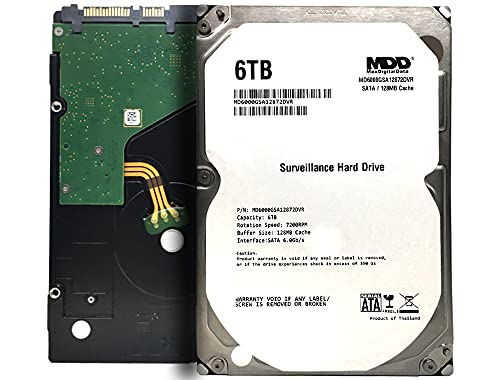
- Opt for a surveillance-grade hard drive: Consider using a specialized surveillance-grade hard drive designed to handle the demands of continuous video recording.
Final Thoughts and Recommendations
When considering whether 1TB is enough for security cameras, it ultimately depends on your specific needs and requirements. If you have a small number of cameras capturing low-resolution footage, 1TB may be sufficient for storing video recordings for a reasonable amount of time. However, if you have multiple high-resolution cameras or require longer retention periods, you may want to consider investing in a larger storage capacity.
It’s important to assess your surveillance needs, the quality of the footage you want to capture, and how long you need to store the recordings before making a decision on the storage capacity. Additionally, consider factors such as motion detection settings, video compression techniques, and the frequency of recording to optimize the use of your storage space.
In conclusion, while 1TB can be adequate for some security camera setups, it’s essential to evaluate your specific requirements and potentially explore higher storage capacities if needed. By understanding your needs and making informed decisions, you can ensure that your security camera system operates effectively and efficiently.


I’m considering setting up four 1080p cameras for my home. Would 1TB be enough if I want to keep recordings for at least a week?
Based on the article, it sounds like you would need around 450GB for that setup, so 1TB should work for a week with some space left over.
I had a 1TB system for six cameras recording in 1080p at 30 FPS. It filled up way faster than I expected! I ended up having to delete older footage after just a few days. I’d recommend either getting a larger hard drive or looking into cloud storage options if you're planning to keep recordings for longer.
Thanks for sharing your experience! It highlights how quickly storage can fill up, especially with more cameras or higher quality settings.