
 Carmen J. Moore
Are you looking for a cost-effective way to enhance the security of your home or office? Instead of letting your old smartphones gather dust, why not repurpose them into smart security cameras? With the advancement of technology, it’s now easier than ever to turn your unused devices into surveillance tools that can help you keep an eye on your property.
By following a few simple steps and using the right apps, you can set up your old phones as security cameras in no time. This DIY solution not only saves you money but also gives you the flexibility to monitor your space from anywhere, using just your smartphone or computer.


In this guide, we’ll walk you through the process of turning your old phones into smart security cameras, providing you with peace of mind and added security without breaking the bank.
How to Repurpose Old Phones
Instead of letting your old phones collect dust, you can repurpose them for various new uses. Here are some creative ways to give your old phones a new lease on life:
1. Security Camera
Turn your old phone into a security camera by installing a security camera app and setting it up to monitor your home or office. This can be a cost-effective way to keep an eye on your property.
2. Media Player
Use your old phone as a dedicated media player for music or videos. Load it up with your favorite tunes or movies and enjoy entertainment on the go without draining the battery on your primary device.
Step-by-Step Guide
Follow these simple steps to turn your old phone into a security camera:
| Step 1 | Choose a suitable app for turning your phone into a security camera, such as Alfred, Manything, or Presence. |
| Step 2 | Install the chosen app on your old phone and follow the setup instructions provided by the app. |
| Step 3 | Position your old phone in a strategic location where it can capture the desired area for surveillance. |
| Step 4 | Connect your old phone to a power source and ensure it has a stable internet connection. |
| Step 5 | Customize the camera settings in the app, such as motion detection, recording options, and notifications. |
| Step 6 | Access the live feed from your old phone’s camera on your current smartphone or computer using the app. |
| Step 7 | Enjoy the added security and peace of mind provided by your DIY security camera setup! |
Choosing the Right App
When repurposing your old phone as a security camera, selecting the right app is crucial. There are numerous apps available on both Android and iOS platforms that can turn your device into a surveillance camera.
Here are some factors to consider when choosing the right app:
- Compatibility: Make sure the app is compatible with your old phone’s operating system.
- Features: Look for apps that offer motion detection, cloud storage, live streaming, and remote access.
- User-Friendly Interface: Opt for an app with an intuitive interface for easy setup and monitoring.
- Reliability: Choose an app with positive reviews and a good track record for stability and performance.
- Cost: Consider whether the app is free or if it requires a subscription for advanced features.
Research and compare different apps to find the one that best suits your needs and budget. Once you’ve selected the right app, follow the installation instructions to set up your old phone as a security camera effectively.
Setting Up the Camera
Once you have downloaded the necessary security camera app on your old phone, follow these steps to set up the camera:
- Choose a strategic location for the camera where it will have a good view of the area you want to monitor.
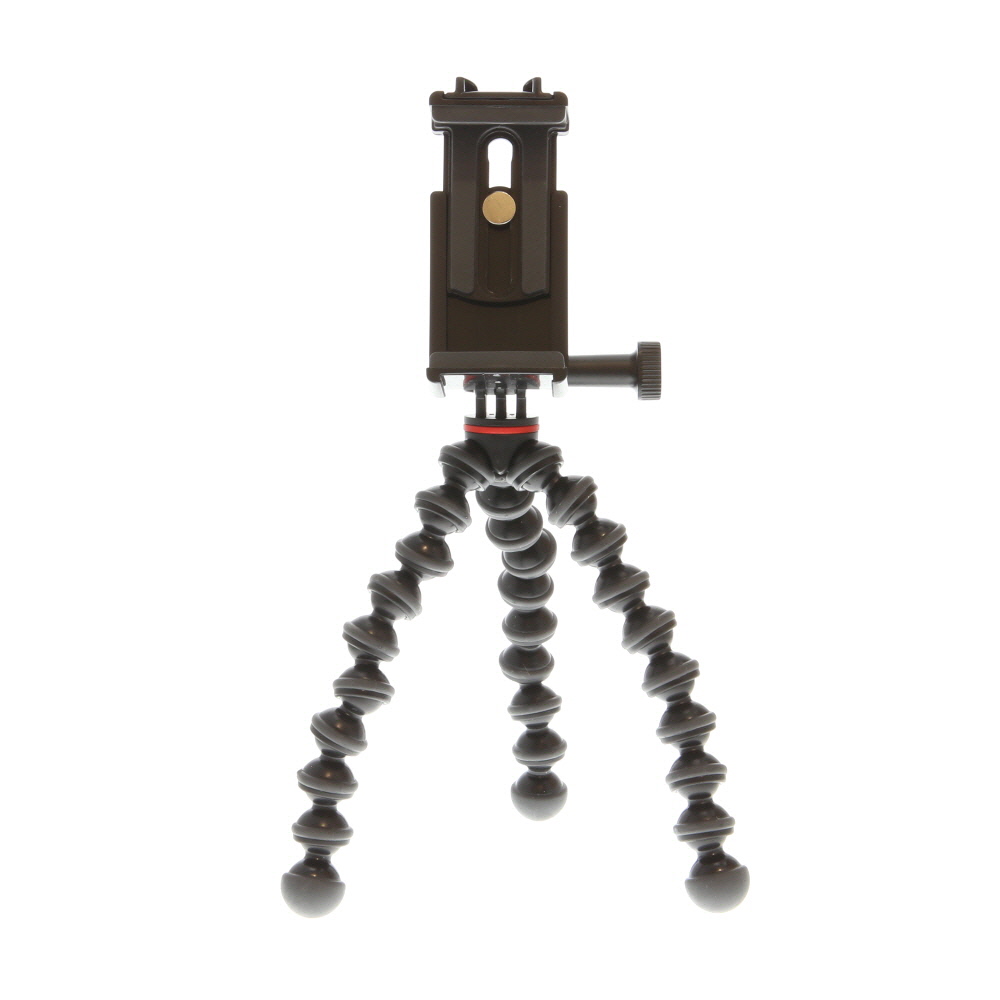
- Mount the phone securely using a phone holder or a DIY stand.
- Ensure the camera lens is clean and unobstructed for clear footage.
- Connect the phone to a power source to keep it charged during operation.
- Adjust the camera settings in the app to customize the motion detection, recording, and notification preferences.
Additional Tips:
- Test the camera’s functionality by moving around the monitored area and checking the live feed on another device.
- Set up a cloud storage or local storage option for saving recorded footage for future reference.
Connecting to Wi-Fi
To use your old phone as a security camera, you will need to connect it to a Wi-Fi network. Here’s how you can do it:
Step 1: Access Settings
Go to the settings menu on your old phone and look for the Wi-Fi option. Tap on it to open the Wi-Fi settings.
Step 2: Select Network
Scan for available Wi-Fi networks and select the one you want to connect to. Enter the password if required.
Note: Make sure the Wi-Fi network is stable and has good coverage where you plan to use the security camera.
Adjusting Camera Settings
Before setting up your old phone as a security camera, it’s important to adjust the camera settings for optimal performance. Here are some key settings to consider:
- Resolution: Set the camera resolution to a suitable level that balances image quality and storage space.
- Frame Rate: Adjust the frame rate to ensure smooth video playback without causing lag.
- Exposure: Fine-tune the exposure settings to account for varying lighting conditions.
- Motion Detection: Enable motion detection features to trigger recording when movement is detected.
- Sound Detection: If available, configure sound detection settings to capture audio when necessary.
By adjusting these camera settings, you can enhance the performance and functionality of your old phone turned security camera.
Monitoring Remotely
Once you have set up your old phone as a security camera, you can easily monitor the feed remotely from anywhere in the world. All you need is an internet connection and a device with access to the camera feed. You can use a dedicated app or software to access the live feed and check in on your home or office whenever you want.
Most security camera apps allow you to receive notifications when motion is detected, so you can stay informed about any activity in the monitored area. You can also set up recording options to save footage for later review or evidence purposes.
With remote monitoring capabilities, you can have peace of mind knowing that you can keep an eye on your property even when you are not physically present. This added layer of security can help deter potential intruders and provide valuable insights into any unexpected events that may occur.
Additional Tips and Tricks
Here are some additional tips and tricks to get the most out of your old phone security camera:
| 1. | Position your old phone strategically to capture the best view of the area you want to monitor. |
| 2. | Make sure to keep the phone charged or connected to a power source to ensure continuous monitoring. |
| 3. | Consider using a dedicated app for security camera functionality to access features like motion detection and cloud storage. |
| 4. | Set up notifications on your current device to receive alerts when motion is detected by the old phone camera. |
By following these tips, you can optimize the performance of your old phone security camera and enhance your home security system.



Are there any free apps that work well for this? I’m trying to keep costs down.
What app would you recommend for turning an old iPhone into a security camera? I’ve heard of a few but not sure which one is the best.
I’ve used Alfred before, and it worked well for me. It’s user-friendly and has good features!
Don't forget to keep your old phone plugged in while using it as a camera! Battery life can drain quickly.
I recently set up my old Samsung Galaxy as a security camera using the Presence app. The setup was straightforward, and I love that I can monitor it from my current phone. The video quality is decent, but I did have to adjust the settings to get the best out of it. Overall, it’s been a great way to repurpose my device!
Can you clarify how to adjust the camera settings for better performance? I’m a bit confused about what resolution and frame rate I should choose.
I’m not sure about using old phones for security. What if they get hacked? I think investing in a dedicated security camera might be safer.
That’s a valid point, but many security apps have robust security features to help protect your feed. It can be a budget-friendly solution with proper precautions!