
 Carmen J. Moore
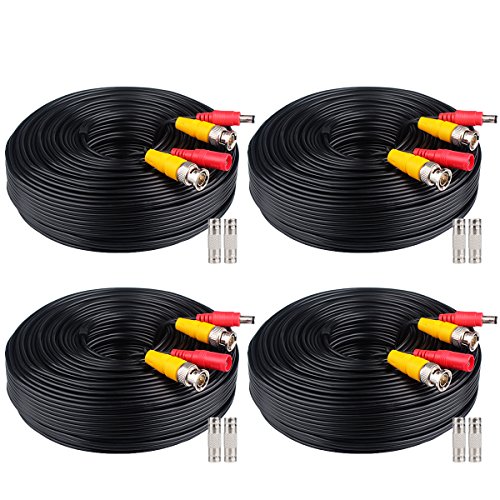
Security cameras are essential for monitoring your home or business, but sometimes the cables can get damaged or cut. If your security camera cable has a damaged end, you don’t necessarily need to replace the entire cable. Instead, you can splice a new end onto the cable to restore its functionality.
Splicing a new end on a security camera cable requires some basic tools and a little bit of know-how. With the right tools and techniques, you can easily repair the cable and get your security camera up and running again in no time. In this guide, we will walk you through the step-by-step process of splicing a new end on a security camera cable.
Step-by-Step Guide to Splicing a New End on a Security Camera
Splicing a new end on a security camera can be a handy skill to have when dealing with damaged cables. Follow these steps to successfully splice a new end on a security camera:
- Identify the damaged end of the security camera cable.
- Cut off the damaged end using wire cutters to ensure a clean cut.
- Strip the outer insulation of the cable to expose the inner wires.
- Separate the inner wires and strip their insulation to reveal the metal conductors.
- Match the color-coded wires (if applicable) and twist them together securely.
- Use a wire connector to join the wires and ensure a strong connection.
- Secure the connection with electrical tape to protect it from moisture and damage.
- Test the spliced connection to ensure the camera is working properly.
Gather Necessary Tools and Materials
Before you begin splicing a new end on a security camera, make sure you have all the necessary tools and materials ready. Here’s what you’ll need:

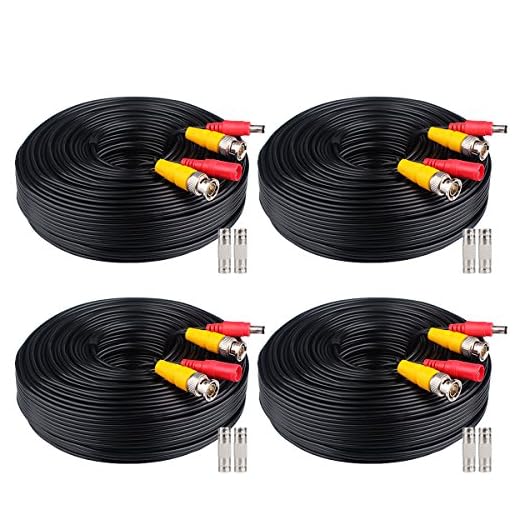
- Wire strippers
- Electrical tape
- Soldering iron and solder
- Heat shrink tubing
- New end connector
Ensure that you have a clean and well-lit workspace to work in, and keep all the tools within reach for easy access during the splicing process.
Power Off the Security Camera
Before splicing a new end on a security camera, it is crucial to power off the camera to avoid any risk of electric shock or damage. Follow these steps to safely power off the security camera:
- Locate the power source or switch that supplies electricity to the security camera.
- Turn off the power source or switch to cut off the electricity flow to the camera.
- Verify that the camera is completely powered off by checking for any indicator lights or sounds.
Once you have confirmed that the security camera is powered off, you can proceed with splicing a new end onto the camera’s cable.
Identify the Wires and Connectors
Before splicing a new end on a security camera, it is crucial to identify the wires and connectors that need to be connected. Start by carefully examining the existing wires and connectors on both the camera and the cable you will be using. Look for color-coded wires and matching connectors to ensure proper alignment during the splicing process. Use a multimeter to test the continuity of the wires and verify the connections before proceeding.
Cut and Strip the Wires
First, carefully cut the damaged end of the security camera wire using wire cutters. Make sure to leave enough length on the wire for splicing. Next, strip the insulation off the ends of the wires using wire strippers. Be careful not to nick the actual wire strands while stripping the insulation.
Splice the New End onto the Wires
Once you have stripped the insulation off the wires and exposed the copper conductors, it’s time to splice the new end onto the wires. Follow these steps:
Step 1: Match the Wires
Take the new end of the wire and match the colors of the wires. Connect the corresponding colors together: red to red, black to black, and so on.
Step 2: Twist and Secure
Twist the exposed copper conductors of the wires together securely. Make sure there are no loose strands that could cause a poor connection.
| Wire Color | Connection |
|---|---|
| Red | Red |
| Black | Black |
| Green | Green |
| White | White |
Test the Connection and Power On the Camera
Before sealing the spliced connection, it is crucial to test the camera to ensure it is functioning properly. Follow these steps to test the connection:
| 1. | Connect the newly spliced end of the security camera to the power source. |
| 2. | Check for any signs of power, such as indicator lights or a humming sound. |
| 3. | Verify that the camera is receiving a clear video signal and that the image quality is satisfactory. |
| 4. | Adjust the camera angle if necessary to ensure proper surveillance coverage. |
Once you have confirmed that the camera is working correctly, proceed to seal the spliced connection securely to prevent any moisture or dust from entering the connection point.


I recently had to splice a security camera cable, and it was a bit tricky but definitely doable. I followed a similar guide that mentioned using heat shrink tubing, which helped a lot to keep moisture out. Just make sure to test your connections thoroughly before sealing everything up. Wish I had used a multimeter earlier to check the continuity—it would’ve saved me some hassle!
What kind of wire connectors are best to use for splicing security camera cables? I want to make sure the connection is reliable and waterproof.