
 Carmen J. Moore

When it comes to home security, outdoor cameras play a crucial role in keeping your property safe. SimpliSafe outdoor cameras are a popular choice for many homeowners due to their easy installation and reliable performance. However, just like any other smart device, it’s important to take steps to secure your SimpliSafe outdoor camera to prevent unauthorized access and protect your privacy.
In this guide, we will provide you with practical tips and tricks to enhance the security of your SimpliSafe outdoor camera and ensure that your home remains safe and secure.


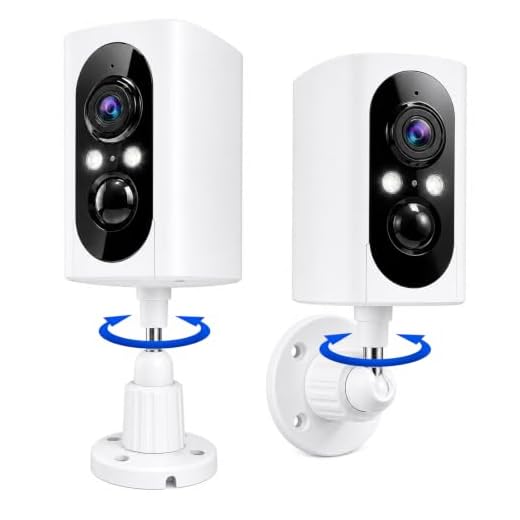
From changing default settings to setting up strong passwords, we will cover everything you need to know to safeguard your outdoor camera from potential threats. By following these simple yet effective security measures, you can enjoy peace of mind knowing that your home security system is well-protected.
Best Practices for Securing SimpliSafe Outdoor Camera
Securing your SimpliSafe outdoor camera is essential to ensure the safety and privacy of your home. Follow these best practices to enhance the security of your outdoor camera:
- Change the default password: Always change the default password of your camera to a strong, unique password to prevent unauthorized access.
- Update firmware regularly: Keep your camera’s firmware up to date to patch any vulnerabilities and improve security features.
- Enable two-factor authentication: Add an extra layer of security by enabling two-factor authentication for your camera’s account.
- Secure your Wi-Fi network: Use a strong password for your Wi-Fi network and enable WPA2 or WPA3 encryption to prevent unauthorized access.
- Position the camera strategically: Place your outdoor camera in a location that provides maximum coverage without compromising privacy.
- Set up motion detection alerts: Enable motion detection alerts to receive notifications when activity is detected near your outdoor camera.
- Regularly check camera settings: Periodically review and update your camera settings to ensure optimal security and functionality.
By following these best practices, you can significantly enhance the security of your SimpliSafe outdoor camera and protect your home from potential threats.
Importance of Security Measures for Outdoor Cameras
Outdoor cameras play a crucial role in enhancing the security of your property. They act as a deterrent to potential intruders and help you monitor any suspicious activities around your home or business premises. However, it is essential to ensure that your outdoor cameras are properly secured to maximize their effectiveness.
Here are some key security measures to consider:
- Mounting: Properly mount your outdoor camera in a location that provides a clear view of the area you want to monitor. Make sure it is out of reach to prevent tampering.
- Weatherproofing: Choose an outdoor camera that is designed to withstand various weather conditions, such as rain, snow, and extreme temperatures. This will ensure the camera remains operational in any weather.
- Remote Access: Opt for a camera that offers remote access features, allowing you to view live footage from anywhere using a mobile app or web browser. This enables you to keep an eye on your property even when you are not physically present.
- Encryption: Ensure that your outdoor camera uses encryption to secure the data transmission between the camera and the viewing device. This will prevent unauthorized access to the footage.
- Regular Maintenance: Perform regular maintenance checks on your outdoor camera to ensure it is functioning correctly. Clean the lens, check for any signs of damage, and update the firmware as needed.
By implementing these security measures, you can enhance the effectiveness of your outdoor camera and better protect your property against potential threats.
Installing and Configuring SimpliSafe Outdoor Camera
To secure your SimpliSafe outdoor camera, follow these steps:
- Choose a strategic location: Select a spot where the camera has a clear view of the area you want to monitor.
- Mount the camera: Use the provided mounting hardware to securely attach the camera to the chosen location.
- Connect to power: Plug the camera into a power source using the included power adapter.
- Connect to Wi-Fi: Follow the camera’s instructions to connect it to your Wi-Fi network for remote access.
- Configure settings: Set up motion detection, alerts, and other preferences using the SimpliSafe app or web portal.
- Test the camera: Make sure the camera is functioning properly by testing its live feed and recording capabilities.
- Adjust settings: Fine-tune the camera’s settings to optimize its performance and ensure maximum security.
By following these steps, you can effectively install and configure your SimpliSafe outdoor camera to enhance the security of your property.
Setting Up Encryption and Authentication
Securing your SimpliSafe outdoor camera involves setting up encryption and authentication to ensure that only authorized users can access the camera footage and settings.
Here are the steps to set up encryption and authentication:
1. Enable WPA2 Encryption:
Make sure that your Wi-Fi network is using WPA2 encryption to secure the communication between the camera and your router. This will help prevent unauthorized access to the camera feed.
2. Set Up Strong Passwords:
Create strong passwords for both your SimpliSafe account and the camera itself. Use a combination of letters, numbers, and special characters to make the passwords difficult to guess.
By implementing encryption and authentication, you can enhance the security of your SimpliSafe outdoor camera and protect your privacy.
Regular Software Updates for Enhanced Security
One of the key ways to ensure the security of your SimpliSafe outdoor camera is to regularly update its software. Software updates often include patches for security vulnerabilities and new features that can enhance the overall security of your camera.
To ensure that your SimpliSafe outdoor camera is up-to-date, you should regularly check for software updates through the SimpliSafe app or website. Make sure to enable automatic updates if the option is available to ensure that your camera always has the latest security patches installed.
Benefits of Regular Software Updates:
- Protection against known security vulnerabilities
- Enhanced security features and improvements
- Improved overall performance and stability
Monitoring and Managing Access to Outdoor Camera
Securing your SimpliSafe outdoor camera involves not only setting up the physical device properly but also monitoring and managing access to the camera to prevent unauthorized access and ensure the safety of your property. Here are some key tips to help you achieve this:
1. Set up Secure Login Credentials: Make sure to set up strong and unique login credentials for accessing your camera’s app or online account. Avoid using default passwords and opt for a combination of letters, numbers, and special characters.
2. Enable Two-Factor Authentication: Utilize two-factor authentication for an added layer of security. This will require a second verification step, such as a code sent to your phone, to access your camera’s account.
3. Regularly Update Firmware: Keep your outdoor camera’s firmware up to date to ensure that it has the latest security patches and features. Check for updates regularly and install them promptly.
4. Restrict Access to Authorized Users: Only provide access to your camera’s feed and settings to trusted individuals. Avoid sharing login information with others and regularly review user permissions.
5. Monitor Camera Activity: Keep an eye on the camera’s activity logs to detect any unusual behavior or unauthorized access attempts. Report any suspicious activity to SimpliSafe’s customer support immediately.
By following these tips and staying vigilant, you can effectively monitor and manage access to your SimpliSafe outdoor camera, enhancing the security of your property and peace of mind.
Securing Network Connections for SimpliSafe Camera
When setting up your SimpliSafe outdoor camera, it is crucial to ensure that your network connections are secure to protect your privacy and data. Here are some tips to secure your network connections:
| 1. Secure Wi-Fi Network: | Make sure your Wi-Fi network is password-protected and uses a strong, unique password to prevent unauthorized access. |
| 2. Enable Encryption: | Enable encryption on your Wi-Fi network, such as WPA2 or WPA3, to encrypt data transmitted between devices. |
| 3. Update Firmware: | Regularly update the firmware of your router and camera to patch security vulnerabilities and ensure the latest security features. |
| 4. Use a VPN: | Consider using a Virtual Private Network (VPN) when accessing your camera remotely to encrypt your connection and protect your data. |
| 5. Disable UPnP: | Disable Universal Plug and Play (UPnP) on your router to prevent potential security risks associated with this feature. |






Remember to regularly check for firmware updates. It’s crucial for security!
I recently set up my SimpliSafe outdoor camera and followed the tips in this article. Changing the default password was easy, and I enabled two-factor authentication. It gave me peace of mind knowing that only I can access the camera settings. Just a tip: make sure your Wi-Fi password is strong too, as that really adds an extra layer of security!
What are the best practices for changing the default password on the SimpliSafe outdoor camera? Is there a recommended format I should follow?
I’m not sure about the effectiveness of just changing the password. Has anyone had issues with unauthorized access even after doing that? I feel like these cameras are still vulnerable to hacking.