
 Carmen J. Moore

Are you looking to enhance the security of your home while also adding a modern touch to your front door? One innovative solution is to replace your traditional doorbell button with a smart security camera. Not only will this upgrade allow you to see who is at your door and monitor your entrance remotely, but it will also provide you with valuable footage in case of any security incidents.
Installing a security camera in place of a doorbell button may seem like a daunting task, but with the right tools and a step-by-step guide, you can easily accomplish this project. In this article, we will walk you through the process of replacing your doorbell button with a security camera, ensuring that you can enjoy the benefits of enhanced home security and convenience.
Step-by-step guide on replacing a doorbell button with a security camera
To upgrade your home security system, you can replace your traditional doorbell button with a smart security camera. Follow these steps to do it yourself:

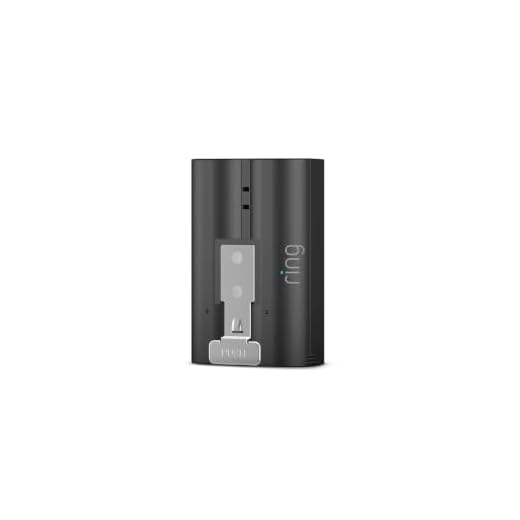
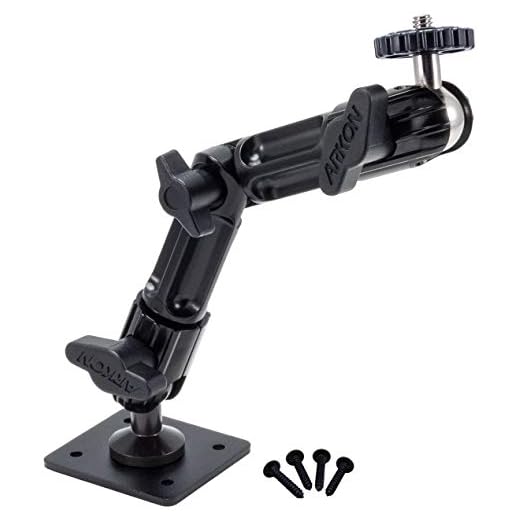
1. Choose the right security camera: Select a security camera that is compatible with your existing wiring and home automation system. Make sure it has the features you need, such as motion detection and two-way audio.
2. Turn off the power: Before starting the installation process, turn off the power to your doorbell at the circuit breaker to ensure safety.
3. Remove the old doorbell button: Unscrew the old doorbell button from the wall and disconnect the wires attached to it.
4. Install the security camera: Follow the manufacturer’s instructions to install the security camera in place of the old doorbell button. Connect the wires to the appropriate terminals on the camera.
5. Set up the security camera: Download the camera’s app on your smartphone and follow the setup instructions to connect it to your home Wi-Fi network and configure the settings.
6. Test the camera: Once the installation is complete, test the security camera to ensure it is working properly. Adjust the angle and settings as needed.
7. Enjoy your new smart doorbell camera: With the security camera installed, you can now monitor your front door remotely, receive notifications of any activity, and communicate with visitors through the two-way audio feature.
Gather the necessary tools and materials
Before you begin the process of replacing your doorbell button with a security camera, make sure you have all the necessary tools and materials on hand. Here is a list of what you will need:
Tools:
- Screwdriver (flathead and Phillips)
- Drill
- Pliers
- Wire strippers
- Measuring tape
- Level
Materials:
- Security camera doorbell
- Mounting bracket
- Wiring
- Screws and anchors
- Power adapter (if needed)
Turn off the power to the doorbell
Before starting the replacement process, it is crucial to ensure that the power to the doorbell is turned off to avoid any electrical mishaps. Locate the circuit breaker or fuse that controls the power to the doorbell and switch it off. You can use a voltage tester to double-check that the power is indeed off before proceeding with the installation of the security camera.
Remove the existing doorbell button
To start the process of replacing your doorbell button with a security camera, the first step is to remove the existing doorbell button. Follow these steps:
- Turn off the power: Before you begin, make sure to turn off the power to your doorbell system to avoid any electrical hazards.
- Locate the doorbell button: The doorbell button is typically located near your front door. It is usually attached to the wall or door frame.
- Remove the screws: Use a screwdriver to carefully remove the screws holding the doorbell button in place.
- Disconnect the wires: Once the screws are removed, gently pull the doorbell button away from the wall to access the wires behind it. Disconnect the wires from the terminals.
- Remove the doorbell button: After disconnecting the wires, you can safely remove the old doorbell button from the wall.
Once you have successfully removed the existing doorbell button, you can proceed to install the security camera in its place.
Install the security camera in place of the button
To replace the doorbell button with a security camera, follow these steps:
- Remove the existing doorbell button by unscrewing it from the wall.
- Mount the security camera in the same location as the old button using the provided mounting hardware.
- Connect the camera to your home Wi-Fi network following the manufacturer’s instructions.
- Adjust the camera angle to ensure it covers the desired area and provides a clear view of the entrance.
- Test the camera by pressing the virtual doorbell button in the camera’s app to see if it captures video and sends alerts.
- Secure any loose wires and ensure the camera is properly installed and functioning before completing the setup.
Connect the security camera to the existing doorbell wiring
To replace the doorbell button with a security camera, you’ll need to connect the camera to the existing doorbell wiring. Follow these steps:
- Turn off the power to the doorbell system at the circuit breaker to avoid any electrical hazards.
- Locate the existing doorbell wiring in your home and identify the wires – typically there will be two wires, one for power (usually red) and one for the chime (usually white).
- Disconnect the wires from the existing doorbell button.
- Connect the wires from the security camera to the existing doorbell wires – match the power wire to the power wire and the chime wire to the chime wire.
- Secure the connections with wire nuts or electrical tape to ensure a safe and reliable connection.
- Once the connections are secure, turn the power back on at the circuit breaker and test the security camera to ensure it is functioning properly.
Test the security camera to ensure it is working properly
After you have successfully connected the security camera to the doorbell wiring and mounted it in place, it is crucial to test the camera to ensure it is functioning correctly. Follow these steps to test the security camera:
| 1. | Power on the security camera by connecting it to the power source. |
| 2. | Check the camera’s view on your smartphone or monitoring device to confirm it is capturing the desired area. |
| 3. | Test the motion detection and night vision features of the camera to ensure they are working properly. |
| 4. | Adjust the camera settings as needed to optimize its performance. |
| 5. | Perform a test run by ringing the doorbell or simulating a visitor to see if the camera captures the event. |
| 6. | Review the recorded footage to verify the quality and clarity of the video. |
By thoroughly testing the security camera, you can ensure that it will provide reliable surveillance and enhance the security of your home.
Securely mount the security camera and adjust settings as needed
Once you have successfully replaced the doorbell button with the security camera, it’s essential to securely mount the camera in the desired location. Make sure the camera is positioned to capture the area you want to monitor effectively.
Mounting the camera
Use the provided mounting hardware to attach the camera to the wall or door frame. Ensure the camera is securely fastened to prevent it from being tampered with or easily removed.
Adjusting camera settings
Access the camera’s settings through the designated app or software. Configure the camera’s resolution, motion detection sensitivity, recording options, and other settings to suit your preferences and security needs. Test the camera to ensure it is functioning correctly and capturing the desired footage.
| Tip: | Regularly check the camera’s positioning and settings to ensure optimal performance and security monitoring. |


I replaced my doorbell with a security camera last month, and it was surprisingly easy! I used a Wyze camera, and it works great. The motion detection alerts me whenever someone approaches, and the video quality is impressive. Make sure you double-check your wiring; I almost mixed up the connections, which would have been a hassle!
Good article! What type of security camera do you recommend for someone with a basic home automation system? I want something that integrates easily.
I've had good luck with models from Ring and Nest. They both have solid integration options and user-friendly apps.
Can anyone clarify if using a security camera instead of a doorbell affects the sound? Will I still hear someone ringing it, or do I need to rely on the app notifications?
Great question! Most security cameras have two-way audio, so you can communicate with visitors through the app, but you won't have a traditional 'ring' sound unless the camera has a built-in speaker for that function. Notifications will come through your phone instead.