
 Carmen J. Moore

Glare from security cameras can be a frustrating issue that affects the quality of your surveillance footage. Glare occurs when the camera lens reflects light, causing bright spots or washed-out areas in the video. This can be particularly problematic when trying to capture clear images in outdoor or well-lit areas.
Fortunately, there are several methods you can use to reduce or eliminate glare from your security camera. One effective solution is to adjust the camera’s angle and position to minimize direct sunlight or artificial light sources that may be causing the glare. Additionally, using anti-glare shields or filters can help to reduce the impact of harsh light on your camera’s lens.
Regular maintenance, such as cleaning the camera lens and housing, can also help to prevent glare and ensure optimal performance. By following these tips and implementing the right strategies, you can improve the quality of your security camera footage and enhance your surveillance capabilities.
Tips for reducing glare in security camera footage
Glare can significantly impact the quality of security camera footage, making it difficult to see important details. Here are some tips to help reduce glare:

1. Adjust the camera angle
Try adjusting the angle of the camera to minimize glare from direct sunlight or artificial light sources. Experiment with different positions until you find the best angle.
2. Use anti-glare coatings
Consider applying anti-glare coatings to the camera lens to reduce reflections and improve image clarity. These coatings can help minimize the impact of glare on your footage.
Positioning the camera properly
One of the most effective ways to reduce glare on a security camera is to position the camera properly. Here are some tips:
- Angle the camera slightly downward to avoid direct sunlight hitting the lens.
- Avoid placing the camera directly facing bright light sources.
- Use a sun shield or hood to block out excess light and reduce glare.
- Position the camera in a shaded area to minimize glare from sunlight.
- Adjust the camera’s angle and position until you find the optimal position with minimal glare.
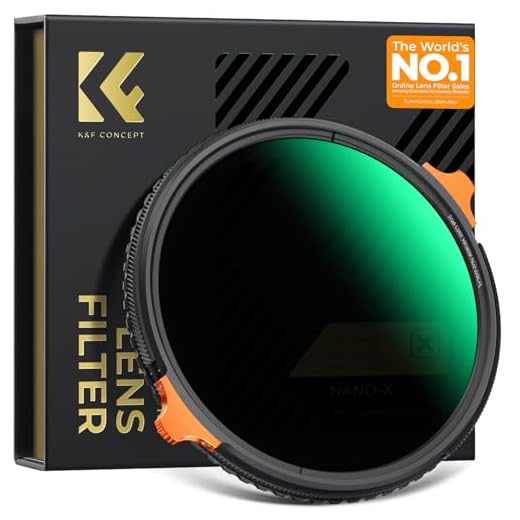
Using anti-glare filters
Another effective way to reduce glare on security camera footage is by using anti-glare filters. These filters are designed to reduce the amount of light that reaches the camera lens, helping to prevent glare from washing out the image. Anti-glare filters can be easily attached to the camera lens and come in a variety of shapes and sizes to fit different camera models.
When selecting an anti-glare filter, it is important to choose one that is specifically designed for security cameras and is compatible with the camera model you are using. Make sure to follow the manufacturer’s instructions for installation to ensure the filter is properly positioned and does not obstruct the camera’s field of view.
By using anti-glare filters, you can significantly improve the quality of your security camera footage by reducing glare and capturing clear, detailed images even in bright light conditions.
Adjusting camera settings
One way to reduce glare from a security camera is to adjust the camera settings. You can try changing the exposure settings to decrease the amount of light entering the camera. Lowering the brightness and contrast levels can also help reduce glare. Experiment with different settings until you find the right balance that minimizes glare while still capturing clear images.
Installing shading or awnings
Another effective way to reduce glare on security cameras is by installing shading or awnings. These can help block out direct sunlight and minimize the reflection of light onto the camera lens.
Benefits of shading or awnings:
- Provide a physical barrier between the camera and direct sunlight.
- Reduce the likelihood of glare affecting the camera’s visibility.
- Help maintain consistent lighting conditions for better video quality.
Consider installing shading or awnings strategically to ensure maximum coverage and protection for your security cameras.
Regular maintenance and cleaning
Regular maintenance and cleaning of your security camera can help reduce glare and ensure optimal performance. Here are some tips to keep your security camera free from glare:
- Regularly inspect the camera lens for any dust, dirt, or smudges that may be causing glare. Clean the lens with a soft, lint-free cloth and a gentle lens cleaning solution.
- Check the camera housing for any debris or obstructions that could be reflecting light and causing glare. Remove any dirt or obstructions to ensure clear visibility.
- Adjust the camera angle and position to minimize direct sunlight or bright light sources that could cause glare. Position the camera to avoid direct light sources to reduce glare and improve image quality.
- Consider installing a glare-resistant cover or shield to help reduce glare from surrounding light sources. These accessories can help improve the visibility of the camera’s footage and reduce the impact of glare.
By regularly maintaining and cleaning your security camera, you can minimize glare and ensure that your camera operates effectively to capture clear and high-quality footage.






Can you explain more about how to install a sun shield?
I don't think adjusting the exposure settings is always a good idea. Sometimes it just makes the footage darker instead of reducing glare.
That's a valid point. It can vary based on the lighting conditions, so careful adjustments are essential.
What specific angle adjustments work best for reducing glare?
I've tried both adjusting the camera angle and using a filter. The filter seemed to work better for me, especially in harsh sunlight. The angle adjustment helped but it wasn't as effective as I hoped.
I had success with an anti-glare filter on my camera. It really helped reduce the bright spots in the footage, especially during sunny days.
Regular cleaning of the lens is crucial! I noticed a big difference after cleaning mine.