
 Carmen J. Moore

Home security is a top priority for many homeowners, and one of the most effective ways to protect your property is by installing security cameras. Strategically placed cameras can help deter potential intruders and provide valuable evidence in case of a break-in. However, knowing where to place these cameras is crucial for maximizing their effectiveness.
When it comes to placing security cameras around your home, there are a few key areas you should focus on. Entry points such as doors and windows are prime locations for cameras, as they are common targets for burglars. Additionally, consider placing cameras near valuable items like cars or outdoor equipment.

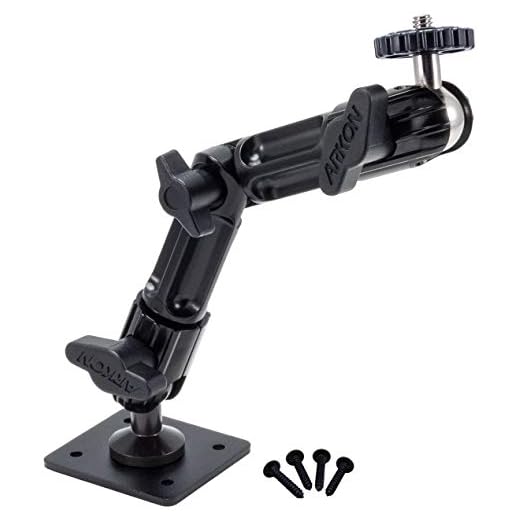

Another important consideration is the range and field of view of your cameras. Make sure to position them in a way that covers as much area as possible without any blind spots. You may also want to consider investing in cameras with motion detection capabilities for added security.
Determining Optimal Locations
When determining the optimal locations for your security cameras, consider the following factors:
1. Entry Points: Place cameras near all entry points to your home, such as doors and windows, to capture any potential intruders.
2. High-traffic Areas: Install cameras in high-traffic areas like hallways and living rooms to monitor activity and movement throughout your home.
3. Blind Spots: Identify any blind spots in your home where intruders could hide or go undetected, and place cameras strategically to cover these areas.
4. Outdoor Spaces: Don’t forget about outdoor spaces like the front yard, backyard, and garage. Install cameras to monitor these areas for any suspicious activity.
5. Consider Lighting: Ensure that your cameras are placed in well-lit areas to capture clear footage, especially at night.
By considering these factors, you can strategically place your security cameras to maximize coverage and enhance the security of your home.
Assessing Entry Points
When placing security cameras around your home, it is crucial to assess all entry points to ensure comprehensive coverage. These entry points include doors, windows, garage doors, and any other potential access points that intruders could use to enter your property.
Key Considerations:
- Identify all entry points, including secondary entrances and vulnerable areas.
- Consider the visibility of each entry point and any blind spots that may exist.
- Assess the proximity of nearby objects that could provide cover for intruders.
By carefully evaluating the entry points, you can strategically place security cameras to monitor these areas and enhance the overall security of your home.
Covering Blind Spots
When installing security cameras around your home, it’s crucial to identify and cover blind spots where potential intruders could hide or go unnoticed. These blind spots are typically areas that are hidden from the direct view of your cameras, such as behind trees, bushes, or walls.
To ensure comprehensive coverage, consider positioning your cameras strategically to eliminate blind spots. This may involve installing additional cameras or adjusting the angles of existing ones. Be mindful of obstacles that could obstruct the camera’s field of view, and make sure to test each camera’s coverage to identify any blind spots.
Regularly review your camera placements and adjust them as needed to ensure all areas of your property are adequately covered. By proactively addressing blind spots, you can enhance the effectiveness of your home security system and better protect your property.
Avoiding Obstructions
When placing security cameras around your home, it’s important to consider potential obstructions that could hinder their effectiveness. Here are some tips to help you avoid common obstructions:
- Ensure that trees, bushes, or other foliage are not blocking the camera’s view. Trim any overgrown branches or plants that could obstruct the camera’s line of sight.
- Position cameras away from direct sunlight to prevent glare or washed-out images. Consider using sun shields or placing cameras under eaves for better visibility.
- Avoid placing cameras too close to walls or corners, as this can limit their field of view and potentially create blind spots. Opt for strategic locations that offer a wide coverage area.
Ensuring Proper Angles
When placing security cameras around your home, it’s crucial to ensure that you have the proper angles to capture the best view of your property. Here are some tips to help you achieve the best angles:
1. Height: Mount your cameras at a height that provides a clear view of the area you want to monitor. Avoid placing them too high or too low, as this can affect the quality of the footage.
2. Position: Position your cameras so they have a clear line of sight without any obstructions. Make sure they are angled to capture the most important areas, such as entry points or vulnerable spots.
3. Tilt and Pan: Some cameras allow you to tilt and pan to adjust the angle. Take advantage of this feature to cover a wider area and ensure no blind spots.
4. Test the View: Before finalizing the placement of your cameras, test the view to ensure they capture the desired area effectively. Make adjustments as needed to improve the angle.
By following these tips, you can ensure that your security cameras are positioned at the right angles to provide optimal surveillance of your home.
Considering Lighting Conditions
When installing security cameras around your home, it’s important to consider the lighting conditions in different areas. Proper lighting can greatly enhance the effectiveness of your surveillance system. Here are some factors to keep in mind:
1. Natural Light:
Take note of how natural light changes throughout the day in the areas where you plan to install cameras. Direct sunlight can cause glare and wash out images, while shadows can obscure details. Position cameras to avoid direct sunlight and adjust angles to minimize shadows.
2. Artificial Lighting:
Consider the availability of artificial lighting sources, such as street lights or porch lights, in the vicinity of your cameras. Ensure that there is sufficient light for the cameras to capture clear images, especially during nighttime. Installing motion-activated lights can help improve visibility and deter intruders.
Securing Outdoor Spaces
When it comes to securing your outdoor spaces, it’s important to strategically place security cameras in key areas. Here are some tips:
- Position cameras at entry points such as doors and windows to capture anyone entering or exiting your property.
- Install cameras near garages, sheds, or other outdoor structures to monitor these areas for any suspicious activity.
- Consider placing cameras along pathways, driveways, or alleys to capture movement around your property.
- Make sure cameras are mounted high enough to prevent tampering or vandalism.
- Use weatherproof cameras designed for outdoor use to ensure they can withstand the elements.
By strategically placing security cameras in your outdoor spaces, you can enhance the security of your home and deter potential intruders.
Monitoring High-Risk Areas
When placing security cameras around your home, it’s essential to pay special attention to high-risk areas where potential intruders are more likely to target. These areas include:
- Entrances: Install cameras near all entry points, such as doors and windows, to monitor anyone entering or leaving your property.
- Backyard: Place cameras overlooking your backyard to keep an eye on any suspicious activity or trespassers.
- Garage: Ensure your garage is covered by a camera to protect your vehicles and any valuable items stored inside.
By strategically placing cameras in these high-risk areas, you can enhance the security of your home and deter potential intruders.
Integrating with Smart Home Systems
One of the key benefits of modern security cameras is their ability to integrate with smart home systems. This allows you to control your cameras, view footage, and receive alerts all from your smartphone or smart home hub.
By connecting your security cameras to your smart home system, you can take advantage of features such as motion detection, two-way audio, and remote monitoring. This seamless integration provides added convenience and peace of mind, allowing you to keep an eye on your home even when you’re away.
Most security camera manufacturers offer compatibility with popular smart home platforms like Amazon Alexa, Google Assistant, and Apple HomeKit. Make sure to check the compatibility of your cameras with your smart home system before purchasing to ensure a smooth setup process.
Testing Camera Functionality
Before finalizing the placement of your security cameras, it is crucial to test their functionality to ensure they provide adequate coverage of your home. Follow these steps to test your security cameras:
- Check the camera angles: Make sure the cameras are positioned in a way that covers the desired areas without any blind spots.
- Test the night vision: Switch to night mode and verify that the cameras capture clear images in low-light conditions.
- Check the motion detection: Walk around the areas monitored by the cameras to ensure that the motion detection feature works properly.
Additional Tips:
- Test the camera feeds on your smartphone or computer to ensure remote viewing functionality.
- Adjust camera settings as needed to optimize image quality and coverage.



I recently installed security cameras around my house following the tips in this article. I placed them near all the entry points and in my backyard. It made a huge difference! I even added a motion-sensor light near my garage; it not only helps the cameras capture clearer footage but also deters unwanted visitors. One thing I learned is to check your camera angles regularly to avoid any blind spots, as foliage can grow over time.
It’s great to hear your installation went well! For brand recommendations, consider looking at models known for their reliability and features like night vision and HD video quality.
That sounds like a solid plan! Did you use any specific brand of cameras? I'm looking for recommendations based on your experience.
What’s the best height to mount security cameras? I’ve seen some recommendations, but I'm unsure what actually works best for visibility and prevention.
I mounted mine about 8-10 feet high, and it seems to capture everything well without being easily tampered with.
Mounting cameras between 8 and 10 feet is generally ideal as it provides a good view while making it harder for intruders to reach them. Testing the angle after installation is key!