
 Carmen J. Moore

Security cameras can be a crucial tool in keeping your dock and waterfront property safe and secure. By installing cameras in strategic locations, you can monitor activity, deter potential intruders, and have peace of mind knowing that your property is protected.
However, installing security cameras on a dock comes with its own set of challenges. From choosing the right cameras to finding the best locations for optimal coverage, there are several factors to consider. In this guide, we will walk you through the process of installing security cameras on a dock, step by step.
Whether you are a dock owner looking to enhance security or a marina manager wanting to improve surveillance, this guide will provide you with the information you need to set up a reliable security camera system on your dock.
Step-by-step guide to installing security cameras on a dock
Installing security cameras on a dock is a great way to enhance safety and security in the area. Here is a step-by-step guide to help you with the installation process:


Step 1: Determine the camera placement
- Survey the dock area to identify the best locations for camera placement.
- Consider high-risk areas such as entry points, valuable equipment, and blind spots.
Step 2: Choose the right cameras
- Select weatherproof cameras designed for outdoor use to withstand the elements.
- Opt for cameras with night vision capabilities for 24/7 surveillance.
Follow these steps to set up and install the security cameras on your dock, ensuring a safe and secure environment for all. Remember to test the cameras after installation to ensure they are functioning correctly.
Assess your dock’s layout
Before installing security cameras on your dock, it’s important to assess the layout of the area. Take note of the size and shape of the dock, as well as any obstacles or blind spots that may affect camera placement.
Consider the best vantage points to capture the entire dock area, including entry points and high-traffic areas. You may need to install multiple cameras to ensure comprehensive coverage of the dock.
Choose the right type of security camera
When installing security cameras on a dock, it is important to choose the right type of camera to ensure optimal performance and coverage. Here are some factors to consider when selecting a security camera:
1. Outdoor Weatherproof Cameras
Make sure to choose security cameras that are specifically designed for outdoor use and are weatherproof. Dock environments can be exposed to harsh weather conditions, so cameras with a durable housing and weatherproof rating are essential to withstand the elements.
2. High Definition (HD) Resolution
For clear and detailed footage, opt for security cameras with high definition (HD) resolution. HD cameras will provide better image quality and allow you to capture important details such as faces or license plates with clarity.
Determine the best camera placement
Before installing security cameras on a dock, it is crucial to determine the best placement for maximum coverage and effectiveness. Consider the following factors:
1. Coverage area:
Identify the areas on the dock that need surveillance coverage. This could include entry points, storage areas, or high-traffic zones.
2. Line of sight:
Ensure that the cameras have a clear line of sight to the areas you want to monitor. Avoid obstructions such as pillars, equipment, or structures that could block the view.
Install necessary mounting hardware
Before installing the security cameras on the dock, make sure you have all the necessary mounting hardware. This may include brackets, screws, anchors, and other tools required for the installation process.
Steps:
- Choose the appropriate location for mounting the cameras on the dock.
- Use a drill to create holes for the mounting brackets.
- Secure the mounting brackets using screws or anchors, depending on the surface of the dock.
- Make sure the brackets are firmly attached to the dock to provide a stable base for the cameras.
Set up the camera system’s power source
Before installing the security cameras on the dock, it is crucial to set up the power source for the camera system. Here are the steps to ensure your cameras have a reliable power supply:
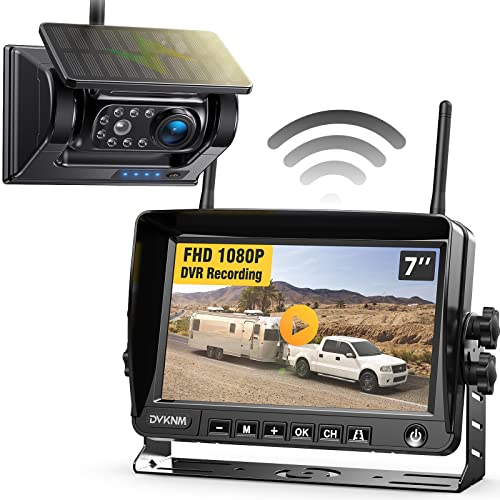
- Choose a power source: Decide whether you will use a traditional power outlet or opt for a solar-powered system for remote locations.
- Install power cables: Run power cables from the chosen power source to each camera location on the dock. Make sure the cables are securely fastened and protected from water exposure.
- Connect power supply: Connect the power cables to the appropriate ports on the camera system. Double-check the connections to ensure a stable power supply.
- Test the power: Before mounting the cameras, test the power supply to ensure all cameras are receiving power correctly. Address any issues before proceeding with the installation.
Connect the cameras to a monitor or recording device
After mounting the security cameras on your dock, the next step is to connect them to a monitor or recording device for live viewing or recording footage. Here’s how you can do it:
1. Choose a monitor or recording device:
You can use a dedicated monitor, a computer, or a digital video recorder (DVR) to view the camera feed. Make sure the device has the necessary inputs to connect the cameras.
2. Connect the cameras to the monitor or recording device:
Use the provided cables to connect each camera to the monitor or recording device. Follow the manufacturer’s instructions for the specific type of connection required (e.g., HDMI, VGA, BNC).
| Camera | Monitor/Recording Device |
| Camera 1 | Input 1 |
| Camera 2 | Input 2 |
| Camera 3 | Input 3 |
Adjust camera settings for optimal performance
After installing the security cameras on your dock, it is important to adjust the camera settings to ensure optimal performance and maximize security coverage. Here are some key settings to consider:
- Resolution: Set the camera resolution to the highest possible setting to capture clear and detailed images.
- Frame rate: Adjust the frame rate to ensure smooth video playback without any lag or stuttering.
- Exposure: Set the exposure level to ensure proper lighting and visibility, especially in low-light conditions.
- Motion detection: Enable motion detection and adjust the sensitivity level to receive alerts for any movement detected on the dock.
By adjusting these camera settings, you can enhance the overall performance of your security system and effectively monitor your dock area for any potential threats or incidents.
Test the camera system for functionality
Before leaving the dock, it is crucial to test the camera system to ensure that it is functioning properly. This will help identify any potential issues or malfunctions before it is too late.
Here are some steps to test the camera system:
- Check the power source: Make sure the cameras are receiving power and are properly connected to the power source.
- Verify the camera angles: Ensure that the cameras are positioned correctly to cover the desired areas without any obstructions.
- Test the video feed: Access the video feed from a monitoring device to check if the cameras are capturing clear images and videos.
- Check the night vision: Test the night vision capabilities of the cameras to see if they provide clear footage in low-light conditions.
- Test the motion detection: Walk in front of the cameras to confirm that the motion detection feature is working effectively.
Final checks:
After testing the camera system, double-check all connections and settings to ensure everything is in order. Make any necessary adjustments before leaving the dock to enhance the security coverage provided by the cameras.



I think having multiple cameras is overrated. One good camera with a wide angle can cover most areas. Why complicate it?
While one wide-angle camera can cover more ground, multiple cameras can help reduce blind spots and provide better coverage in high-traffic areas. It often depends on the specific layout of the dock.
What type of weatherproof cameras do you recommend for marine environments? I'm worried about saltwater damage.
I installed security cameras on my dock last summer, and it made a huge difference. I chose HD cameras with night vision, and they really help in monitoring activity at night. The installation was straightforward, but I had to adjust the angles a few times to get complete coverage. Definitely worth it!
Thanks for sharing your experience! It's great to hear that HD cameras with night vision were effective for you. Adjusting angles can really improve coverage, especially in tricky layouts.
Does anyone know if solar-powered cameras are reliable for docks? I've heard mixed reviews.
I’ve used solar-powered cameras on my dock for a year, and they’ve worked well. Just make sure they get enough sunlight during the day.
Don’t forget to check your camera settings after installation. I overlooked mine and missed some important footage!