
 Carmen J. Moore
Have you ever wondered how secure your security cameras really are? With the rise of internet-connected devices, it has become increasingly important to ensure that your cameras are protected from potential hackers.
One tool that hackers often use to scan for vulnerable cameras is Angry IP Scanner. This powerful tool allows hackers to quickly identify open ports and potential security weaknesses in a network, making it easier for them to gain unauthorized access to your cameras.
By understanding how hackers use tools like Angry IP Scanner, you can better protect your security cameras and ensure that your privacy and security are not compromised. In this article, we will explore the world of security cameras and the risks associated with using Angry IP Scanner to hack into them.
Understanding Security Cameras
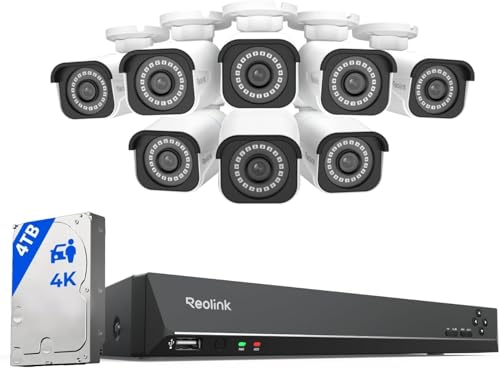
Security cameras are devices used for surveillance and monitoring purposes. They are commonly installed in homes, businesses, and public spaces to deter crime and provide a sense of security. Security cameras come in various types, including analog, digital, and IP cameras. Analog cameras use traditional video signals, while digital cameras capture and store video footage digitally. IP cameras are connected to a network and can be accessed remotely via the internet.
Angry IP Scanner Overview
Angry IP Scanner is a powerful and easy-to-use network scanning tool that allows users to scan IP addresses and ports within a specified range. It is commonly used by network administrators and security professionals to identify live hosts on a network and detect potential security vulnerabilities.
With Angry IP Scanner, users can quickly scan large networks and generate detailed reports on the status of each IP address and open ports. The tool provides a user-friendly interface and supports various scanning options, making it a versatile tool for network reconnaissance and security auditing.
Angry IP Scanner is available for Windows, macOS, and Linux platforms, making it accessible to a wide range of users. It is a free and open-source tool that continues to be actively developed and maintained by a dedicated community of developers.
Preparing for the Hack
Before attempting to hack security cameras using Angry IP Scanner, it’s crucial to understand the risks and potential consequences involved. Hacking into any system without permission is illegal and unethical, so proceed with caution.
1. Research: Familiarize yourself with the basics of network security and IP scanning. Understand how security cameras are typically connected to a network and the vulnerabilities that may exist.
2. Obtain Permission: Ensure you have explicit permission from the owner of the security cameras or the network administrator before attempting any hacking activities. Unauthorized access is a serious offense.
3. Use a VPN: To protect your identity and location while scanning for IP addresses, use a Virtual Private Network (VPN) to encrypt your connection and mask your IP address.
4. Prepare Your Tools: Download and install Angry IP Scanner on your computer. Familiarize yourself with the tool’s features and functionality before proceeding.
5. Backup Data: Before starting the hack, backup any important data on your computer to prevent potential loss in case of unforeseen issues during the hacking process.
Remember, hacking into security cameras without permission is illegal and unethical. Proceed with caution and always prioritize ethical hacking practices.
Executing the Hack
Once you have identified the target IP address range using Angry IP Scanner, it’s time to execute the hack on the security cameras. Follow these steps:
- Open the Angry IP Scanner software on your computer.
- Enter the IP range of the security cameras you want to hack.
- Start the scan and wait for the software to discover the active cameras.
- Identify the cameras with default or weak login credentials.
- Use the default username and password to log in to the camera’s interface.
- Once logged in, you can view the camera’s live feed and control its settings.
Remember that hacking into security cameras without permission is illegal and unethical. Make sure you have proper authorization before attempting any hacking activities.
Securing Your Own Cameras
When setting up security cameras, it’s crucial to prioritize their security to prevent unauthorized access. Here are some tips to secure your own cameras:
Change Default Passwords
One of the first steps you should take is to change the default passwords on your cameras. Default passwords are often easy to guess, making your cameras vulnerable to hackers. Choose strong, unique passwords for each camera to enhance security.
Update Firmware Regularly
Manufacturers release firmware updates to address security vulnerabilities and improve device performance. Make sure to check for firmware updates regularly and install them promptly to keep your cameras secure.



I recently set up some IP cameras at home and followed the advice on securing them. Changing the default passwords made a huge difference. I also updated the firmware as soon as I installed them, which I feel is essential. It’s crazy how many people don’t do that. I hope everyone takes the time to learn about securing their gadgets!
Thanks for sharing your experience! Regularly updating firmware is crucial for security. It’s great to hear you’re taking steps to protect your cameras.
I’m curious about the legal implications of using Angry IP Scanner. If someone uses it without permission, what are the potential consequences?