
 Carmen J. Moore
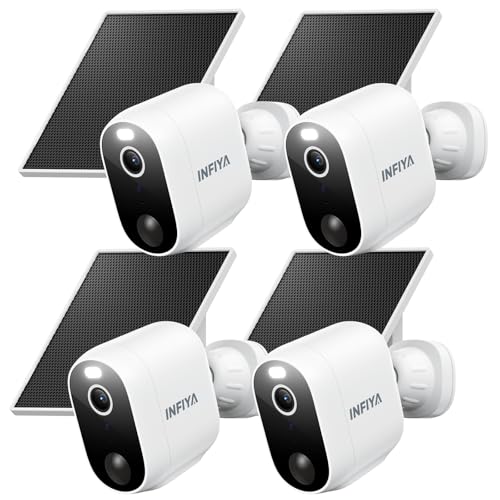
In today’s world, security cameras play a crucial role in protecting our homes and businesses. One of the key features that enhance the effectiveness of security cameras is the ability to receive alerts when suspicious activity is detected. These alerts can help you take immediate action and prevent potential security threats.
Setting up alerts for your security camera is a simple yet valuable process. By configuring the right settings and notifications, you can ensure that you are always informed about any unusual events captured by your camera. Whether you are monitoring your property remotely or want to be alerted when someone approaches your front door, having alerts set up is essential for maintaining security.


There are various methods to receive alerts for your security camera, including email notifications, mobile app alerts, and even SMS messages. Depending on your preferences and the capabilities of your camera system, you can choose the most convenient way to stay informed about any security breaches. By following the right steps and customizing your alert settings, you can enhance the effectiveness of your security camera system and ensure peace of mind.
Importance of Security Cameras
Security cameras play a crucial role in protecting your property and ensuring the safety of your loved ones.
They act as a deterrent to potential intruders and provide valuable evidence in case of a security breach.
With advancements in technology, security cameras now offer remote access and real-time monitoring, allowing you to keep an eye on your property from anywhere in the world.
Investing in quality security cameras is a proactive measure to enhance the security of your home or business.
Types of Security Cameras
When it comes to security cameras, there are several types available on the market. Each type has its own set of features and benefits, making it important to choose the right one for your specific needs. Here are some common types of security cameras:
- 1. Dome Cameras: Dome cameras are typically used indoors and have a dome-shaped cover that makes it difficult for intruders to tell which way the camera is facing.
- 2. Bullet Cameras: Bullet cameras are long and cylindrical in shape, making them easy to install outdoors. They are often used for monitoring specific areas like driveways or entrances.
- 3. PTZ Cameras: PTZ (Pan-Tilt-Zoom) cameras can be remotely controlled to pan, tilt, and zoom to capture a wider range of views. They are great for monitoring large areas.
- 4. Wireless Cameras: Wireless cameras are easy to install and can be placed anywhere within the range of the wireless signal. They are ideal for homes or businesses without the need for messy cables.
Setting Up a Security Camera System
Setting up a security camera system involves several steps to ensure proper installation and functionality:
1. Determine the best locations for your cameras to cover the most vulnerable areas of your property.
2. Install the cameras securely using appropriate mounting hardware to prevent tampering.
3. Connect the cameras to a power source and ensure they are receiving a stable power supply.
4. Set up a central monitoring station or a recording device to capture and store footage from the cameras.
5. Configure the cameras to send alerts to your phone or email in case of any suspicious activity.
6. Test the system regularly to ensure all cameras are functioning properly and capturing clear footage.
By following these steps, you can effectively set up a security camera system to enhance the safety and security of your property.
Choosing the Right Security Camera
When selecting a security camera for your home or business, there are several factors to consider to ensure that you choose the right one for your needs. Here are some key points to keep in mind:
1. Resolution:
Make sure to choose a camera with a high resolution to capture clear and detailed images. Higher resolution cameras provide better quality footage, making it easier to identify individuals or objects.
2. Field of View:
Determine the field of view you need based on the area you want to monitor. Cameras with a wider field of view can cover more space, while cameras with a narrower field of view may be better for focusing on specific areas.
- Consider whether you need a fixed or pan-tilt-zoom (PTZ) camera for flexible coverage.
- Choose a camera with adjustable angles to ensure you can capture the desired view.
By considering these factors and doing thorough research, you can select the right security camera that meets your specific requirements and provides reliable surveillance for your property.
Benefits of Security Camera Alerts
Security camera alerts offer numerous benefits for homeowners and business owners alike. Here are some of the key advantages:
- Real-time Monitoring: With security camera alerts, you can receive notifications instantly when there is any suspicious activity detected on your property.
- Remote Access: You can access the alerts from anywhere using your smartphone or computer, giving you peace of mind even when you’re away.
- Crime Prevention: The ability to receive alerts can help deter potential intruders and prevent crimes before they happen.
- Quick Response: In the event of an emergency, security camera alerts can help you respond quickly and take necessary action to protect your property.
- Evidence Collection: Alerts can also serve as valuable evidence in case of a break-in or other security incidents, aiding in investigations and insurance claims.
How to Receive Security Camera Alerts
Security camera alerts are crucial for keeping your property safe and secure. Here are some steps to ensure you receive alerts from your security camera:
- Set up motion detection: Configure your security camera to send alerts when motion is detected.
- Enable push notifications: Make sure to enable push notifications on your mobile device so you receive alerts instantly.
- Check alert settings: Ensure that the alert settings on your security camera are configured correctly to match your preferences.
- Test alerts: Test the alert system by triggering motion in front of the camera to confirm that you receive alerts as expected.
- Monitor battery levels: If your security camera is battery-powered, regularly check the battery levels to ensure uninterrupted alert notifications.
By following these steps, you can receive timely security camera alerts and stay informed about any suspicious activity on your property.
Customizing Security Camera Alerts
Customizing security camera alerts can help you tailor notifications to your specific needs and preferences. Here are some tips to help you set up alerts that work best for you:
- Adjust motion detection sensitivity: Fine-tune the sensitivity of your security camera’s motion detection feature to reduce false alarms and receive alerts only when necessary.
- Set up activity zones: Define specific areas within the camera’s field of view where you want to receive alerts. This can help you focus on important areas and ignore irrelevant motion.
- Choose alert notification method: Decide how you want to receive alerts – via email, text message, push notification, or through a dedicated app. Select the method that works best for you.
- Customize alert schedules: Set up specific times of day when you want to receive alerts, such as during working hours or when you’re away from home. This can help you avoid unnecessary interruptions.
- Integrate with smart home devices: Connect your security camera to other smart home devices, such as smart lights or sirens, to trigger additional actions when an alert is received.


I’m torn between getting a wireless camera and a wired one. The wireless option seems easier to install, but I worry about the battery life. Is it worth the trade-off for flexibility?
Both options have their pros and cons. Wireless cameras offer flexibility and easier installation, but as you mentioned, battery life can be a concern. Wired cameras usually provide a more stable connection and don’t require battery maintenance but are more challenging to install.
I went with a wireless camera, and while it was easy to set up, I do find myself checking the battery frequently. The convenience is nice, but I sometimes miss the reliability of a wired connection.
What are the best settings for adjusting motion detection on a security camera? I’ve heard it can lead to a lot of false alarms if not set correctly.
I recently set up alerts on my security camera, and it’s been a game changer! I get notified right on my phone whenever there’s movement outside.
Can you clarify how to integrate smart home devices with security cameras? I’d love to automate my alerts with smart lights or alarms, but I’m not sure where to start.
Integrating smart home devices typically involves using a compatible hub or app. Check if your security camera has integration features with specific smart home systems like Google Home or Amazon Alexa, then follow the setup instructions to link them.
I think having too many alerts can be just as bad as not having any. Sometimes I feel overwhelmed by constant notifications.
Don’t forget to check your camera’s firmware! Sometimes updates can improve alert functionalities.