
 Carmen J. Moore

Security cameras are essential for monitoring and protecting your home or business. However, over time, the BNC connectors on these cameras can become dirty or corroded, leading to poor video quality or even signal loss. To ensure your security cameras are functioning at their best, it’s important to regularly clean the BNC connectors.
Cleaning BNC connectors is a simple process that can be done with a few basic tools and materials. In this article, we’ll walk you through the steps to properly clean BNC connectors on your security cameras, helping you maintain clear and reliable video surveillance.
Importance of Clean BNC Connectors
Keeping BNC connectors on security cameras clean is crucial for maintaining optimal performance and ensuring reliable video transmission. Dirty or corroded connectors can lead to signal loss, video distortion, or even complete signal failure. Regularly cleaning BNC connectors helps prevent these issues and ensures a clear and stable video feed.

Dirty connectors can also cause long-term damage to the camera and other components in the surveillance system. By keeping the connectors clean, you can extend the lifespan of your equipment and minimize the need for costly repairs or replacements. Additionally, clean connectors provide a secure and stable connection, reducing the risk of signal interruptions or security breaches.
| BENEFITS OF CLEAN BNC CONNECTORS: |
| 1. Improved video quality |
| 2. Increased system reliability |
| 3. Extended equipment lifespan |
| 4. Reduced risk of signal loss or distortion |
Tools Needed for Cleaning
When cleaning BNC connectors on security cameras, you will need the following tools:
- Isopropyl alcohol
- Cotton swabs or lint-free cloths
- Compressed air canister
- Cleaning solution specifically designed for electronics
These tools will help you effectively clean the BNC connectors and ensure optimal performance of your security cameras.
Step-by-Step Cleaning Process
Follow these steps to clean your BNC connectors on security cameras:
-
Step 1: Power Off
Before cleaning the connectors, make sure to power off the security camera system to prevent any damage or electrical shock.
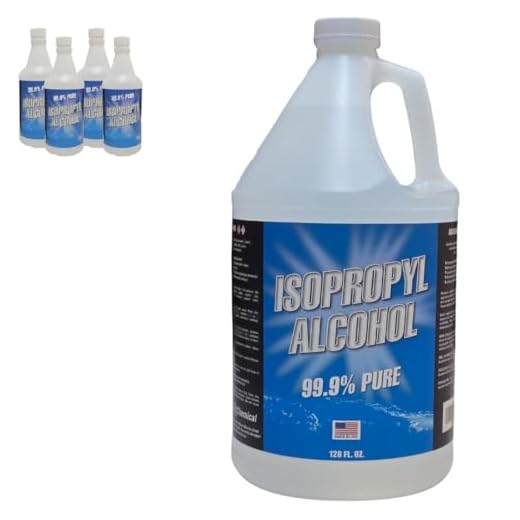
Top Rated Premium 99.9% Pure Isopropyl Alcohol in USATop-quality IPA for versatile useExperience unmatched purity with our Superior 99.9% Isopropyl Alcohol, perfect for cleaning and sanitizing. Made in the USA, it's safe and effective for various applications.
-
Step 2: Remove the Connectors
Disconnect the BNC connectors from the cameras and cables carefully.
-
Step 3: Clean with Compressed Air
Use a can of compressed air to blow away any dust or debris from the connectors.
-
Step 4: Wipe with Isopropyl Alcohol
Dampen a cotton swab or lint-free cloth with isopropyl alcohol and gently wipe the connectors to remove any residue.
-
Step 5: Reconnect and Test
Once the connectors are clean and dry, reconnect them to the cameras and cables. Power on the system and test the connections to ensure they are working properly.
Common Mistakes to Avoid
When cleaning BNC connectors on security cameras, it’s important to avoid certain common mistakes that can damage the connectors or compromise the quality of the connection. Here are some key mistakes to steer clear of:
- Using excessive force: Avoid applying too much pressure when cleaning the connectors, as this can lead to bending or breaking the delicate pins.
- Using abrasive materials: Do not use harsh abrasive materials like steel wool or abrasive pads, as they can scratch the connectors and degrade the signal quality.
- Skipping the cleaning process: Regular cleaning is essential to maintain good connectivity and prevent corrosion, so don’t skip this important step.
By avoiding these common mistakes, you can ensure that your BNC connectors remain in optimal condition and provide reliable performance for your security cameras.
Benefits of Regular Cleaning
Cleaning BNC connectors on your security cameras regularly offers several benefits:
1. Improved Signal Transmission
Regular cleaning helps maintain optimal connectivity between the camera and the recording device, ensuring a clear and stable signal transmission.
2. Extended Lifespan
By removing dirt, dust, and debris from the connectors, you can prevent corrosion and damage, ultimately extending the lifespan of your security cameras.
Troubleshooting Connection Issues
If you are experiencing connection issues with your security cameras, it’s important to troubleshoot the problem to ensure smooth operation. Here are some steps you can take:
1. Check the BNC connectors
Inspect the BNC connectors for any dirt, dust, or corrosion that may be affecting the connection. Clean the connectors using a soft, dry cloth or a cotton swab to remove any debris.
2. Verify cable connections
Make sure that the cables are securely connected to the BNC connectors on both the camera and the recording device. Check for any loose connections or frayed cables that may be causing issues.


I understand the steps for cleaning, but how often should I actually be doing this maintenance? Is it every few months or more frequently? Also, do environmental factors like humidity affect how often I should clean these connectors?
It's generally recommended to clean BNC connectors every 3 to 6 months, but if you're in a humid environment or have a lot of dust, you might consider cleaning them more frequently. Regular inspection is key to maintaining optimal performance.
I cleaned my BNC connectors last month using your method and noticed a big improvement in video quality. Definitely worth the effort!
What specific cleaning solution is best for BNC connectors? I've heard mixed things about using isopropyl alcohol versus specialized electronics cleaners.
Isopropyl alcohol is a great choice for cleaning BNC connectors, as it effectively removes dirt and residue without leaving moisture. However, specialized electronics cleaners can also be effective and may contain additives to prevent corrosion. Both options are suitable, so it depends on what you have available.
Isopropyl alcohol is a great choice for cleaning BNC connectors, as it effectively removes dirt and residue without leaving moisture. However, specialized electronics cleaners can also be effective and may contain additives to prevent corrosion. Both options are suitable, so it depends on what you have available.