
 Carmen J. Moore

Home security is a top priority for many homeowners, and one of the most important components of a home security system is the surveillance cameras. But how many cameras do you really need to keep your home safe?
It’s crucial to strategically place cameras around your property to ensure maximum coverage and protection. The number of cameras you need depends on the size of your home, the layout of your property, and your specific security concerns.
Experts recommend having at least one camera at each entry point of your home, such as the front door, back door, and garage. Additional cameras can be placed in high-traffic areas or areas with valuable items.


The Importance of Home Security Cameras
Home security cameras play a crucial role in protecting your home and loved ones. They act as a deterrent to potential intruders, as just the presence of cameras can make them think twice before attempting to break in.
Security cameras also provide valuable evidence in case of a break-in or other security incident. With footage from the cameras, law enforcement can identify suspects and increase the chances of catching them.
Moreover, home security cameras allow you to monitor your property remotely, giving you peace of mind when you are away from home. You can keep an eye on your home, receive alerts for any suspicious activity, and even communicate with visitors through some camera systems.
Overall, investing in home security cameras is a smart decision to enhance the safety and security of your home.
Benefits of having cameras at home
Installing security cameras at home has numerous benefits that can help improve the safety and security of your property. Here are some of the key advantages:
1. Deterrence of Criminal Activity
Visible security cameras act as a deterrent to potential intruders and burglars. Knowing that they are being watched can discourage criminals from attempting to break into your home.
2. Remote Monitoring
Modern security cameras allow you to monitor your home remotely through a smartphone or computer. This gives you peace of mind and the ability to check on your property anytime, anywhere.
| 3. Evidence Collection | Security cameras can provide valuable evidence in case of a break-in or other criminal activity. The footage captured by the cameras can be used by law enforcement to identify suspects and prosecute criminals. |
| 4. Insurance Benefits | Having security cameras installed at home may lower your insurance premiums as it reduces the risk of theft and vandalism. Some insurance companies offer discounts for homes with security systems in place. |
Factors to consider when choosing cameras
1. Resolution: Choose cameras with high resolution for clear images and video footage.
2. Field of view: Consider the area you want to monitor and select cameras with an appropriate field of view.
3. Night vision: Opt for cameras with infrared technology for clear night vision capability.
4. Motion detection: Look for cameras with motion detection features to alert you of any suspicious activity.
5. Two-way audio: Cameras with two-way audio allow you to communicate with people on the other end.
6. Weather resistance: If cameras will be placed outdoors, ensure they are weather-resistant to withstand the elements.
7. Storage options: Decide whether you want cameras with local storage or cloud storage options for recorded footage.
8. Connectivity: Check the connectivity options of the cameras to ensure they can be easily integrated into your existing security system.
Number of cameras required for optimal coverage
When setting up a home security system, the number of cameras you need depends on the size and layout of your property. Here are some general guidelines to help you determine the optimal number of cameras:
| Property Size | Number of Cameras |
|---|---|
| Small Apartment or Condo | 1-2 cameras |
| Single-Family Home | 2-4 cameras |
| Large Home or Property | 4+ cameras |
It’s important to strategically place the cameras to cover key entry points, such as doors and windows, as well as areas with high traffic. Consider using a combination of indoor and outdoor cameras for comprehensive coverage.
Ultimately, the number of cameras you need for optimal coverage will vary based on your specific security needs and budget. It’s always a good idea to consult with a security expert to design a custom system tailored to your home.
Placement of cameras for maximum effectiveness
When setting up your home security system, the placement of cameras is crucial for ensuring maximum effectiveness. Here are some key tips to consider:
1. Entry Points: Place cameras near all entry points to your home, such as doors and windows. This will help capture any potential intruders trying to gain access.
2. High Traffic Areas: Install cameras in high traffic areas within your home, such as the living room or kitchen. This will help monitor activity and movement inside the house.
3. Blind Spots: Identify and cover any blind spots where intruders could hide or access your property without being detected. Consider placing cameras in corners or areas with limited visibility.
4. Perimeter: Place cameras along the perimeter of your property to monitor any suspicious activity happening outside your home. This will help deter potential intruders and provide an additional layer of security.
5. Height: Mount cameras at an optimal height to capture clear footage of faces and activities. Avoid placing them too high or too low, as this can affect the quality of the video.
By strategically placing cameras in these key areas, you can maximize the effectiveness of your home security system and ensure comprehensive coverage of your property.
Key areas to place security cameras
When setting up security cameras for your home, it’s important to strategically place them in key areas to maximize coverage and effectiveness. Here are some of the key areas you should consider:
| 1. Front door | Placing a camera near your front door allows you to see who is coming and going, and can help deter package theft or break-ins. |
| 2. Backyard | Cameras in the backyard can help monitor outdoor activities, such as children playing or potential intruders attempting to access your home from the rear. |
| 3. Garage | Securing your garage with a camera can help protect your vehicles and any valuable items stored inside, as well as monitor any suspicious activity in the area. |
| 4. Side gates | Placing cameras near side gates or entry points to your property can help prevent unauthorized access and keep an eye on any activity in these areas. |
| 5. Common areas | If you have common areas like a living room or hallway that are frequently used, consider placing cameras in these areas to monitor activity inside your home. |
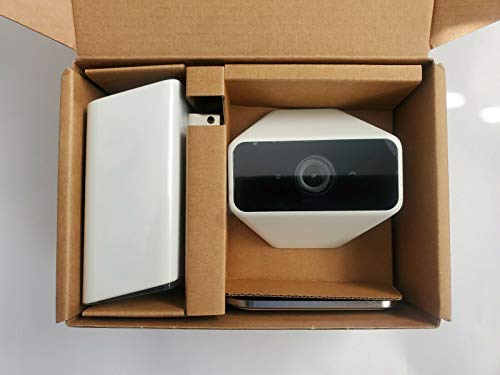


I live in a small apartment. The article mentions needing 1-2 cameras. Can anyone share tips on where to place them for the best coverage?
I disagree with the idea that having just one camera at each entry point is enough. In my opinion, the more coverage you have, the better. Blind spots can be a huge risk, especially if you live in a high-crime area.
That makes sense. I think having a couple extra cameras, especially in blind spots, could really enhance security.
I’ve installed security cameras at my home, and it really has made a difference. I went with four cameras for my single-family home. One at the front door, another at the back, and two covering the garage and side entrance. It's comforting to be able to check my phone and see what's happening at home. Plus, it helped lower my insurance premium!
I’m comparing a few brands for my home security. Some cameras claim to have better night vision than others. Has anyone tested cameras in low light? Which ones performed best?
I have a Ring camera and a Nest cam. The Ring does okay at night but the Nest is much clearer in low light. Just my experience!
Does the type of camera really affect how many you need? Like, would a 360-degree camera cover more area than a standard one?