
 Carmen J. Moore

Wifi security cameras have become increasingly popular for home and business surveillance due to their convenience and ease of installation. However, one common concern among users is whether these cameras consume a significant amount of bandwidth.
Bandwidth refers to the amount of data that can be transmitted over a network connection within a given period of time. The amount of bandwidth a wifi security camera uses depends on several factors, including the resolution of the camera, the frame rate, and whether the camera is constantly streaming video or only recording when motion is detected.
It is important to consider your internet speed and data usage limits when installing wifi security cameras to ensure that they do not cause your network to slow down or incur additional costs.
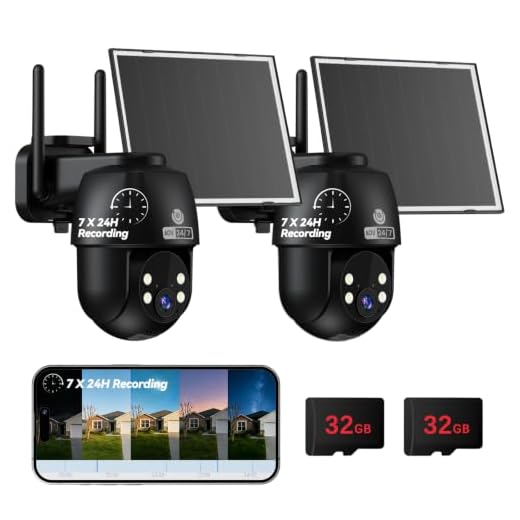


Do Wifi Security Cameras Use a Lot of Bandwidth?
When it comes to Wifi security cameras, one common concern is how much bandwidth they consume. The amount of bandwidth used by a Wifi security camera can vary depending on several factors:
- Resolution: Higher resolution cameras tend to consume more bandwidth as they transmit more data.
- Frame rate: Cameras that record at a higher frame rate will also use more bandwidth compared to those with a lower frame rate.
- Compression: Cameras that use efficient compression techniques will consume less bandwidth compared to cameras with less efficient compression.
- Number of cameras: If you have multiple Wifi security cameras connected to the same network, the total bandwidth usage will increase.
- Continuous recording: Cameras that record continuously will use more bandwidth compared to cameras that only record when motion is detected.
Overall, while Wifi security cameras can consume bandwidth, you can optimize their usage by adjusting settings like resolution, frame rate, and compression to find a balance between video quality and bandwidth consumption.
Understanding Bandwidth and Wifi Cameras
Bandwidth refers to the amount of data that can be transmitted over a network connection in a given amount of time. When it comes to wifi security cameras, bandwidth is an important factor to consider as it affects the performance and reliability of the camera.
How Wifi Cameras Use Bandwidth
Wifi cameras use bandwidth to transmit video footage from the camera to a connected device or a cloud storage system. The amount of bandwidth required depends on factors such as the video resolution, frame rate, and compression settings of the camera.
Higher resolution cameras with higher frame rates will require more bandwidth to transmit the video footage, while cameras with lower resolution and frame rates will use less bandwidth. Additionally, the type of compression used by the camera can also affect the amount of bandwidth required.
Factors Affecting Bandwidth Usage
When it comes to wifi security cameras, bandwidth usage can vary based on several factors:
- Video Quality: Higher resolution cameras will consume more bandwidth compared to lower resolution ones.
- Frame Rate: Cameras that record at higher frame rates will use more bandwidth.
- Compression: Cameras that use efficient compression algorithms will require less bandwidth.
- Number of Cameras: The more cameras you have connected, the more bandwidth will be consumed.
- Activity Level: Cameras that capture a lot of motion or activity will use more bandwidth during recording.
Considering these factors can help you manage bandwidth usage effectively when using wifi security cameras.
Benefits of Low Bandwidth Consumption
Low bandwidth consumption by wifi security cameras offers several advantages:
- Efficient Data Usage: Cameras that consume less bandwidth can transmit data more efficiently, reducing the strain on your network.
- Smooth Streaming: With lower bandwidth requirements, video streaming from the cameras is often smoother and less prone to buffering or interruptions.
- Cost Savings: Reduced bandwidth consumption can lead to lower data usage costs, especially for users with limited data plans or pay-per-usage internet connections.
- Compatibility: Low-bandwidth cameras are more compatible with a wider range of network setups, ensuring seamless integration into your existing infrastructure.
- Improved Performance: By consuming less bandwidth, wifi security cameras can operate more effectively without slowing down other devices on the network.
How to Optimize Bandwidth Usage
1. Adjust camera settings: Many wifi security cameras allow you to adjust the resolution and frame rate of the video feed. Lowering these settings can reduce the amount of bandwidth the camera uses.
2. Set up motion detection: Instead of streaming video constantly, set up motion detection so the camera only records when there is movement. This can significantly reduce bandwidth usage.
3. Schedule recordings: If you don’t need 24/7 surveillance, consider scheduling when the camera records. This way, you can limit the amount of data being transmitted over your network.
4. Use local storage: Some wifi security cameras offer the option to store recordings locally on a memory card or a network-attached storage (NAS) device. This can help reduce bandwidth usage by not constantly uploading video to the cloud.
5. Monitor bandwidth usage: Keep an eye on your network’s bandwidth usage to see how much data your security cameras are consuming. This can help you identify any issues and make adjustments as needed.
Choosing the Right Wifi Security Camera
When selecting a wifi security camera for your home or business, there are several factors to consider to ensure you choose the right one for your needs. Here are some key points to keep in mind:
- Resolution: Look for a camera with high resolution, such as 1080p or higher, to capture clear and detailed footage.
- Field of View: Consider the camera’s field of view to ensure it covers the area you want to monitor effectively.
- Storage: Decide whether you prefer cloud storage or local storage options for storing video recordings.
- Night Vision: Choose a camera with night vision capabilities for around-the-clock surveillance.
- Two-Way Audio: Some cameras offer two-way audio communication, allowing you to speak and listen through the camera.
- Motion Detection: Look for cameras with motion detection features to receive alerts when activity is detected.
- Weather Resistance: If you plan to install the camera outdoors, ensure it is weather-resistant to withstand various conditions.
By considering these factors and comparing different wifi security cameras, you can select the one that best meets your security needs and preferences.
Monitoring Bandwidth Usage
When using wifi security cameras, it is important to monitor the bandwidth usage to ensure smooth operation and avoid any potential issues. Here are some tips for monitoring bandwidth usage:
- Check the camera settings: Some wifi security cameras allow you to adjust the video resolution and frame rate, which can impact bandwidth usage. Lowering the resolution or frame rate can help reduce the amount of bandwidth the camera uses.
- Use a bandwidth monitoring tool: There are various tools available that can help you monitor the bandwidth usage of your wifi security cameras. These tools can provide detailed information on data usage and help identify any cameras consuming excessive bandwidth.
- Set up alerts: Some monitoring tools allow you to set up alerts for when a camera exceeds a certain bandwidth threshold. This can help you quickly identify and address any issues with high bandwidth usage.
- Regularly review usage: Make it a habit to regularly review the bandwidth usage of your wifi security cameras to ensure they are operating efficiently. By monitoring usage over time, you can identify any trends or anomalies that may require attention.
Security Concerns and Bandwidth
When it comes to wifi security cameras, bandwidth usage is a crucial consideration. While these cameras offer convenience and peace of mind, they can also put a strain on your network if not properly managed.
One of the main security concerns with wifi security cameras is the potential for hackers to access the feed. If the camera is not properly secured, cybercriminals can tap into the video stream and even gain access to your network. This not only compromises your privacy but can also lead to other security breaches.
Bandwidth Usage
Wifi security cameras can consume a significant amount of bandwidth, especially if they are constantly streaming high-definition video. This can slow down your network, affecting the performance of other devices connected to the same network.
It’s important to choose security cameras with features that allow you to adjust the video quality and frame rate to reduce bandwidth consumption. Additionally, setting up a separate network for your security cameras can help alleviate the strain on your main network.


I don’t think lowering the resolution is a viable solution. You lose a lot of detail and it’s not worth sacrificing security just to save bandwidth.
I see your point, but for casual surveillance, the trade-off might be acceptable. It really depends on what you need from the camera.
Does using local storage really help reduce bandwidth, or is it just a temporary fix?
Using local storage can significantly reduce bandwidth usage by minimizing the need to constantly upload footage to the cloud. It’s a good long-term solution if you have storage options available.
I recently set up three wifi security cameras at my home. Initially, I was worried about bandwidth, but by lowering the frame rate and only recording with motion detection, it hasn’t impacted my internet speed much. It’s been a great solution for me!
How much bandwidth does a typical 1080p wifi security camera really use? I want to make sure my internet can handle it.
What are the best settings for a wifi camera to minimize bandwidth usage while still keeping good quality?
I’m using a bandwidth monitoring tool and it really helps to track how much data my cameras are using. Highly recommend it!