
 Carmen J. Moore

Security cameras are a crucial component of modern surveillance systems, providing valuable footage for monitoring and recording activities in various settings. However, like any other electronic device, security cameras can experience wear and tear over time.
Factors such as exposure to harsh weather conditions, dust, and debris can contribute to the deterioration of security cameras. In addition, constant use and aging of components can also lead to a decrease in performance and image quality.


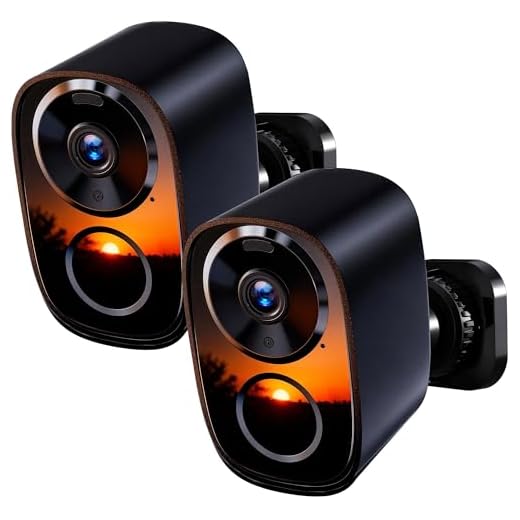
Regular maintenance and proper installation can help prolong the lifespan of security cameras. However, it is important to be aware that security cameras, like all technology, have a limited lifespan and may eventually need to be replaced to ensure optimal security monitoring.
Do Security Cameras Deteriorate Over Time?
Security cameras are essential tools for monitoring and protecting properties. However, like any electronic device, they can deteriorate over time due to various factors.
One of the main reasons for security cameras deteriorating is wear and tear. Constant exposure to the elements, such as rain, snow, and extreme temperatures, can cause the camera components to degrade. Additionally, dust, dirt, and insects can build up on the camera lens, affecting its performance.
Factors Affecting Security Camera Lifespan:
| 1. Environmental conditions | Exposure to harsh weather can accelerate deterioration. |
| 2. Maintenance | Regular cleaning and upkeep can prolong the camera’s lifespan. |
| 3. Quality of components | High-quality cameras tend to last longer than cheaper alternatives. |
It’s important to conduct regular maintenance and inspections to ensure your security cameras are functioning optimally. By taking proactive measures, you can extend the lifespan of your security cameras and maintain the safety of your property.
Understanding Camera Lifespan
Security cameras are designed to operate continuously for extended periods of time. However, like any electronic device, they do have a finite lifespan. The lifespan of a security camera can vary depending on factors such as the quality of the camera, the environment in which it is installed, and how well it is maintained.
High-quality security cameras from reputable manufacturers can last anywhere from 5 to 10 years or more with proper care and maintenance. Regular maintenance, such as cleaning the camera lens and checking for any signs of wear and tear, can help extend the lifespan of the camera.
Environmental factors, such as extreme temperatures, humidity, and exposure to the elements, can also affect the lifespan of a security camera. It is important to choose a camera that is rated for the specific environmental conditions in which it will be installed to ensure optimal performance and longevity.
In conclusion, while security cameras do have a lifespan, proper care and maintenance can help prolong their longevity and ensure they continue to provide reliable surveillance for years to come.
Factors Affecting Camera Longevity
1. Quality of the Camera: Higher quality security cameras are built to withstand more wear and tear, resulting in a longer lifespan.
2. Maintenance: Regular maintenance, such as cleaning the camera lenses and ensuring proper installation, can help prolong the life of the camera.
3. Environment: Harsh weather conditions, extreme temperatures, and exposure to elements like dust and moisture can negatively impact the longevity of a security camera.
4. Usage: Cameras that are constantly recording or subjected to frequent movement may wear out faster than those used sparingly.
5. Power Supply: Unstable power sources or electrical surges can damage the camera’s internal components, leading to premature failure.
6. Brand and Model: Some brands and models are known for their durability and longevity, while others may have a shorter lifespan due to inferior construction.
Signs of Camera Wear and Tear
Over time, security cameras may show signs of wear and tear that can affect their performance. Here are some common indicators to look out for:
| 1. | Blurry or distorted images |
| 2. | Flickering or flashing video |
| 3. | Visible physical damage or cracks |
| 4. | Intermittent loss of signal |
| 5. | Malfunctioning motion detection |
If you notice any of these signs, it may be time to consider replacing or repairing your security cameras to maintain the effectiveness of your surveillance system.
Ways to Extend Camera Lifespan
1. Regular Maintenance: Keep the camera lenses clean and free from debris to ensure clear footage and prevent damage.
2. Protect from Harsh Weather: Install weatherproof housing or enclosures to shield cameras from extreme temperatures, rain, or snow.
3. Power Surge Protection: Use surge protectors to safeguard cameras from power surges that can damage sensitive electronic components.
4. Regular Check-ups: Schedule periodic inspections to identify any issues early on and address them promptly to prevent further damage.
5. Proper Installation: Ensure cameras are installed securely and according to manufacturer guidelines to prevent physical damage or misalignment.
6. Upgrade Firmware: Keep camera firmware up to date to improve performance, security, and functionality, extending the camera’s lifespan.
Importance of Regular Maintenance
Regular maintenance is essential for the proper functioning of security cameras. Over time, cameras can accumulate dirt and debris, which can affect their performance and image quality. By regularly cleaning and inspecting the cameras, you can ensure that they are operating at their optimal level.
Preventative Measures
Regular maintenance can help prevent potential issues before they arise. By checking for loose connections, adjusting camera angles, and cleaning lenses, you can identify and address any problems early on, preventing costly repairs or replacements.
Extend Lifespan
Proper maintenance can also extend the lifespan of security cameras. By keeping them clean and well-maintained, you can ensure that they continue to function effectively for years to come, providing you with reliable security monitoring and peace of mind.
Upgrading vs. Repairing Cameras
When security cameras start to show signs of wear and tear, it’s important to consider whether it’s worth repairing them or if it’s time to upgrade to newer models. Repairing cameras can be a cost-effective solution if the damage is minor and the camera still meets your security needs. However, if the cameras are outdated or have significant issues, it may be more practical to invest in new cameras with advanced features and technology.
Upgrading to newer cameras can provide better image quality, enhanced functionality, and improved reliability. Newer models often come with advanced features such as higher resolution, night vision capabilities, and remote viewing options. Additionally, newer cameras may have better compatibility with other security systems and software, making them a more integrated and efficient solution for your security needs.
Ultimately, the decision to upgrade or repair security cameras depends on the extent of damage, the age of the cameras, and your budget. It’s important to weigh the pros and cons of each option to determine the best course of action for maintaining the security of your property.


I had a security camera that lasted about six years before it started showing signs of deterioration. The lens got really foggy, and the night vision feature stopped working. I ended up replacing it, but I've learned the importance of regular maintenance since then. Cleaning the lens frequently made a big difference while it was still operational.
Cleaning the lens every few months is a good rule of thumb, especially if your camera is exposed to outdoor elements. Regular checks can help maintain image quality.
That's really helpful to know! I usually forget to clean mine. Any tips on how often I should do that?
How do I know if my security camera is wearing out? Are there specific signs to look for before it completely fails?
I've noticed blurry images and occasional flickering in my camera. Could that mean it's time to replace it?
Yes, blurry images and flickering are common signs of wear in security cameras. If you notice these issues, it's a good idea to consider repairs or replacement.
I don’t think security cameras need to be replaced every few years. Some of mine are over ten years old and still work fine!