
 Carmen J. Moore
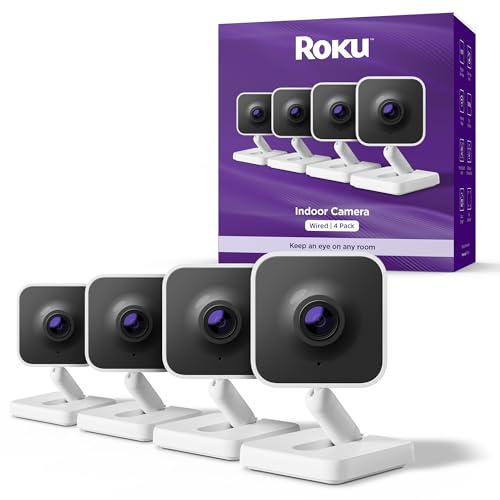
Do you want to keep a close eye on your home or office while enjoying the convenience of streaming on your Roku device? With the advancement of technology, it is now possible to watch your security camera feed directly on your Roku player or Roku TV. This seamless integration allows you to monitor your premises without switching between different devices.
But how exactly can you watch your security camera on Roku? In this article, we will explore the various methods and steps involved in setting up your security camera feed on your Roku device. Whether you have a standalone security camera or a complete surveillance system, we will guide you through the process of accessing the live feed on your Roku.
From installing the necessary apps to configuring your camera settings, we will cover everything you need to know to enhance the security of your property with the convenience of Roku integration. Stay tuned to discover how you can leverage the power of technology to keep your premises secure and monitor them from the comfort of your couch.


How to Watch Security Camera on Roku
If you want to watch your security camera feed on your Roku device, you can do so by following these steps:
Step 1: Install the Roku App
First, make sure you have the official Roku app installed on your smartphone or tablet. You can download it from the App Store or Google Play Store.
Step 2: Connect Your Security Camera to the Roku App
Open the Roku app and navigate to the “Streaming Channels” section. Search for your security camera provider’s app and install it on your Roku device. Follow the instructions to connect your security camera to the app.
| Step | Instructions |
|---|---|
| Step 3 | Launch the security camera app on your Roku and log in to your account. |
| Step 4 | You should now see live footage from your security camera on your Roku device. You can use the Roku remote to navigate through the camera feeds. |
Step-by-Step Guide
To watch security camera on Roku, follow these steps:
- Install the Roku Channel: Begin by installing the appropriate security camera channel on your Roku device. You can typically find these channels in the Roku Channel Store.
- Set Up Your Security Camera: Ensure that your security camera is properly set up and connected to your network. Follow the manufacturer’s instructions for this step.
- Link Your Camera to Roku: Once your camera is set up, navigate to the Roku channel you installed earlier. Follow the on-screen instructions to link your security camera to your Roku device.
- View Your Camera Feed: After linking your camera, you should be able to access the live feed on your Roku device. Use the Roku remote or app to view the camera feed and monitor your security system.
By following these steps, you can easily watch your security camera feed on your Roku device.
Compatible Security Cameras
When it comes to watching security camera feeds on your Roku device, it’s essential to ensure that your security cameras are compatible. Here are some popular security camera brands that are known to work well with Roku:
| Brand | Model |
|---|---|
| Arlo | Arlo Pro 2 |
| Nest | Nest Cam Indoor |
| Ring | Ring Stick Up Cam |
| Wyze | Wyze Cam Pan |
Before purchasing a security camera for use with your Roku, make sure to check the compatibility with the Roku system to ensure a seamless viewing experience.
Benefits of Watching Security Cameras on Roku
Watching security cameras on Roku offers several advantages for home and business owners. Here are some of the key benefits:
| 1. Remote Monitoring | Access your security cameras from anywhere using your Roku device, allowing you to keep an eye on your property even when you’re not there. |
| 2. Real-Time Alerts | Receive instant notifications on your Roku when motion is detected or other events trigger your security cameras, helping you respond quickly to potential threats. |
| 3. Easy Access | Conveniently view multiple camera feeds on your Roku screen without the need for additional monitors or devices, streamlining your surveillance setup. |
| 4. Integration | Integrate your security camera system with other smart home devices connected to your Roku, creating a comprehensive home automation solution for enhanced security. |
| 5. Cost-Effective | Utilizing your existing Roku device for security camera monitoring can be a cost-effective solution compared to purchasing dedicated surveillance monitors or systems. |
Security Camera Apps for Roku
If you are looking to watch security camera feeds on your Roku device, there are several apps available that can help you achieve this. These apps allow you to monitor your security cameras from the comfort of your living room, providing you with peace of mind and added security.
1. Alfred Home Security Camera
Alfred is a popular security camera app that is compatible with Roku. It allows you to view live video streams from your cameras, as well as receive motion detection alerts. You can also communicate through the app using two-way audio.
2. IP Camera Viewer
IP Camera Viewer is another app that works with Roku and supports a wide range of IP cameras. It provides a simple interface for viewing multiple camera feeds at once and allows you to customize the layout to suit your preferences.
Setting Up Security Camera Feed on Roku
If you want to watch your security camera feed on Roku, you can easily set it up by following these steps:
- First, make sure your security camera system supports streaming to a compatible device like Roku.
- Install the Roku app for your security camera system on your Roku device.
- Open the app on your Roku and follow the on-screen instructions to connect it to your security camera system.
- Once connected, you should be able to access your security camera feed on your Roku device.
- You can now monitor your security camera feed from the comfort of your living room using your Roku.
Monitoring Your Home Remotely
With the advancement of technology, it is now possible to monitor your home remotely using security cameras. Whether you are at work, on vacation, or simply away from home, you can keep an eye on your property with the help of your Roku device.
By connecting your security cameras to your Roku device, you can view live video feeds from multiple cameras on your TV screen. This allows you to check in on your home at any time and ensure that everything is safe and secure.
Many security camera systems offer mobile apps that are compatible with Roku, making it easy to access your camera feeds from anywhere with an internet connection. You can even receive alerts and notifications on your Roku device if any suspicious activity is detected.
| Benefits of monitoring your home remotely with Roku: |
|
Overall, monitoring your home remotely with Roku provides convenience, security, and peace of mind, allowing you to keep tabs on your property no matter where you are.
Tips for Enhancing Security Camera Viewing Experience
Enhancing your security camera viewing experience can help you better monitor your property and stay safe. Here are some tips to optimize your setup:
- Positioning: Ensure your cameras are strategically placed to cover key areas of your property, such as entrances, windows, and blind spots.
- Lighting: Install adequate lighting around your cameras to improve visibility, especially at night. Motion-activated lights can be a great addition.
- Internet Connection: Make sure your cameras are connected to a reliable internet connection to ensure smooth streaming and real-time monitoring.
- Storage: Consider using cloud storage or a dedicated DVR/NVR system to store footage securely and access it when needed.
- Remote Access: Set up remote viewing capabilities so you can monitor your cameras from anywhere using your smartphone, tablet, or computer.


I don't think using Roku for security cameras is as cost-effective as it sounds. You could end up needing a better internet connection or additional hardware. It might be worth investing in a dedicated system instead.
I’m curious how the Alfred app compares to IP Camera Viewer for usability. Has anyone tried both?
I've used both, and I prefer Alfred for its user-friendly interface and features like two-way audio.
Can I use any security camera with Roku, or do I have to stick to specific brands?
You need to ensure that your security camera is compatible with Roku.Popular brands like Arlo, Noah, Ring, and Wyze generally work well.
I set up my Wyze camera with Roku following the steps mentioned in the article. It was pretty straightforward, and now I can watch the live feeds directly on my TV. The clarity is excellent, and I love the convenience of not having to check my phone all the time!