
 Carmen J. Moore

Power over Ethernet (PoE) security cameras have become a popular choice for surveillance systems due to their convenience and cost-effectiveness. These cameras receive power and transmit data through a single Ethernet cable, eliminating the need for separate power cables. While PoE cameras have many benefits, one common question that arises is whether they are interchangeable.
Interchangeability of PoE security cameras depends on several factors, such as the type of camera, compatibility with PoE standards, and the network infrastructure. Most PoE cameras follow the IEEE 802.3af or 802.3at standards, which ensure interoperability with PoE switches and injectors. This means that cameras adhering to these standards are generally interchangeable within the same PoE network.
However, it is essential to check the specifications of the PoE cameras and ensure compatibility with the existing network infrastructure before attempting to interchange them. Some cameras may require higher power levels or specific configurations that may not be supported by all PoE switches. In such cases, using cameras that are not interchangeable could lead to compatibility issues and performance degradation.
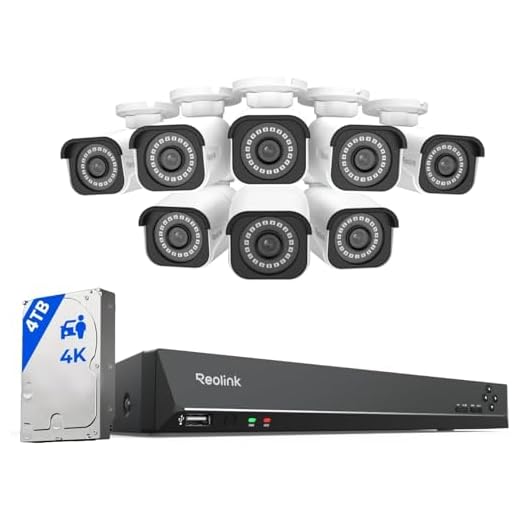


Can PoE Security Cameras Be Swapped
When it comes to PoE (Power over Ethernet) security cameras, swapping them out can be a straightforward process, as long as certain factors are taken into consideration. PoE cameras are designed to work with PoE switches or injectors, which provide both power and data through a single Ethernet cable. This means that PoE cameras are generally interchangeable within the same PoE system.
However, there are a few key points to keep in mind when swapping PoE security cameras:
- Compatibility: Ensure that the replacement PoE camera is compatible with the existing PoE system. Check the specifications of the camera and the PoE switch to confirm compatibility.
- Configuration: After swapping the camera, make sure to configure the new camera settings to match the requirements of the system. This may include adjusting resolution, frame rate, and other camera settings.
- Installation: Properly install the new PoE camera, ensuring that it is securely mounted and positioned for optimal surveillance coverage.
Overall, PoE security cameras can be swapped within a PoE system, but attention to compatibility, configuration, and installation is essential to ensure seamless operation and maximum security benefits.
Understanding Poe Security Cameras
Power over Ethernet (PoE) security cameras are a popular choice for surveillance systems due to their convenience and ease of installation. These cameras can be easily connected to a PoE switch or injector, which provides both power and data transmission through a single Ethernet cable.
One common question that arises is whether PoE security cameras are interchangeable. The answer depends on the compatibility of the cameras with the PoE switch or injector being used. It is important to ensure that the cameras and the PoE devices support the same PoE standard (such as 802.3af or 802.3at) to ensure proper functionality.
When selecting PoE security cameras, it is essential to consider factors such as resolution, lens type, night vision capability, and weatherproofing to meet your specific surveillance needs. Additionally, compatibility with existing PoE infrastructure should be taken into account to ensure seamless integration and optimal performance.
Compatibility of Poe Cameras
When it comes to PoE security cameras, compatibility is a key factor to consider. Not all PoE cameras are interchangeable, as different manufacturers may use proprietary protocols or technologies that are not universally compatible.
Before purchasing PoE cameras, it is important to check the specifications and compatibility requirements of your existing PoE network equipment. Some PoE cameras may require specific PoE switches or injectors to function properly, so it is crucial to ensure that all components are compatible.
Factors to Consider for Interchangeability:
1. PoE Standard: Ensure that the PoE cameras and network equipment adhere to the same PoE standard (e.g., IEEE 802.3af, IEEE 802.3at) to ensure compatibility.
2. Protocol Compatibility: Check for compatibility with existing network protocols such as TCP/IP, DHCP, and FTP to ensure seamless integration into your network.
Interchangeability of Poe Cameras
When it comes to PoE (Power over Ethernet) security cameras, interchangeability can be a key concern for users looking to expand or upgrade their surveillance systems. The good news is that many PoE cameras are designed to be interchangeable with each other, allowing for flexibility and scalability in your security setup.
Most PoE cameras follow industry standards for power and data transmission, such as IEEE 802.3af or IEEE 802.3at, which means they can generally work with any PoE switch or injector that supports these standards. This interchangeability makes it easier to mix and match cameras from different manufacturers or upgrade to newer models without having to replace your entire infrastructure.
Factors to Consider:
While PoE cameras are generally interchangeable, there are some factors to consider when mixing different brands or models. These include compatibility with your existing network equipment, power requirements, and software integration. It’s always a good idea to check with the camera manufacturer or consult with a professional installer to ensure seamless integration.
In conclusion, the interchangeability of PoE cameras offers users the flexibility to customize their surveillance systems according to their needs. With proper planning and consideration of compatibility factors, you can easily expand or upgrade your security setup without major disruptions.
Considerations Before Swapping PoE Cameras
Before swapping PoE cameras, there are several important considerations to keep in mind:
1. Compatibility: Make sure that the new PoE camera is compatible with your existing PoE network infrastructure. Check the camera’s power requirements and ensure that your PoE switch or injector can provide the necessary power.
2. Resolution and Features: Consider the resolution and features of the new PoE camera compared to the old one. Make sure that the new camera meets your surveillance needs and offers any additional features you require.
3. Installation and Mounting: Check if the new PoE camera can be easily installed and mounted in the same location as the old one. Consider any adjustments or modifications that may be needed for the new camera.
4. Configuration and Software: Ensure that you have the necessary software and tools to configure the new PoE camera. Check if the camera is compatible with your existing surveillance software or if you need to make any updates.
By considering these factors before swapping PoE cameras, you can ensure a smooth transition and maximize the benefits of your new surveillance system.
How to Swap Poe Security Cameras
Swapping PoE security cameras is a straightforward process that can be done with minimal hassle. Here are the steps to follow:
- Turn off the power to the PoE switch or injector that powers the camera you want to swap.
- Disconnect the Ethernet cable from the camera and remove it from its mounting location.
- Install the new PoE camera in the desired location and connect the Ethernet cable to it.
- Power on the PoE switch or injector and wait for the camera to boot up.
- Configure the new camera with the appropriate settings, including IP address and recording preferences.
- Test the new camera to ensure it is functioning properly and capturing the desired footage.
By following these steps, you can easily swap PoE security cameras without any issues. Remember to always follow safety precautions when working with electrical equipment.


I want to upgrade my PoE security camera. How can I tell if a new camera is compatible with my current PoE switch?
To ensure compatibility, check if the new camera follows the same PoE standard as your current switch (like IEEE 802.3af or 802.3at). Additionally, confirm that the power requirements of the new camera do not exceed what your switch can provide.
I recently swapped out an older PoE camera for a new model. At first, I was worried it wouldn't work, but it actually went smoothly. I verified the PoE standard and powered it up without any issues. Just be sure to adjust the settings after installation!