
 Carmen J. Moore

Have you ever experienced a situation where your iPhone camera suddenly starts producing cloudy or hazy images? This can be a frustrating problem for many iPhone users, especially those who rely on their phones for capturing important moments and memories.


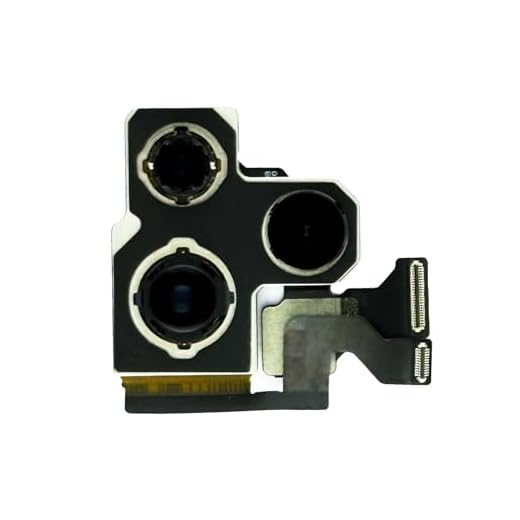
There are several reasons why your iPhone camera may be producing cloudy images, ranging from simple issues like smudges on the lens to more complex hardware problems. In this article, we will explore some of the common causes of a cloudy iPhone camera and provide tips on how to troubleshoot and fix the issue.
Reasons for Cloudy iPhone Camera
1. Smudges and Dirt: One common reason for a cloudy iPhone camera is smudges and dirt on the lens. Make sure to clean the lens with a soft, lint-free cloth to remove any debris that may be affecting the quality of your photos.
2. Condensation: If your iPhone has been exposed to moisture or extreme temperature changes, condensation may form inside the camera lens, causing it to appear cloudy. Allow your iPhone to dry thoroughly before using the camera again.
3. Damage: Physical damage to the camera lens or sensor can also result in a cloudy appearance. If you suspect that your iPhone camera has been damaged, it may require professional repair or replacement.
4. Software Issues: In some cases, software glitches or bugs can cause the iPhone camera to produce cloudy images. Try restarting your device or updating the software to see if this resolves the issue.
5. Environmental Factors: Environmental factors such as dust, smoke, or other pollutants can also impact the clarity of your iPhone camera. Try to keep your device in a clean and dry environment to prevent these issues.
Dirty Lens
If your iPhone camera appears cloudy or blurry, the issue could be as simple as a dirty lens. Oils, dust, and fingerprints can easily accumulate on the lens, affecting the clarity of your photos. To clean the lens, use a microfiber cloth or a lens cleaning wipe to gently wipe away any debris. Avoid using harsh chemicals or abrasive materials that could damage the lens. Keeping the lens clean can help improve the quality of your photos and videos.
Moisture Buildup
One common reason for a cloudy iPhone camera is moisture buildup. When your iPhone is exposed to humid or wet environments, moisture can seep into the camera lens or other parts of the device. This moisture can cause the camera lens to fog up, resulting in blurry or cloudy photos. To fix this issue, try placing your iPhone in a dry, warm environment for several hours to allow the moisture to evaporate. Avoid using your iPhone in humid conditions or near water to prevent future moisture buildup.
Scratched Lens
If your iPhone camera appears cloudy, it may be due to scratches on the lens. Over time, the lens of your camera can accumulate scratches from everyday use, which can affect the clarity of your photos. To check if the lens is scratched, carefully inspect it under a bright light. If you notice any scratches, they may be causing the cloudiness in your photos. In this case, you may need to replace the lens or seek professional help to repair it.
Software Issue
If your iPhone camera appears cloudy, it could be due to a software issue. Sometimes, a glitch in the camera app or iOS software can cause the camera to produce hazy or blurry images. To troubleshoot this problem, try restarting your iPhone and updating the iOS to the latest version. You can also force quit the camera app and reopen it to see if that resolves the issue.
If the problem persists, you may need to reset your iPhone settings or even restore your device to factory settings. Before taking these steps, make sure to back up your data to avoid losing any important information.
Hardware Problem
If your iPhone camera is cloudy, it could be due to a hardware problem. There may be dust, dirt, or debris blocking the lens, which can result in blurry or hazy photos. In some cases, the camera lens itself may be scratched or damaged, leading to a cloudy appearance in photos.
How to fix it:
If the issue is caused by dust or dirt, gently clean the camera lens with a soft, lint-free cloth. Be careful not to scratch the lens while cleaning. If the problem persists, you may need to take your iPhone to a certified repair center to have the camera lens replaced or repaired.
Direct Sunlight Exposure
Direct sunlight exposure can cause condensation to form inside the camera lens, leading to a cloudy or hazy appearance in photos. This can happen when you abruptly move your iPhone from a cool environment to a warm or hot outdoor setting. To prevent this, try to avoid exposing your iPhone to direct sunlight for extended periods. If condensation does occur, let your iPhone adjust to the new temperature gradually before using the camera again.
Condensation Inside Camera
Condensation inside your iPhone camera can occur when there is a sudden change in temperature, causing moisture to build up inside the device. This can result in a cloudy or foggy appearance in your camera lens, affecting the quality of your photos.
To prevent condensation inside your camera, try to avoid exposing your iPhone to extreme temperature changes. If your device does become foggy, you can try gently wiping the lens with a soft, dry cloth. Avoid using liquid cleaners or harsh chemicals, as these can damage the camera lens.
If condensation persists, you may need to leave your iPhone in a dry environment for a few hours to allow the moisture to evaporate. In some cases, you may need to seek professional help to clean the inside of your camera lens and remove any trapped moisture.
Improper Storage
Improper storage of your iPhone can lead to a cloudy camera lens. If you frequently keep your phone in a damp or humid environment, moisture can accumulate inside the camera lens, causing it to appear cloudy. Additionally, storing your phone in dusty or dirty places can also result in a cloudy camera lens as dust particles can settle on the lens over time.
To prevent this issue, make sure to store your iPhone in a clean, dry place away from moisture and dust. Consider using a protective case or cover to shield the camera lens from external elements. Regularly clean the lens with a soft, lint-free cloth to remove any dust or dirt buildup that may cause cloudiness.
Impact Damage
One common cause of a cloudy iPhone camera is impact damage. If your iPhone has been dropped or bumped, the camera lens may have been scratched or damaged, leading to a cloudy appearance in photos. In some cases, the impact may have misaligned the camera components, causing them to not function properly. To fix this issue, you may need to have the camera lens replaced or repaired by a professional technician.


Always check for software updates! Bugs can sometimes be the culprit for cloudy images. Restarting helps too.
I’ve had similar cloudiness issues with other smartphones too. How does the iPhone camera compare in terms of durability against dust and moisture?
Good article! I recently noticed my iPhone camera is cloudy. Could condensation really be the issue, even if I haven't used it in humid conditions?
I had a cloudy camera issue after dropping my phone once. Turns out it had a scratched lens! Had to replace it.
I understand that moisture can build up inside the camera, but how long does it usually take for it to dry out? Is there a way to speed up that process without risking damage?
Typically, leaving your iPhone in a warm, dry area for several hours helps. Avoid using heat sources directly on the device, as that can cause further damage.
I don't think cleaning the lens is always the solution. I cleaned mine but the cloudiness remained. It might be a deeper hardware issue.