
 Carmen J. Moore

Looking to capture stunning photos with your iPhone camera? You’re in the right place! With the advancements in technology, your iPhone camera is a powerful tool that can help you take incredible photos.



Whether you’re a beginner or a seasoned photographer, the tips and tricks in this article will help you make the most of your iPhone camera and unleash your creativity.
From mastering the basics of composition to exploring advanced features, we’ll guide you through the process of taking your photography skills to the next level.
Mastering the Camera App
When using your iPhone camera to take incredible photos, mastering the Camera app is essential. Here are some tips to help you get the most out of this powerful tool:
1. Understand the Camera Modes
The Camera app offers different modes such as Photo, Video, Portrait, and Panorama. Familiarize yourself with each mode and learn when to use them to capture the best shots.
2. Adjust the Settings
Explore the settings in the Camera app to customize your photo-taking experience. You can adjust exposure, focus, white balance, and more to achieve the desired look in your photos.
- Experiment with different lighting conditions
- Use gridlines to compose your shots
- Try out different filters for creative effects
By mastering the Camera app and its features, you can elevate your photography skills and take incredible photos with your iPhone.
Understanding Camera Settings
Before you start taking incredible photos with your iPhone camera, it’s essential to understand the camera settings available to you. The camera settings on your iPhone can make a significant difference in the quality of your photos. Here are some key settings to keep in mind:
1. Focus and Exposure
Tap on the screen to adjust the focus and exposure of your shot. This allows you to control which part of the image is in focus and how light or dark the photo will be.
2. HDR Mode
High Dynamic Range (HDR) mode helps capture better photos by combining multiple exposures into one image. This can result in more balanced and detailed photos, especially in high-contrast scenes.
By mastering these camera settings, you can elevate your photography skills and take incredible photos with your iPhone camera.
Using Lighting to Your Advantage
Lighting plays a crucial role in photography, and using it to your advantage can make a huge difference in the quality of your iPhone photos. Here are some tips:
1. Natural Light
Whenever possible, try to use natural light for your photos. Natural light provides a soft and flattering effect, making your images look more vibrant and natural. Avoid harsh shadows by positioning your subject in the direction of the light source.
2. Golden Hour
The “golden hour” refers to the time shortly after sunrise and before sunset when the light is soft and golden, creating a magical atmosphere. Make the most of this time to capture stunning photos with warm, glowing light that adds a touch of magic to your images.
Composition Techniques for Stunning Photos
When taking photos with your iPhone camera, it’s important to pay attention to the composition of your shots. Here are some techniques to help you capture incredible photos:
1. Rule of Thirds
The rule of thirds is a basic composition technique that involves dividing your frame into nine equal parts with two horizontal and two vertical lines. Place your subject or points of interest along these lines or at the intersections to create a more visually appealing composition.
2. Leading Lines
Leading lines are elements in a photo that guide the viewer’s eyes towards the main subject. Look for natural lines or shapes in your environment, such as roads, fences, or buildings, and use them to lead the viewer’s gaze to the focal point of your image.
Editing and Enhancing Your Photos
Once you’ve captured the perfect shot with your iPhone camera, it’s time to enhance and edit it to make it truly stand out. Here are some tips for editing your photos:
1. Use Built-in Editing Tools
The iPhone comes with a range of built-in editing tools that allow you to crop, rotate, adjust brightness and contrast, apply filters, and more. Experiment with these tools to find the right adjustments for your photo.
2. Try Third-Party Apps
If you want more advanced editing features, consider downloading third-party apps like Adobe Lightroom, VSCO, or Snapseed. These apps offer a wide range of editing tools and filters to take your photos to the next level.
Tips for Taking Creative Selfies
Selfies are a great way to express yourself and capture special moments. Here are some tips to take creative selfies with your iPhone camera:
1. Find the Right Lighting
Good lighting is essential for a great selfie. Natural light is usually the best option, so try to position yourself near a window or go outside for better lighting.
2. Experiment with Angles
Don’t be afraid to experiment with different angles to find your best side. Try shooting from above, below, or from the side to create unique and interesting perspectives.
3. Use Props and Accessories
Adding props or accessories to your selfie can make it more interesting and visually appealing. Try using a hat, sunglasses, or other accessories to add personality to your photo.
- Experiment with different backgrounds to add depth and interest to your selfie.
- Consider using the portrait mode on your iPhone camera for a professional-looking blurred background.
- Don’t forget to smile and have fun while taking your selfie!
Sharing Your Masterpieces with the World
Once you have captured stunning photos with your iPhone camera, it’s time to share your masterpieces with the world. Here are some tips on how to showcase your incredible photos:
1. Social Media: Share your photos on popular social media platforms like Instagram, Facebook, and Twitter to reach a wider audience and get feedback from fellow photographers.
2. Photography Communities: Join online photography communities or forums to connect with other photography enthusiasts, receive constructive criticism, and participate in photography challenges.
3. Photo Sharing Apps: Utilize photo sharing apps such as Flickr, 500px, or VSCO to showcase your work, discover new photographers, and gain inspiration for your next photoshoot.
4. Create a Portfolio: Consider creating a personal portfolio website or using portfolio platforms like Adobe Portfolio or Wix to display your best photos in a professional and organized manner.
By sharing your incredible photos with the world, you can inspire others, receive valuable feedback, and continue to improve your photography skills.

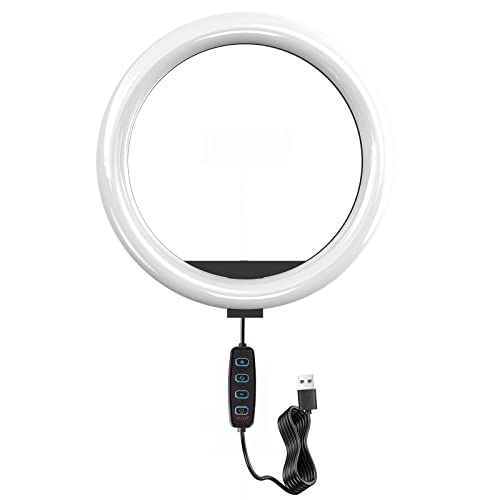


I’ve been trying to improve my iPhone photography skills, but I struggle with lighting. What are some practical tips for shooting in low light conditions?
I’ve found that using the Night Mode feature really helps in low light. Plus, keeping your hand steady or using a tripod makes a difference!
I recently started using the rule of thirds, and it made my photos so much better! I was surprised at how just shifting my subject slightly could enhance the composition. I also love the golden hour for outdoor shots; it gives such a warm tone. Definitely recommend trying those out!
Thanks for sharing your experience! The rule of thirds is a great technique, and many photographers find the golden hour magical for capturing stunning images.
Can someone explain what HDR mode actually does? I’ve seen it mentioned but I’m not sure if I should be using it for every photo.