
 Carmen J. Moore
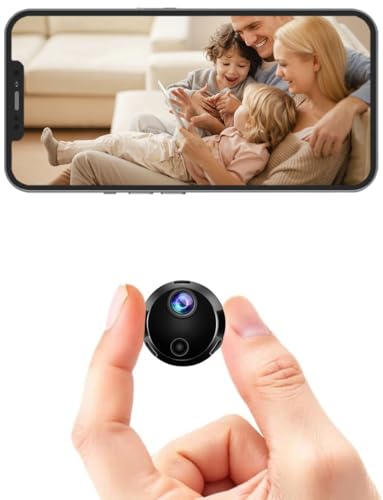
Have you ever wanted to create your own spy camera using just your iPhone? With the advancements in technology, it is now possible to turn your smartphone into a discreet surveillance tool. Whether you want to monitor your home, keep an eye on your pets, or simply have fun with DIY projects, creating a spy camera with your iPhone can be a rewarding and exciting experience.
In this article, we will guide you through the process of setting up a spy camera using your iPhone. We will cover the necessary steps, apps, and techniques to transform your smartphone into a stealthy surveillance device. Get ready to unleash your inner spy and learn how to create a spy camera with your iPhone!


Step-by-step Guide on Creating a Spy Camera with iPhone
Are you interested in turning your iPhone into a spy camera? Follow these steps to create your own spy camera with your iPhone:
Step 1: Download a Spy Camera App
Start by downloading a spy camera app from the App Store. There are several apps available that allow you to use your iPhone as a hidden camera. Look for one with features like motion detection, video recording, and live streaming.
Step 2: Set up the Spy Camera
Once you have downloaded the app, follow the instructions to set up the spy camera. Position your iPhone in a discreet location where it can capture the desired area without being detected. Make sure the camera has a clear view of the target area.
Note: Ensure that the iPhone is fully charged or connected to a power source to prevent it from running out of battery during surveillance.
With these simple steps, you can create your own spy camera using your iPhone. Remember to use this tool responsibly and respect the privacy of others.
Choose the right iPhone model for the spy camera
When selecting an iPhone model to use as a spy camera, consider factors such as camera quality, storage capacity, and battery life. Here are some key points to keep in mind:
1. Camera Quality
Choose an iPhone model with a high-quality camera that offers good resolution and low-light performance. Models with dual-lens cameras or advanced image stabilization features can provide better spy camera capabilities.
2. Storage Capacity
Opt for an iPhone with ample storage capacity to store your spy camera footage. Consider models with larger storage options or cloud storage capabilities for easy access to your recordings.
Additionally, make sure to regularly transfer and delete old recordings to free up space on your device.
3. Battery Life
Choose an iPhone model with a long battery life to ensure your spy camera remains operational for extended periods. Look for models with efficient power management and quick charging capabilities to keep your spy camera running when you need it most.
Download and install a spy camera app
To turn your iPhone into a spy camera, you will need to download and install a spy camera app from the App Store. There are several apps available that allow you to use your iPhone’s camera discreetly and capture video or photos without anyone knowing. Look for apps with features like motion detection, background recording, and the ability to hide the camera interface.
Set up the spy camera app on your iPhone
Once you have downloaded and installed the spy camera app on your iPhone, follow these steps to set it up:
| Step 1: | Open the spy camera app on your iPhone. |
| Step 2: | Follow the on-screen instructions to configure the settings of the app, such as video quality, recording duration, and motion detection. |
| Step 3: | Enable any additional features offered by the app, such as remote access or cloud storage. |
| Step 4: | Position your iPhone in the desired location for surveillance, ensuring it has a clear view of the area you want to monitor. |
| Step 5: | Once you are satisfied with the setup, activate the spy camera app to start recording or streaming live video. |
Configure the camera settings for optimal spy mode
Before you start using your iPhone as a spy camera, it’s important to configure the camera settings for optimal spying. Here are some tips:
1. Turn off the flash: To avoid drawing attention to yourself, make sure to turn off the flash in the camera settings. This will help you remain discreet while capturing footage.
2. Use silent mode: Enable silent mode on your iPhone to prevent any sound alerts or vibrations that could give away your position. This will help you stay unnoticed while recording.
3. Adjust resolution and frame rate: Depending on your needs, adjust the resolution and frame rate settings to achieve the best balance between video quality and storage space. Lower resolutions and frame rates can help save space on your device.
4. Enable gridlines: Turn on gridlines in the camera settings to help you compose your shots and ensure proper alignment. This can be especially useful when capturing footage discreetly.
By configuring these camera settings, you can enhance your spy camera capabilities and capture footage effectively without raising suspicion.
Hide your iPhone in a strategic location for surveillance
Once you have set up your iPhone as a spy camera, the next step is to hide it in a strategic location for surveillance. Here are some tips on how to conceal your iPhone effectively:
1. Choose a discreet location
Look for a spot that offers a clear view of the area you want to monitor but is inconspicuous. Consider hiding your iPhone behind objects such as books, plants, or furniture to blend in with the surroundings.
2. Use a hidden camera app
There are several hidden camera apps available that can help you discreetly record video or take photos without attracting attention. Make sure to test the app beforehand to ensure it works properly.
| Tip: Avoid placing your iPhone in obvious locations like on a shelf or table where it can be easily spotted. |
Test the Spy Camera to Ensure Proper Functioning
Before using your spy camera for any covert operations, it’s crucial to test it to make sure it’s working correctly. Follow these steps to test your spy camera:
1. Check the Camera Settings
Make sure the camera settings are configured properly. Check the resolution, frame rate, and other settings to ensure that the camera will capture high-quality footage.
2. Test the Camera in Different Lighting Conditions
Test the spy camera in various lighting conditions to see how it performs. Try testing it in bright light, low light, and even in complete darkness to assess its capabilities.
| Lighting Condition | Camera Performance |
|---|---|
| Bright Light | Check if the camera captures clear and detailed images. |
| Low Light | See how well the camera handles low-light situations. |
| Darkness | Test the camera’s night vision capabilities. |
By testing your spy camera in different scenarios, you can ensure that it will perform optimally when you need it the most.
Use the spy camera to capture discreet footage
Once you have set up your spy camera on your iPhone, you can use it to capture discreet footage without anyone knowing. This can be useful for surveillance, monitoring a specific area, or gathering evidence.
Steps to capture footage:
- Launch the spy camera app on your iPhone.
- Position your iPhone in a discreet location where it has a clear view of the area you want to capture.
- Start recording by tapping the record button on the app.
- Ensure that the camera is not visible to avoid suspicion.
You can also set up motion detection or scheduled recording to capture footage automatically when there is activity in the area.


What are some reliable spy camera apps for iPhone? I’d love to know which ones actually work well in practice.
Thanks for your input! Apps like 'Alfred' and 'Manything' are popular for their user-friendly interfaces and good performance. Always check user reviews for the latest updates.
I've tried a few apps like 'Alfred' and 'Manything'. They have decent features and work pretty well for what I needed.
I recently set up a spy camera using my old iPhone. I found that hiding it behind a plant worked great. The footage quality was surprisingly good, even in low light. Just a tip: make sure to keep it charged, as I missed some action because the battery died!
Hiding it in a bookshelf can be effective, especially if it has a clear view of the area you're monitoring. Just ensure it’s stable to avoid any falls.
That’s a great idea! I was thinking of placing mine in a bookshelf. Do you think that would work well too?
I’m a bit confused about the legal aspects of using a spy camera. Are there any restrictions I should be aware of before setting this up?
It’s important to note that laws regarding surveillance can vary by state or country. Generally, it's illegal to record someone without their consent in private spaces. Always check local laws to ensure compliance.
While I understand the interest in DIY spy cameras, I think there’s a fine line between surveillance and invasion of privacy. It’s crucial to consider the ethical implications of using such technology.