
 Carmen J. Moore

Your iPhone camera is a powerful tool that allows you to capture stunning photos and videos, but it’s important to keep the lens clean to ensure the best possible results.

Over time, dust, dirt, and fingerprints can accumulate on the camera lens, leading to blurry or distorted images. To prevent this, it’s essential to regularly clean your iPhone camera lens.
Here are some simple steps you can take to keep your iPhone camera lens clean and your photos looking sharp:
Tips for Maintaining Clean iPhone Camera Lens
1. Use a microfiber cloth: Keep a microfiber cloth handy to wipe the lens regularly. This will help remove dirt, dust, and smudges without damaging the lens.
2. Avoid touching the lens: Try not to touch the camera lens with your fingers as the oils from your skin can leave smudges and affect the quality of your photos.
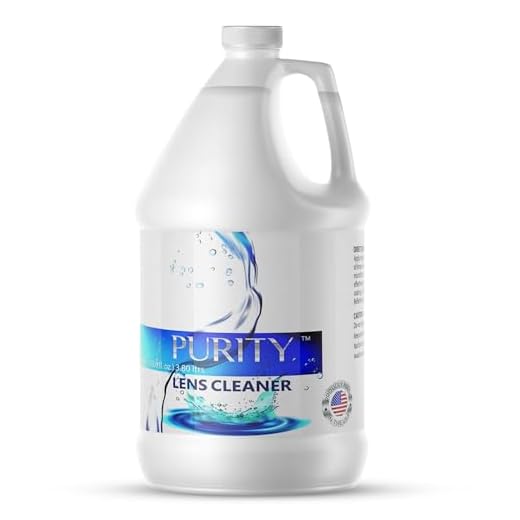
3. Use a lens cleaning solution: If the lens is particularly dirty, use a lens cleaning solution specifically designed for cameras to gently clean the lens.
4. Keep your phone in a case: Using a phone case can help protect the lens from getting scratched or dirty when not in use.
5. Avoid exposing the lens to water: To prevent water damage, avoid exposing the camera lens to water or moisture. If it does get wet, gently dry it with a soft cloth.
Use a Microfiber Cloth
To keep your iPhone camera lens clean, one of the simplest and most effective methods is to use a microfiber cloth. These soft cloths are designed to gently remove dust, fingerprints, and smudges from delicate surfaces without scratching or damaging them.
When cleaning your iPhone camera lens with a microfiber cloth, make sure to gently wipe the lens in a circular motion to remove any dirt or debris. Avoid using rough materials like paper towels or tissues, as they can leave scratches on the lens.
Always carry a microfiber cloth with you to quickly clean your iPhone camera lens whenever needed. Regularly wiping the lens with a microfiber cloth will help maintain the clarity and quality of your photos and videos.
Avoid Touching the Lens
One of the most common causes of a dirty iPhone camera lens is touching it with your fingers. The natural oils and dirt on your fingers can easily transfer to the lens, causing smudges and reducing the quality of your photos.
To avoid this, make sure to always hold your iPhone by the sides or edges, rather than directly touching the camera lens. Additionally, consider using a phone case with a raised edge around the camera lens to provide extra protection.
Keep Your Phone in a Case
One of the best ways to protect your iPhone camera lens from dirt, dust, and scratches is to keep your phone in a case. A good quality case can provide an extra layer of protection for your device, including the camera lens. Make sure to choose a case that covers the camera lens area and has a raised lip to prevent direct contact with surfaces when placed face down.
Additionally, opt for a case that is easy to clean and maintain. Regularly remove the phone from the case and wipe both the case and the camera lens with a soft, lint-free cloth to remove any dirt or smudges. This will help ensure that your camera lens stays clean and free from debris, allowing you to capture clear and sharp photos.
Regularly Clean Your Phone
Regularly cleaning your phone is crucial to maintaining the cleanliness of your iPhone camera lens. Here are some simple steps you can take to keep your phone clean:
- Use a soft, lint-free cloth to wipe down the screen and camera lens regularly.
- Avoid using harsh chemicals or abrasive materials that could damage the lens.
- Consider using a microfiber cloth specifically designed for cleaning electronic devices.
- Keep your phone in a protective case to minimize exposure to dirt and dust.
- Avoid placing your phone in dirty or dusty environments.
- If you notice smudges or fingerprints on the camera lens, gently wipe them away with a clean cloth.
By incorporating these simple cleaning habits into your routine, you can help ensure that your iPhone camera lens stays clean and free of debris, allowing you to capture clear and beautiful photos every time.
Use Lens Cleaning Solution
If your iPhone camera lens is particularly dirty or smudged, you may need to use a lens cleaning solution to get it sparkling clean. Make sure to use a solution specifically designed for camera lenses to avoid damaging the lens.
Here is a simple step-by-step guide to using a lens cleaning solution:
- Start by gently blowing away any loose dirt or dust particles from the lens surface.
- Apply a small amount of the lens cleaning solution to a clean microfiber cloth. Avoid spraying the solution directly onto the lens.
- Gently wipe the lens in a circular motion, starting from the center and working your way outwards.
- If there are stubborn smudges or marks, you can apply a bit more solution to the cloth and repeat the process.
- Once you are satisfied with the cleanliness of the lens, use a dry part of the cloth to remove any excess solution and leave the lens to air dry completely.
Using a lens cleaning solution can help keep your iPhone camera lens in pristine condition and ensure that your photos turn out clear and sharp.
Be Gentle When Cleaning
When cleaning your iPhone camera lens, it is important to be gentle to avoid scratching or damaging the lens. Use a soft, lint-free cloth to gently wipe the lens in a circular motion. Avoid using harsh chemicals or abrasive materials that can scratch the lens surface.
If you notice stubborn dirt or smudges on the lens, you can use a small amount of lens cleaning solution specifically designed for camera lenses. Apply the solution to the cloth, not directly to the lens, and gently wipe the lens clean.
Remember to handle your iPhone with care and avoid applying excessive pressure when cleaning the camera lens to ensure it stays in good condition.


How often should I really clean my iPhone camera lens? Is it necessary to do it daily or just when I notice smudges?
It's best to clean your iPhone camera lens regularly, but daily cleaning isn't necessary. A good rule of thumb is to clean it whenever you notice smudges or before taking important photos.
I've been using a microfiber cloth for a while now, and it really makes a difference. I used to just wipe it with my shirt, which obviously wasn't good. I still have some streaks sometimes though; maybe I need to try a lens cleaning solution as suggested?
Definitely try the lens cleaning solution! I had similar issues, but using a proper cleaner along with the microfiber cloth helped a lot. Just be sure to use it sparingly.