
 Carmen J. Moore

Condensation on the front camera of your iPhone can be frustrating and affect the quality of your photos and videos. If you’ve noticed foggy or blurry images, it’s likely due to moisture trapped inside the camera lens. Fortunately, there are several methods you can try to remove condensation from your iPhone’s front camera.


One simple method is to gently wipe the camera lens with a soft, dry cloth. Be careful not to scratch the lens or apply too much pressure. If the condensation persists, you can try placing your iPhone in a dry, warm environment for a few hours to allow the moisture to evaporate naturally. Avoid using heat sources like hairdryers, as they can damage your device.
If the condensation does not clear up on its own, you may need to seek professional help. Apple stores and authorized service providers can assist with camera repairs and replacements. Remember to always protect your iPhone from moisture and humidity to prevent condensation in the future.
How to Remove Condensation from Front iPhone Camera
If your iPhone’s front camera is foggy due to condensation, here are some steps you can take to remove the condensation:
- Power Off: Turn off your iPhone immediately to prevent any damage to the internal components.
- Dry Environment: Place your iPhone in a dry environment, such as a room with low humidity or near a dehumidifier.
- Silica Gel: Put your iPhone in a sealed bag with silica gel packets to absorb moisture. This can help speed up the drying process.
- Rice: You can also place your iPhone in a bag of uncooked rice, which can absorb moisture. Leave it there for at least 24 hours.
- Wait: Allow your iPhone to sit in the dry environment for at least 24 hours to ensure all the condensation has evaporated.
- Check: After 24 hours, check if the condensation has cleared from the front camera. If not, repeat the drying process.
Prevention Tips:
- Try to avoid using your iPhone in humid environments to prevent condensation buildup.
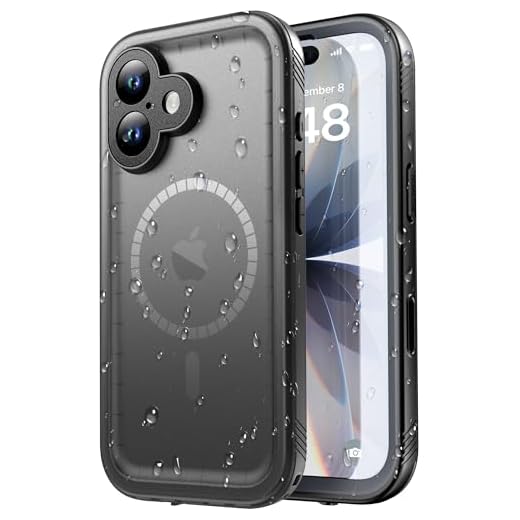
- Use a protective case with moisture-resistant features to reduce the risk of condensation.
Identify the Issue
Condensation in the front camera of your iPhone can affect the quality of your photos and videos. It occurs when moisture gets trapped inside the camera lens, resulting in blurry or foggy images. This can happen due to sudden temperature changes, high humidity, or water exposure. It is essential to address this issue promptly to prevent further damage to your device.
Turn Off Your iPhone
If you notice condensation in your front iPhone camera, the first step is to turn off your device immediately. This will help prevent any potential damage to the internal components of your phone. To turn off your iPhone, simply press and hold the power button until the “Slide to power off” option appears on the screen. Slide the bar to shut down your device.
Use Silica Gel Packs
If your iPhone camera has condensation, one effective way to remove it is by using silica gel packs. Silica gel is a desiccant that absorbs moisture and can help dry out the condensation in your camera. Here’s how you can use silica gel packs to get rid of the condensation:
Step 1: Get Silica Gel Packs
Obtain silica gel packs, which are commonly found in packaging for electronics, shoes, or other products. Make sure the silica gel packs are still active and have not reached their moisture absorption capacity.
Step 2: Place the iPhone and Silica Gel Packs Together
Place your iPhone in a sealed container along with the silica gel packs. The silica gel will absorb the moisture from the camera and help dry out the condensation. Leave the iPhone in the container with the silica gel packs for at least 24-48 hours to allow the moisture to be absorbed completely.
After the designated time, check the iPhone camera to see if the condensation has been removed. If there are still signs of condensation, repeat the process until the camera is clear. Avoid using the iPhone while it is in the container with the silica gel packs to prevent further damage.
Rice Method
If your front iPhone camera has condensation, you can try the rice method to remove the moisture. Here’s how:
- Remove your iPhone from its case and turn it off.
- Fill a small, sealable plastic bag with uncooked rice.
- Place your iPhone in the bag with the front camera facing down.
- Seal the bag and leave it undisturbed for 24-48 hours.
- After the time has passed, remove your iPhone from the rice and check if the condensation has cleared up.
If the condensation persists, you may need to repeat the process or seek professional help. Make sure to avoid getting rice grains inside your iPhone during the process.
Hair Dryer Technique
If you’re looking for a quick and effective way to get condensation out of your front iPhone camera, using a hair dryer can be a good option. Here’s how you can do it:
- Turn off your iPhone to prevent any damage.
- Set your hair dryer to the lowest heat setting and hold it about 6-8 inches away from the front camera.
- Turn on the hair dryer and move it in a circular motion around the camera lens for about 1-2 minutes.
- Check the camera to see if the condensation has cleared. If not, repeat the process for another minute or two.
- Once the condensation is gone, let your iPhone cool down before turning it back on.
Using a hair dryer can help evaporate the condensation quickly without causing any damage to your iPhone. Just be careful not to overheat the device and always keep a safe distance between the hair dryer and the camera.
Place in a Warm Area
If your iPhone camera has condensation inside, one effective method to remove it is by placing your device in a warm area. This can help evaporate the moisture trapped inside the camera lens.
Here’s how you can do it:
- Turn off your iPhone and remove any protective case or cover.
- Find a warm and dry place in your home, such as near a heater or in a room with good air circulation.
- Place your iPhone in that warm area and leave it there for a few hours.
- Check the camera lens periodically to see if the condensation has disappeared.
After following these steps, your iPhone camera should be free of condensation, and you can resume using it without any issues.
Avoid Heat Sources
Avoid exposing your iPhone to direct heat sources, such as heaters, radiators, or direct sunlight. Heat can cause condensation to evaporate too quickly, potentially damaging the internal components of your device. Keep your iPhone in a cool, dry place to prevent condensation from forming on the front camera.
Visit an Apple Store
If you are unable to remove condensation from the front iPhone camera using the methods described above, it may be best to visit an Apple Store. Apple technicians have the expertise and tools to properly assess and address the issue with your device. They can provide professional assistance and recommend the best course of action to resolve the condensation problem. Make sure to schedule an appointment or visit the nearest Apple Store for assistance with your front iPhone camera condensation issue.
Prevention Tips
Here are some tips to prevent condensation from forming on your front iPhone camera:
- Avoid sudden temperature changes, such as going from a cold environment to a warm one.
- Keep your iPhone in a dry place when not in use.
- Avoid using your iPhone in humid environments, such as bathrooms or near water sources.
- Use a protective case that provides some level of moisture resistance.
- If your iPhone does get wet, dry it off immediately with a soft cloth and avoid exposing it to heat sources like hair dryers.


Has anyone tried the silica gel method? I'm curious if it really works well compared to using rice.
I've used silica gel before, and it worked pretty well for me. It dried out my phone much faster than rice.
What should I do if I tried the rice method and the condensation is still there after 48 hours? Is there anything else I can do before considering a repair?
If the rice method doesn't work, you might want to try using silica gel packets or placing your iPhone in a warm, dry area for a few hours. If the condensation persists, it’s best to consult a professional.
I had condensation in my camera last month. I left it in a warm area for a few hours, and it cleared up nicely!
I wouldn't recommend the hair dryer method. I tried it once and ended up overheating my phone. It caused more issues than it solved.
I had a similar issue with my iPhone last summer. I used the silica gel method and it worked wonderfully! I put my phone in a sealed bag with the packets for about 36 hours and the condensation completely cleared up. Just make sure to keep the phone off during the process to avoid any damage.
When using a hair dryer, how close should I hold it? I'm worried about damaging my phone.
I don’t think using a hair dryer is a good idea. I’ve read that it can actually damage the phone if not done carefully. Better to stick with the rice or silica gel method!
Using a hair dryer can be risky; it's important to keep it at a safe distance and use the lowest heat setting. While some people have had success, caution is advised.
I’ve tried both the rice method and silica gel. Rice took forever, like two days, but silica gel removed the moisture in less than 24 hours. It was worth the investment in gel packs for me!
Always power off your iPhone before trying any of these methods! I learned the hard way.