
 Carmen J. Moore

If you own an iPhone, you know how important the camera is for capturing special moments. However, a scratched camera lens can ruin your photos and videos. Fortunately, there are ways to fix a scratched iPhone camera screen without having to replace the entire phone.
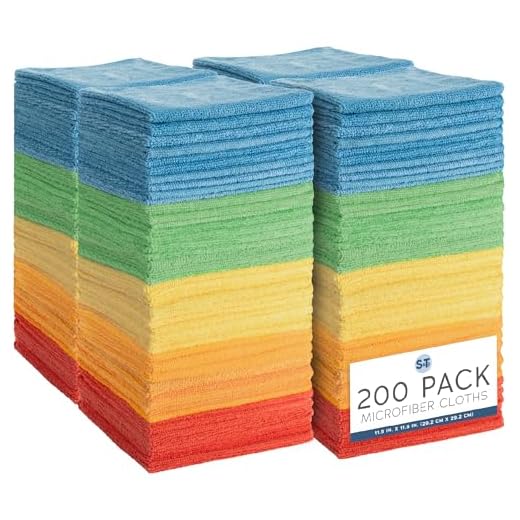
Step 1: Start by cleaning the camera lens with a microfiber cloth to remove any dirt or debris. This will help you see the scratches more clearly.
Step 2: Apply a small amount of toothpaste or baking soda to the scratched area. Gently rub the substance in a circular motion with a soft cloth for a few minutes.
Step 3: Rinse the camera lens with water and dry it with a clean cloth. Check to see if the scratches have improved. If not, repeat the process or consider using a glass scratch remover kit.
Identify the scratch
Before attempting to fix a scratched iPhone camera screen, it’s important to properly identify the scratch. Take a close look at the camera lens to determine the extent of the damage. If the scratch is minor and only affecting the surface, you may be able to fix it yourself. However, if the scratch is deep or affecting the functionality of the camera, it’s best to seek professional help.
Here are some signs to look for when identifying a scratch on your iPhone camera screen:
- Visible marks or lines on the lens
- Blurry or distorted images when using the camera
- Difficulty focusing or capturing clear photos
Once you have identified the scratch, you can determine the best course of action to fix it and restore the functionality of your iPhone camera.
Gather necessary materials
Before attempting to fix a scratched iPhone camera screen, make sure you have the following materials:
| 1. Microfiber cloth |
| 2. Lens cleaning solution |
| 3. Soft brush or cotton swab |
| 4. Plastic polish or toothpaste |
| 5. Water |
Clean the camera lens
One of the common reasons for a scratched iPhone camera screen is dirt or debris on the lens. To clean the lens:
- Use a microfiber cloth to gently wipe the lens in a circular motion.
- If there are stubborn smudges or dirt, dampen the cloth with a small amount of lens cleaner specifically designed for electronic devices.
- Avoid using harsh chemicals or abrasive materials that could further damage the lens.
- Once the lens is clean, check to see if the scratches are still affecting the camera’s performance.
Apply a scratch remover
If the scratches on your iPhone camera screen are not too deep, you can try using a scratch remover to buff them out. Here’s how you can do it:
| 1. | Start by cleaning the camera lens with a soft cloth to remove any dirt or debris. |
| 2. | Apply a small amount of scratch remover onto the lens and gently rub it in circular motions using a clean microfiber cloth. |
| 3. | Continue rubbing the scratch remover until the scratches start to fade away. |
| 4. | Once you are satisfied with the results, wipe off any excess scratch remover with a clean cloth. |
| 5. | Inspect the lens to see if the scratches have been successfully removed. If not, you may need to repeat the process. |
Use a DIY Solution
If you prefer a more hands-on approach, you can try using a DIY solution to fix the scratched iPhone camera screen. Here are a few DIY methods you can try:
1. Toothpaste
Apply a small amount of non-gel toothpaste to a soft, lint-free cloth. Gently rub the toothpaste in circular motions over the scratched area of the camera lens. Wipe off the toothpaste with a clean, damp cloth and inspect the lens for any improvement.
2. Baking Soda Paste
Mix a small amount of baking soda with water to create a paste. Apply the paste to the scratched area of the camera lens and gently rub it in with a soft cloth. Rinse off the paste with water and dry the lens thoroughly.
| DIY Solution | Materials Needed |
|---|---|
| Toothpaste | Non-gel toothpaste, soft cloth |
| Baking Soda Paste | Baking soda, water, soft cloth |
Consider professional repair
If the scratches on your iPhone camera screen are severe and affecting the quality of your photos, it may be best to seek professional repair services. Apple Authorized Service Providers or third-party repair shops specializing in iPhone repairs can assess the damage and replace the camera lens if necessary.
While DIY methods can work for minor scratches, a professional repair ensures that the camera lens is properly aligned and calibrated to maintain the camera’s functionality and image quality.
Prevent future scratches
Once you have fixed the scratched camera screen on your iPhone, you’ll want to take steps to prevent it from happening again. Here are some tips to help protect your camera screen:
| 1. | Use a screen protector: Apply a high-quality screen protector specifically designed for camera lenses to create a protective barrier against scratches. |
| 2. | Avoid placing your phone face down: Be mindful of where you place your phone to prevent it from coming into contact with rough surfaces that can scratch the camera lens. |
| 3. | Keep your phone in a protective case: Choose a case that offers adequate protection for the camera lens and screen to minimize the risk of scratches. |
| 4. | Clean your camera lens regularly: Use a soft microfiber cloth to gently clean the camera lens and remove any dirt or debris that could potentially cause scratches. |
| 5. | Handle your phone with care: Avoid dropping or mishandling your phone to prevent any accidental damage to the camera lens or screen. |
Use a screen protector
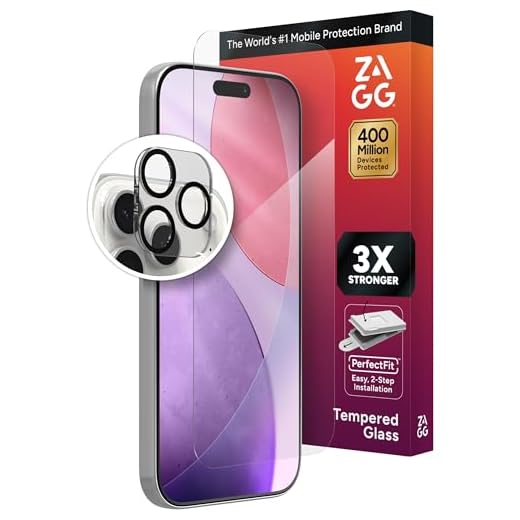
One of the best ways to prevent scratches on your iPhone camera screen is to use a screen protector. Screen protectors are thin, transparent sheets that adhere to your phone’s screen, providing an extra layer of protection against scratches and other damage. They are relatively inexpensive and easy to apply.
When choosing a screen protector for your iPhone camera, make sure to select one specifically designed for camera lenses. These protectors are usually made of high-quality materials that won’t interfere with the camera’s performance or image quality.
To apply the screen protector, clean the camera lens thoroughly with a microfiber cloth to remove any dust or dirt. Then, carefully align the protector with the camera lens and gently press it into place, smoothing out any air bubbles. Once applied, the screen protector will help prevent scratches and keep your iPhone camera screen looking like new.
Test the camera
Before reassembling your iPhone, it’s important to test the camera to ensure that the scratch has been successfully removed.
Step 1:
Turn on the camera app and check for any visible scratches on the screen. Take a few test photos and videos to see if the scratch affects the quality of the images.
Step 2:
If the scratch is still visible or if the camera quality is compromised, you may need to repeat the cleaning and polishing process or consider seeking professional help.


Good article! But I'm curious, how do I know if the scratch is too deep to fix myself? Are there any signs I should look for?
I tried the toothpaste method on my iPhone camera, and it actually worked for me! The scratch wasn't too deep, but after a few tries with a soft cloth, it cleared up. Just be careful not to use too much pressure. I would recommend testing it out if you're hesitant!
Thanks for sharing your experience! It's great to hear that the toothpaste method worked for you. Remember to always test a small area first to ensure no further damage occurs.