
 Carmen J. Moore

Keeping your iPhone camera clean is essential for capturing clear and crisp photos and videos. Over time, dust, dirt, and fingerprints can accumulate on the lens, affecting the quality of your images. Regularly cleaning your iPhone cameras can help maintain their performance and ensure that your photos and videos look their best.
In this article, we will discuss some simple and effective ways to clean your iPhone cameras without causing any damage to your device. By following these tips, you can keep your iPhone cameras in top condition and enjoy taking stunning photos and videos.
How to Clean iPhone Cameras
Keeping your iPhone camera clean is essential for capturing clear and crisp photos. Here are some tips on how to clean your iPhone camera:

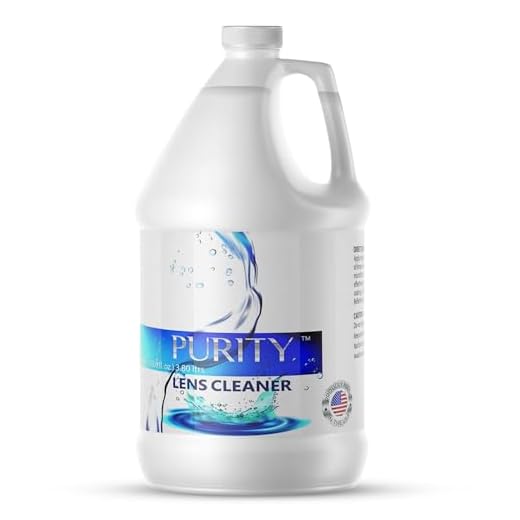

1. Use a Microfiber Cloth
One of the easiest ways to clean your iPhone camera lens is to use a microfiber cloth. Gently wipe the lens in a circular motion to remove any dust or smudges.
2. Avoid using liquids
Avoid using liquids like water or cleaning solutions directly on the camera lens. Instead, dampen the microfiber cloth slightly with water and use it to clean the lens.
By following these simple tips, you can keep your iPhone camera clean and ready to capture stunning photos.
Gather Necessary Supplies
Before you start cleaning your iPhone camera, make sure you have the following supplies ready:
- Microfiber cloth: This will help you gently wipe the camera lens without scratching it.
- Lens cleaning solution: Use a specialized lens cleaning solution to remove stubborn dirt and smudges.
- Cotton swabs: These can help you reach small crevices and corners around the camera lens.
- Compressed air: Use compressed air to blow away dust and debris from hard-to-reach areas.
Having these supplies on hand will ensure that you can effectively clean your iPhone camera without causing any damage.
Turn Off Your iPhone
Before cleaning your iPhone camera, make sure to turn off your device completely. This will prevent any accidental damage or interference while cleaning. To turn off your iPhone, press and hold the power button until the “slide to power off” option appears on the screen. Slide the bar to power off your device.
Use a Soft Cloth
One of the simplest and most effective ways to clean your iPhone camera is to use a soft, lint-free cloth. This will help remove any dust, smudges, or fingerprints without scratching the lens. Make sure the cloth is clean and free of any debris before gently wiping the camera lens in a circular motion. Avoid using rough or abrasive materials that could damage the lens.
Avoid Using Liquids
While it may be tempting to use water or cleaning solutions to clean your iPhone camera lens, it is best to avoid using liquids altogether. Liquids can seep into the sensitive components of the camera and cause damage. Instead, opt for a dry microfiber cloth to gently wipe away any dust or smudges on the lens.
Remember that prevention is key when it comes to keeping your iPhone camera clean. Make sure to store your phone in a clean, dry place and avoid exposing it to dusty or dirty environments whenever possible.
Use Compressed Air
If you have dust or debris stuck in the camera lens or around the camera module, you can use compressed air to blow it out. Make sure to hold the iPhone securely and aim the nozzle of the compressed air can at the affected area. Be gentle with the air pressure to avoid damaging the delicate components inside the camera. This method can help dislodge particles that are difficult to remove with a microfiber cloth.
Clean the Lens Carefully
When cleaning the lens of your iPhone camera, it’s important to be gentle and careful to avoid scratching or damaging the lens surface. Here are some steps to clean the lens carefully:
1. Use a Soft Cloth
Start by using a clean, soft microfiber cloth to gently wipe the lens surface. Avoid using abrasive materials or harsh chemicals that could scratch or damage the lens.
2. Use Lens Cleaning Solution
If there are stubborn smudges or dirt on the lens, you can use a small amount of lens cleaning solution specifically designed for cameras. Apply the solution to the cloth, not directly to the lens, and gently wipe the lens in a circular motion.
By following these steps and being cautious, you can keep your iPhone camera lens clean and free from dirt, smudges, and scratches, ensuring clear and crisp photos every time.
Remove Dust and Debris
One common issue that affects the clarity of iPhone camera photos is the presence of dust and debris on the lens. To clean the lens, start by using a soft, clean microfiber cloth to gently wipe away any visible dust or dirt. Avoid using harsh chemicals or abrasive materials that could scratch the lens.
If the dust or debris is stubborn and does not come off with a cloth, you can use a small amount of lens cleaning solution specifically designed for camera lenses. Apply the solution to the cloth, not directly on the lens, and gently wipe in a circular motion until the lens is clean.
Remember to also check the rear camera lens for dust and debris, as both lenses can impact the quality of your photos. Regularly cleaning the lenses will help ensure that your iPhone camera captures clear and sharp images.
Check the Camera Quality
Before cleaning your iPhone camera, it’s important to check the quality of the images it produces. Take a few test photos in different lighting conditions to see if there are any smudges or dirt affecting the clarity of the pictures.
- Inspect the camera lens for any visible smudges, fingerprints, or dirt.
- Use a soft, lint-free cloth to gently clean the lens by wiping in a circular motion.
- Check the camera settings to ensure they are optimized for the best image quality.
- If the camera quality is still not satisfactory after cleaning, consider professional cleaning or repair.
Repeat Regularly
It’s important to make cleaning your iPhone cameras a regular part of your routine to ensure that they stay in optimal condition. Set a schedule for cleaning your cameras, whether it’s once a week or once a month, and stick to it. By regularly cleaning your iPhone cameras, you can prevent dirt and grime from building up and affecting the quality of your photos and videos.
Tip: Consider setting a reminder on your phone to prompt you to clean your cameras at regular intervals.


Can you explain why using liquids is risky? I thought it would help clean more effectively.
Don’t forget to clean the rear camera lens too! I almost missed that once.
I disagree with avoiding all liquids completely. A tiny bit of lens cleaner works fine for me without any issues.
How often should I clean my iPhone camera? I take a lot of photos.
It's recommended to clean your iPhone camera regularly, perhaps once a week or once a month, depending on how often you use it and your environment.
I started using a microfiber cloth, and it really made a difference. My photos are much clearer now. Just make sure the cloth is clean!