
 Carmen J. Moore

Your iPhone camera is a powerful tool that captures your most precious moments, but over time, the camera lens can get dirty and affect the quality of your photos. To ensure your iPhone camera continues to take stunning pictures, it’s essential to clean the camera glass regularly.
Keeping your iPhone camera lens clean is a simple task that can make a big difference in the quality of your photos. Dust, fingerprints, and smudges can obscure the lens, resulting in blurry or hazy images. By following a few easy steps, you can clean your iPhone camera glass effectively and restore the clarity of your photos.
Before you start cleaning your iPhone camera glass, make sure to turn off your device and remove the case to access the lens easily. Use a soft, lint-free cloth to gently wipe away any dust or dirt particles on the lens. Avoid using harsh chemicals or abrasive materials that could scratch the glass.
Step-by-Step Guide for Cleaning iPhone Camera Glass
Keeping the camera lens of your iPhone clean is essential for capturing clear and crisp photos. Follow these steps to clean the camera glass:

- Power off your iPhone to avoid accidental touches or changes to settings.
- Use a microfiber cloth to gently wipe the camera lens in a circular motion. Avoid using rough or abrasive materials that can scratch the glass.
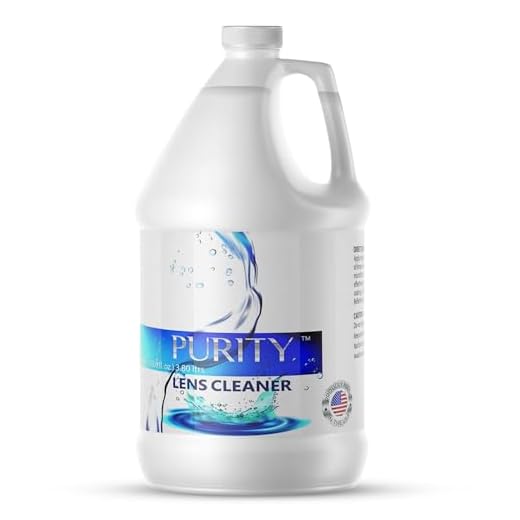
- If there are stubborn smudges or dirt, dampen a corner of the cloth with distilled water or lens cleaning solution. Do not spray liquid directly on the lens.
- Gently wipe the lens again with the dampened cloth, being careful not to apply too much pressure.
- Use a dry part of the cloth to remove any remaining moisture or streaks on the lens.
- Inspect the lens for any remaining dirt or smudges and repeat the cleaning process if necessary.
- Once the lens is clean and dry, power on your iPhone and test the camera to ensure the clarity of the images.
Gather Necessary Cleaning Supplies
Before you start cleaning your iPhone camera glass, make sure you have the following supplies on hand:
- Microfiber cloth: This is gentle and won’t scratch the glass surface.
- Lens cleaning solution: Use a solution specifically designed for camera lenses to ensure effective cleaning.
- Cotton swabs or lens cleaning wipes: These can help reach small crevices and corners.
Caution:
Avoid using harsh chemicals, abrasive materials, or excessive moisture when cleaning your iPhone camera glass to prevent damage.
Power Off Your iPhone
Before cleaning the camera glass of your iPhone, it’s important to power off the device to avoid any accidental damage. To do this, press and hold the power button until you see the “slide to power off” option on the screen. Slide the button to power off your iPhone completely.
Use a Soft Microfiber Cloth
To clean the iPhone camera glass, you can use a soft microfiber cloth. This type of cloth is gentle on the delicate camera lens and will not scratch or damage it. Make sure the cloth is clean and free of any debris or dirt that could scratch the lens. Gently wipe the camera lens in a circular motion to remove any smudges or dirt. Be careful not to apply too much pressure, as this could damage the lens. Repeat this process until the lens is clean and clear. Using a soft microfiber cloth is a safe and effective way to keep your iPhone camera lens clean and free of smudges.
Apply a Small Amount of Cleaning Solution
Once you have removed any visible dirt or grime from the iPhone camera glass, it’s time to apply a small amount of cleaning solution. Choose a gentle cleaning solution specifically designed for electronics or lenses. Avoid using harsh chemicals or abrasive cleaners that could damage the glass.
Apply a small amount of the cleaning solution to a microfiber cloth. Be careful not to saturate the cloth, as excess liquid could seep into the camera components and cause damage. Gently wipe the camera glass in a circular motion, taking care to cover the entire surface. Use a dry part of the cloth to buff the glass until it is clean and streak-free.
Gently Wipe the Camera Glass
Once you have removed any dirt and debris from the camera glass, it’s time to gently wipe it clean. Use a soft, lint-free cloth or a microfiber cloth to wipe the camera glass in a circular motion. Avoid using harsh chemicals or abrasive materials as they can scratch the glass.
Step 1: Prepare the Cloth
Make sure the cloth you are using is clean and free of any debris that could scratch the camera glass. If necessary, dampen the cloth slightly with water to help remove any stubborn smudges or dirt.
Step 2: Wipe the Camera Glass
| 1. | Start by gently wiping the camera glass in a circular motion. |
| 2. | Apply light pressure to remove any fingerprints or smudges. |
| 3. | Continue wiping until the camera glass is clean and free of any residue. |
Check for Any Remaining Smudges
After wiping the camera glass with a microfiber cloth and lens cleaner, inspect the lens for any remaining smudges or dirt. If you notice any smudges, repeat the cleaning process with gentle circular motions until the lens is completely clean.
It’s important to ensure that the camera lens is free of any smudges or dirt to maintain the quality of your photos and videos. Once you are satisfied with the cleanliness of the lens, you can proceed to test the camera to see if the cleaning has improved the image quality.
Allow the Camera Glass to Dry
After cleaning the camera glass with a microfiber cloth and alcohol solution, allow it to air dry completely. Avoid using the camera until the glass is completely dry to prevent any potential damage. Once the camera glass is dry, you can test the camera to ensure that it is functioning properly and that the glass is clean and clear.
Power On Your iPhone and Test the Camera
After you have completed the cleaning process, power on your iPhone to test the camera. Open the camera app and check if the camera lens is now free from any smudges, dirt, or debris. Take a few test photos to ensure that the camera is functioning properly and that there are no visible spots or blurriness in the images.
Additional Tips:
- If you notice any remaining dirt or smudges on the camera lens, repeat the cleaning process using a gentle microfiber cloth or lens cleaning solution.
- Regularly cleaning the camera lens can help maintain the quality of your photos and videos and prolong the life of your iPhone’s camera.
Repeat the Cleaning Process Regularly
To maintain the cleanliness of your iPhone camera glass, it is important to repeat the cleaning process regularly. Over time, dust, dirt, and oils can accumulate on the lens surface, affecting the quality of your photos. By incorporating regular cleaning into your phone maintenance routine, you can ensure that your camera lens stays clear and your photos remain sharp and vibrant.
It is recommended to clean your iPhone camera lens at least once a week or more frequently if you use your phone in dusty or dirty environments. By making this a regular habit, you can prevent buildup and maintain optimal camera performance.


I cleaned my iPhone camera using these steps last week, and I noticed a significant difference in photo quality! I used a microfiber cloth and a little distilled water, and it worked wonders. Just make sure to check for any remaining streaks afterward because I missed a spot at first.
That's great to hear! I usually just use my shirt, but maybe I should invest in a proper microfiber cloth.
What kind of cleaning solution do you recommend for the iPhone camera? I’ve seen so many options out there, and I want to ensure I don’t damage the lens while cleaning.
It's best to use a cleaning solution specifically designed for camera lenses or electronics. Look for alcohol-based solutions or those labeled as gentle lens cleaners.
I disagree with the caution against using water. A damp microfiber cloth works just fine for me, as long as I don’t soak it. I think it helps get rid of tougher dirt.
Using a damp cloth can be effective, but it's important to ensure no excess moisture gets into the camera components.
I’ve heard that using anything damp can risk damaging the lens. I always just use a dry microfiber cloth to avoid any issues.
What’s the best way to remove stubborn smudges from the camera lens? I’ve tried a microfiber cloth but some marks just won’t budge.
I had the same issue! I used a little lens cleaning solution on the microfiber cloth, and that helped a lot. Just remember not to spray it directly on the lens.
Is it really necessary to power off the iPhone before cleaning? Couldn’t I just clean it while it’s on?
It’s recommended to power off the device to avoid any accidental touches or settings changes while cleaning.
I’ve been cleaning my iPhone camera for a while now, and I can say that doing it regularly really makes a difference. I used to forget, and my photos would come out blurry. Now, I try to clean it every week. It’s quick and easy, and the results are noticeable!
Thanks for sharing your experience! Regular maintenance certainly helps keep your images sharp.