
 Carmen J. Moore

Have you ever wondered if you can use a hair dryer to fix your iPhone camera? The iPhone camera is a delicate piece of technology that can be easily damaged if exposed to extreme heat or moisture. However, some people believe that using a hair dryer on the iPhone camera can help fix certain issues, such as condensation or moisture damage.
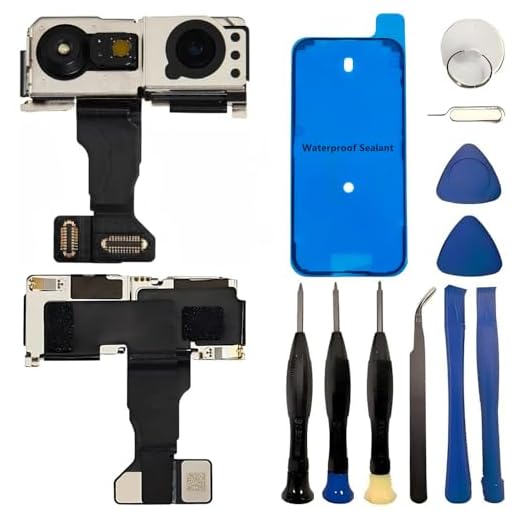

But is it safe to use a hair dryer on your iPhone camera? Will it actually help or harm the device? In this article, we will explore the potential risks and benefits of using a hair dryer on your iPhone camera and provide recommendations on how to properly care for your device.
Why using a hair dryer on iPhone camera is not recommended
While it may be tempting to use a hair dryer to fix condensation or moisture in your iPhone camera, it is not recommended due to the following reasons:
1. Damage to delicate components
The heat from the hair dryer can potentially damage the delicate components of the iPhone camera, leading to malfunctions or permanent damage.
2. Risk of overheating
Exposing the iPhone camera to excessive heat can cause it to overheat, affecting its performance and longevity.
It is best to use alternative methods such as silica gel packets or rice to absorb moisture and prevent damage to your iPhone camera.
How heat can damage the iPhone camera
Exposing your iPhone camera to high heat, such as using a hair dryer, can potentially damage the delicate components of the camera module. Here are some ways heat can harm your iPhone camera:
- Overheating: Excessive heat can cause the camera sensor to overheat, leading to malfunctions or permanent damage.
- Lens distortion: High temperatures can cause the lens elements to warp or distort, affecting the clarity and quality of the images captured.
- Internal damage: Heat can also affect the internal circuitry of the camera, causing issues with focus, exposure, or even rendering the camera unusable.
Protecting your iPhone camera from heat damage
To prevent heat damage to your iPhone camera, avoid exposing it to direct heat sources like hair dryers, prolonged sunlight, or hot environments. Always store your iPhone in a cool, dry place and handle it with care to maintain optimal performance.
Alternatives to using a hair dryer on iPhone camera
If you are looking for alternative ways to dry your iPhone camera without using a hair dryer, here are some options you can consider:
- Use a can of compressed air to gently blow away any moisture or debris from the camera lens.
- Place your iPhone in a bowl of uncooked rice or silica gel packets to help absorb the moisture.
- Leave your iPhone in a warm, dry place for a few hours to allow the moisture to evaporate naturally.
- If your iPhone is water-resistant, you can rinse it with clean water to remove any residue and then let it air dry.
Professional Repair Options for iPhone Camera Issues
When it comes to fixing iPhone camera problems, it is important to consider professional repair options to ensure the best results. Here are some common issues that may require professional assistance:
1. Camera Lens Replacement: If your iPhone camera lens is cracked or scratched, it can significantly impact the quality of your photos. A professional repair service can replace the lens with a new one to restore the clarity of your images.
2. Camera Module Repair: If your iPhone camera module is malfunctioning or not working at all, a professional technician can diagnose the issue and repair or replace the module to get your camera back in working order.
3. Software Troubleshooting: Sometimes, camera issues can be caused by software glitches or compatibility issues. A professional repair service can troubleshoot the software on your iPhone to identify and fix any issues affecting the camera functionality.
4. Water Damage Repair: If your iPhone camera has been exposed to water or other liquids, it can cause irreversible damage. Professional repair services have the expertise and tools to clean and repair water damage to restore your camera’s functionality.
Overall, seeking professional repair options for iPhone camera issues is the best way to ensure that your device is properly fixed and that you can continue capturing high-quality photos and videos.
Tips for preventing damage to iPhone camera
1. Avoid exposing your iPhone camera to extreme temperatures, such as leaving it in direct sunlight or a hot car, as this can cause damage to the camera sensor.
2. Keep your iPhone camera lens clean by using a soft microfiber cloth to gently wipe away any dust, fingerprints, or smudges that may affect image quality.
3. Be cautious when using accessories like lens attachments or tripods, as improper installation or handling can potentially scratch or damage the camera lens.
4. Avoid exposing your iPhone camera to water or moisture, as this can lead to internal damage and affect the functionality of the camera.
5. If you need to clean your iPhone camera more thoroughly, consider using a specialized lens cleaning solution and follow the manufacturer’s instructions carefully to prevent any damage.


Is it really true that using a hair dryer can damage the iPhone camera? I thought it might help with moisture.
Yes, using a hair dryer can actually damage the delicate components of the iPhone camera due to excessive heat. It's best to explore safer alternatives.
I’ve had similar issues with my camera. I’m torn between using silica gel and rice. Which one is actually more effective for absorbing moisture?
Both silica gel and rice can absorb moisture, but silica gel is generally more effective and quicker. It's also less messy!
Silica gel packets are a good idea! I've used them to prevent moisture in my tech devices.
I once accidentally got moisture in my iPhone camera and used a can of compressed air instead of a hair dryer. It worked great and I didn’t have any issues after that!
I don’t think using a hair dryer is that bad if you keep it at a distance. It might be fine for a quick dry.
Can someone explain the internal damage caused by heat? What kind of issues can arise from that?