
 Carmen J. Moore

Privacy and security are major concerns in the digital age, especially when it comes to our smartphones. With the advancement of technology, it’s important to question whether our devices can be accessed without our knowledge. One of the most sensitive components of a smartphone is the camera, as it can potentially capture intimate moments and personal information.
When it comes to iPhones, many users wonder if their device’s camera can be accessed by unauthorized parties. While Apple has implemented robust security measures, there have been instances where vulnerabilities have been exploited. This raises the question: can people access your iPhone camera without your permission?
Can People Access Your iPhone Camera
Can people access your iPhone camera without your permission?

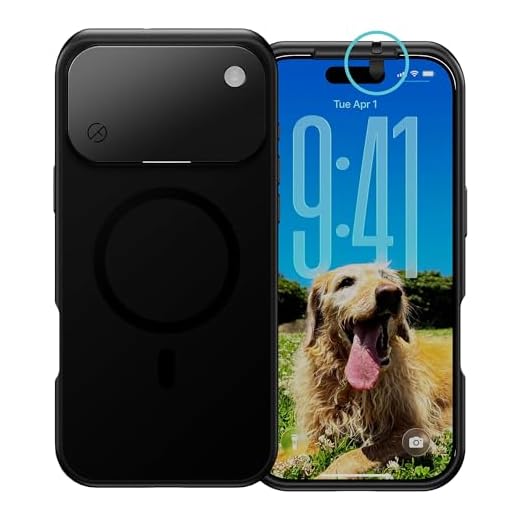

With the advancements in technology, there have been concerns about the privacy of smartphone users, particularly regarding the access to their cameras. While it is technically possible for malicious apps or hackers to gain unauthorized access to your iPhone camera, Apple has implemented strict security measures to prevent this from happening.
One of the key features of iOS is the permission system, which requires apps to request user consent before accessing sensitive data such as the camera. This means that you should always be prompted to grant permission when an app wants to use your camera.
Additionally, Apple regularly releases software updates to patch security vulnerabilities and protect users from potential threats. It is important to keep your iPhone up to date to ensure that you have the latest security features.
While the risk of unauthorized access to your iPhone camera is low, it is always a good practice to review the permissions granted to each app and revoke access to any app that you do not trust.
In conclusion, while it is possible for people to access your iPhone camera without your permission, Apple has implemented security measures to mitigate this risk. By staying vigilant and keeping your device up to date, you can safeguard your privacy and prevent unauthorized access to your camera.
Privacy Concerns and Risks
When it comes to accessing your iPhone camera, there are significant privacy concerns and risks to consider. Hackers and malicious apps can potentially gain unauthorized access to your camera, allowing them to spy on you without your knowledge. This intrusion into your privacy can lead to serious consequences, including the misuse of your personal information or compromising images.
Furthermore, some apps may request access to your camera for legitimate purposes but may misuse this access for data collection or tracking without your consent.
Protecting Your Privacy
To protect your privacy and minimize the risks associated with accessing your iPhone camera, it is crucial to review and manage app permissions carefully. Only grant camera access to trusted apps that have a valid reason for needing it. Additionally, regularly check your camera settings and review the permissions granted to each app to ensure your privacy is safeguarded.
How to Check Camera Access
If you want to check which apps have access to your iPhone camera, you can easily do so by following these steps:
- Open the Settings app on your iPhone.
- Scroll down and tap on “Privacy”.
- Tap on “Camera”.
- Here, you will see a list of all the apps that have requested access to your camera. You can toggle the switches next to each app to grant or revoke camera access.
By checking these settings regularly, you can ensure that only the apps you trust have access to your iPhone camera.
Protecting Your Privacy
Protecting your privacy is crucial when it comes to your iPhone camera. To prevent unauthorized access to your camera, make sure to regularly update your iOS software to the latest version. Additionally, be cautious when granting camera access to third-party apps and only download apps from trusted sources. Consider using a camera cover or physical shutter to block the camera when not in use. Lastly, enable two-factor authentication and use strong, unique passwords to secure your device and data.
Third-Party Apps and Permissions
When you install third-party apps on your iPhone, you may be prompted to grant permissions for the app to access your camera. It is important to carefully review these permissions before granting access, as some apps may misuse this access to spy on you or capture sensitive information.
Be cautious when installing apps from unknown sources, as they may pose a security risk. Always check the reviews and ratings of an app before downloading it to ensure that it is reputable and trustworthy.
If you are concerned about the privacy implications of a particular app having access to your camera, you can revoke its permissions in the Settings app. Simply navigate to the app’s settings and toggle off the camera permission to prevent it from accessing your camera.
Camera Security Features
When it comes to iPhone camera security, Apple has implemented several features to protect users’ privacy and prevent unauthorized access to the camera.
1. Camera Permissions: iOS prompts users to grant permission for apps to access the camera. Users can control which apps have access to the camera in the settings.
2. Indicator Light: Whenever the iPhone camera is in use, an indicator light next to the front camera turns on, alerting users that the camera is active.
3. Privacy Settings: Users can review and manage privacy settings for the camera in the iPhone’s settings, allowing them to restrict access to specific apps or features.
4. Secure Enclave: The iPhone’s Secure Enclave technology ensures that biometric data used for Face ID or Touch ID is securely stored and cannot be accessed by third-party apps.
5. Hardware Disconnect: Apple has implemented hardware disconnect features that physically disconnect the camera and microphone when not in use, providing an additional layer of security.
Updates and Security Patches
Keeping your iPhone software up to date is crucial for maintaining the security of your device and protecting your privacy. Apple regularly releases updates and security patches to address vulnerabilities and fix bugs that could potentially be exploited by malicious actors.
Why Updates Matter
By installing the latest updates, you ensure that your device has the most recent security features and protections. This reduces the risk of unauthorized access to your camera or other sensitive information on your iPhone.
It’s important to enable automatic updates on your device so that you receive the latest security patches as soon as they are available. Additionally, be cautious of downloading apps from untrusted sources, as they may contain malware that could compromise your device’s security.
Remember, staying vigilant and regularly updating your iPhone are key steps in safeguarding your privacy and preventing unauthorized access to your camera or other personal data.


Can someone really access my iPhone camera without me knowing? That's kinda scary.
I had a friend who found a suspicious app on their phone that was using the camera. They had no idea it was even installed. Regularly checking app permissions is so important!
The article mentions a camera indicator light. Does that mean if the camera is on, I can see that light? What happens if an app accesses it without my knowledge?
Yes, the indicator light turns on whenever the camera is in use, alerting you. If an app is accessing it without your permission, that shouldn't happen due to iOS permissions.
I’m not entirely convinced that Apple’s security is enough. They have had security issues in the past. It's better to be cautious.
Remember to review your privacy settings regularly! It's a small step that can make a big difference.